Clear Signals Interview with Brian Rhatigan
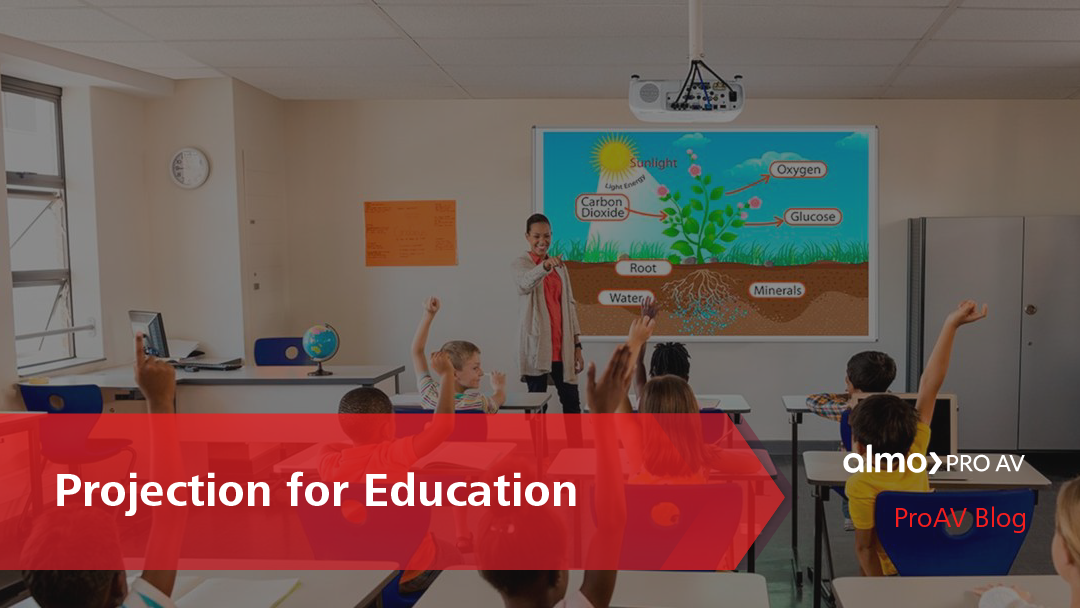
In conversation with John Wasko and Keith Mecutchen, Brian Rhatigan, Director of Business Development, discusses everything you need to know about projection for education. From choosing the right projector for a space to promoting engagement in the classroom, he provides key insight regarding the best ways to serve the education market.
Let’s dive into the Q&A.
“Brian, what brightness (or lumens) do you recommend for hybrid classrooms to keep content visible with lights on and remote learners engaged?”
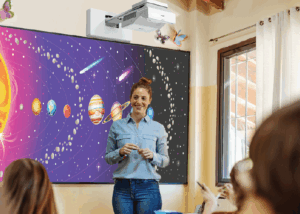 The number one question that I get, day in and day out, is: How bright of a projector do I need?
I can’t say there’s any one answer for every single space.
There are two primary factors that are going to determine what your image is going to look like: the size of the image, and the amount of ambient light in the room, specifically the amount of light at the screen area. When somebody reaches out to me looking for a projector recommendation, 99% of the time, if not more, I have the screen size, however I rarely get the amount of ambient light. Without that, it becomes more guesswork than actually being able to mathematically validate the amount of projected brightness you would need for a given space. If we have those two pieces of information, then we can easily [determine] the amount of lumens that you’ll need for the space to achieve a good looking image that meets the standards that have been put forth by AVIXA.
For a typical learning environment, the goal is to achieve a minimum contrast ratio of 15:1. In a many classrooms, we’re dealing with smaller images — with interactive projectors, you’re talking images of 100 inches diagonal or less. In that case, the 4,000-5,000 lumen range is perfectly sufficient for that type of application. If we’re talking about larger learning spaces like lecture halls that require larger displayed images, then it’s really going to come down to the size of the image and the amount of ambient light at the screen area.
“When schools plan for hybrid learning, what long-term factors matter most; laser vs. lamp, maintenance cycles, warranty?”
There’s been a huge shift from lamp-based projection to laser projection over the last several years. Your options for lamp-based projectors have naturally gotten smaller from most manufacturers during this shift
In order to serve the education market, specifically [regarding] K-12, where budgets are limited, there’s still a number of offerings of lamp-based projectors available to serve that market. There is a trade-off, however. The laser projector is going to have more of an upfront cost, but you don’t have to worry about replacing lamps. A typical lamp is going to last about 4,000 hours. If we figure we’re using the projector for eight hours a day, that’s about two years. So, every two years, you’re having to spend a couple of hundred dollars to replace the projector’s lamp.
Whereas most laser projectors are rated between 20,000-30,000 hours until they achieve half brightness. At that point, there’s nothing you can do to make it brighter — it just has to be replaced. If we use the same example of using the projector 8 hours a day, for 20,000-30,000 hours, you’re potentially able to use that projector for 10 years or more. In many cases, you’re doing hardware refreshes more frequently than that anyway.
Another consideration is that at least one of the big projector manufacturers offers additional warranty coverage at no additional charge when projectors are sold into educational environments. That warranty is traditionally two to three years longer on a laser-based projector than it is on a lamp-based projector.
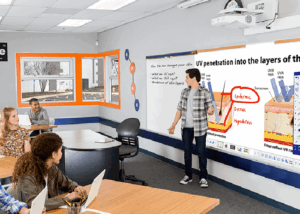 “Ultra-short throw or traditional projectors; which works best for hybrid classrooms? And how do we avoid those pesky presenter shadows during live sessions?”
With projection technology, there will always be a light path between the projector and the screen. The further away the projector is from the screen, the higher the chance of casting shadows.
It comes down to the application. Ultra-short-throw projectors are absolutely going to minimize the potential for casting shadows on the screen due to the drastically shortened light path. In cases where the presenter is going to be in front of the screen, near the screen, or using pointing devices that may interrupt the light path, ultra-short throw is the way to go. In a lecture center, those screens are usually going to be placed above the height of the presenter, eliminating the potential for shadows.
“Can interactive or immersive projection really boost engagement for both in-room and remote students?”
Anytime you can get somebody up and involved in the presentation, that’s going to boost engagement and make it more interesting. Interactive projectors allow you to do that — similar to using an interactive flat panel, where your finger or an electronic pen take the place of the mouse on your computer. Anytime someone, involved in learning, solving equations, or annotating on the screen, or interacting with live content that’s going to make for a more effective presentation.
When considering in person versus remote, I think the benefit lies more for the in-room participants, however remote participants should realize some additional benefit as well as a result of the audience engagement.
 “How do we integrate classroom AV with LMS and video platforms like Teams, Zoom, Canvas, or Moodle for a seamless hybrid experience?”
For the most part, these types of conferencing and collaboration platforms are agnostic, meaning that no matter which manufacturer’s camera, microphone, or [display] you’re using, the system is going to function. Companies like Microsoft and Zoom have certification programs where they work closely with third-party hardware manufacturers to ensure that their devices are going to work as expected every time and be able to support all of the different features within each of these platforms. For the best possible experience, I do however recommend looking for that list of certified devices, whether it be Microsoft, Zoom or any of the other platforms and choosing them when designing your system.
Generally speaking, they’re agnostic so you will have a functioning system regardless of which products you choose, however using certified products will guarantee the best outcome.
_____________________
With many education spaces adopting hybrid learning practices, choosing the correct projector is more important than ever. From boosting engagement and interaction to integrating classroom solutions with conferencing platforms, John and Keith’s conversation with Brian serves as a go-to reference for all-things education projection.
Discover the complete Clear Signals conversation and more on YouTube »
Check out one of Brian’s other blogs, “5 Keys to Selecting a New Projector“.