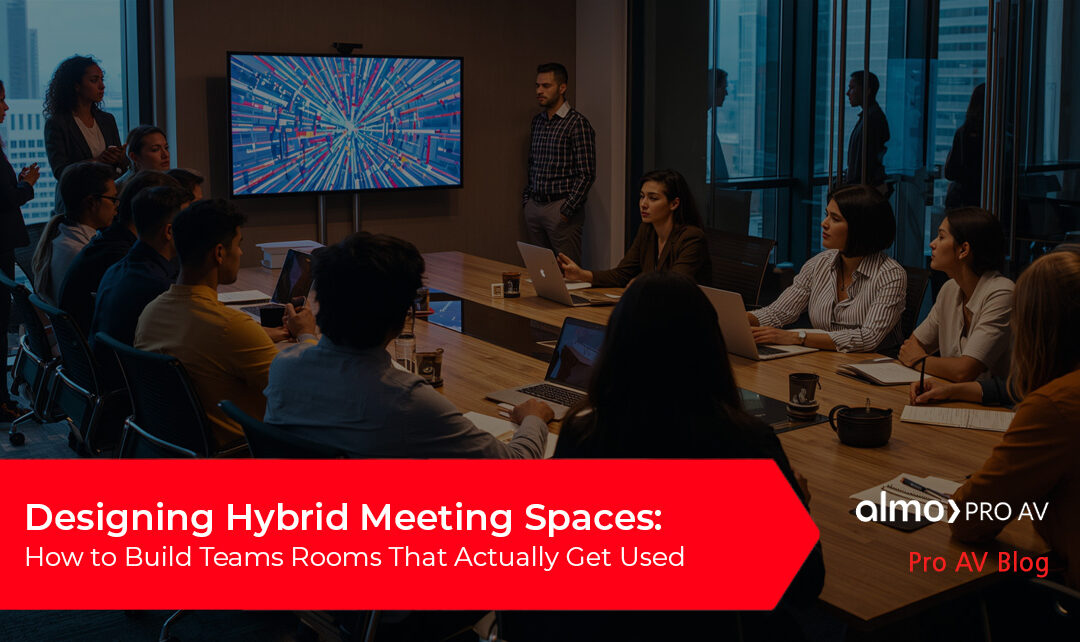
Hybrid work didn’t just change where meetings happen, it changed what your customers expect when they walk into a room.
Today, users expect meeting spaces to just work. The same simplicity they get on their laptop. The same Teams interface they already know. No delays. No confusion. No troubleshooting. And when that doesn’t happen, you’ve seen what follows – people avoid the room altogether.
Because installing a Microsoft Teams Room is one thing. Designing one your customer actually wants to use every day? That’s where you win.
Why Some Meeting Rooms Still Miss the Mark
 You’ve likely walked into spaces with great hardware but a frustrating experience – rooms that are inconsistent from one space to the next, difficult to operate, or plagued by audio issues.
In most cases, it’s not about the products. It’s about how everything comes together.
The reality is, many spaces are still being designed like they were a few years ago. Meanwhile, your customers are navigating hybrid teams, flexible layouts, and much higher expectations.
What Your Customers Actually Want
Your customers aren’t asking for cutting-edge AV just for the sake of it. What they really want is simple: meetings that start on time, include everyone, and don’t require IT support to get going.
They want consistency from room to room and an experience that feels familiar.
That’s exactly why Microsoft Teams Rooms has become a standard. It extends the Teams experience into the room, creating a consistent, intuitive environment that removes friction and drives adoption.
Start With How the Room Will Be Used
This is where you can truly differentiate yourself.
Before you specify any equipment, step back and think about how the space will actually be used. Consider the types of meetings that happen there, how many people are involved, and whether the room is used for internal collaboration, client meetings, or training.
When you design around real workflows instead of just floor plans, everything else falls into place more naturally.
Think in Systems, Not Just Products
 The most successful Teams Rooms aren’t built piece by piece. They’re designed as complete systems.
It starts with the platform itself – the Teams Rooms environment that ties everything together. From there, every layer plays a role in the overall experience.
Audio is where most rooms succeed or fail. Clear pickup, proper coverage, and balanced sound are what make meetings productive instead of frustrating.
Video has also evolved. It’s no longer just about having a camera. It’s about intelligent features like auto-framing and speaker tracking that help remote participants feel included.
Control is just as important. If users can’t walk in, tap once, and start a meeting, the experience breaks down quickly.
Then there’s content sharing. Wireless tools and digital whiteboarding make collaboration seamless, without the delays and clutter of cables.
Behind it all, reliable network infrastructure and management tools ensure everything performs consistently and can scale over time.
Right Room, Right Solution
Not every space needs the same setup, and your customers are starting to expect that level of precision.
Huddle rooms need to be quick and frictionless. Conference rooms need balanced performance. Boardrooms demand a higher level of quality and reliability. And multi-purpose spaces need the flexibility to adapt.
The key is matching the solution to how the space is actually used without overbuilding or cutting corners.
Keep It Simple or Risk Losing Adoption
Even the most advanced system won’t succeed if it’s difficult to use.
Users expect to walk in, press a button, and get started. When that doesn’t happen, meetings run late, frustration builds, and rooms go unused.
That’s when your customer starts to question the investment – not the technology itself, but the experience.


New Expectations: Intelligent, AI-Driven Meetings
You’re also seeing expectations shift with the rise of AI.
Capabilities like intelligent framing, speaker recognition, automatic summaries, and AI-driven workflows are quickly becoming part of the standard experience.
These features don’t just enhance meetings, they create opportunities for you to deliver more forward-looking, scalable solutions.
Standardization Makes Everything Easier
When your customers start rolling out multiple rooms, consistency becomes critical.
With Teams Rooms, you can help them create the same experience across every space, making training easier, support simpler, and deployments faster.
That kind of standardization is what drives adoption at scale, and keeps projects moving forward efficiently.
At the End of the Day, It’s About Used – Not Installed
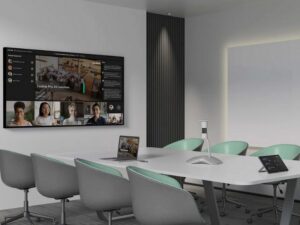 A successful project isn’t the one that gets installed.
It’s the one that gets used.
The rooms that succeed are intuitive, reliable, and aligned with how people actually work. That’s what your customers remember, and what brings them back to you for the next project.
Where Almo Pro AV Fits In
You don’t have to figure all of this out alone.
At Almo Pro AV, we work alongside you to design complete collaboration solutions, navigate Teams-certified ecosystems, and access the expertise you need to move faster from opportunity to execution.
From pre-sales support to training and enablement, we’re here to help you deliver better outcomes, and build stronger customer relationships along the way.
Let’s Build Rooms That Actually Work
You already know how to deploy technology.
We’re here to help you design collaboration spaces that are easier to install, easier to support, and most importantly…actually get used.
Want to go deeper? Download our AV Guide to a Complete Collaboration System, and connect with your Almo Pro AV rep to start building smarter, more effective Teams Rooms.