Public Sector AV: Navigating Compliance, Complexity, and Opportunity

Public sector projects rarely leave room for improvisation. Specifications are precise, timelines are fixed, and compliance requirements are non‑negotiable. Whether the project is for a government facility, public safety agency, or educational institution, AV systems must perform reliably from day one, and for years beyond. That reality fundamentally shapes how public sector projects are planned, specified, and executed.

From schools and courtrooms to command centers and government facilities, public sector AV plays a critical role in supporting mission‑critical communication and public service delivery. The stakes are higher, the rules are stricter, and there is far less margin for error.

Understanding what makes public sector projects different, and having the right partner to help navigate that complexity, can make all the difference.

Why Public Sector AV Projects Are Unique

Public sector buyers, including Federal, State, Local, Tribal, and Territorial agencies, rely on AV technology for mission‑critical communication and public service delivery. From council chambers and classrooms to command centers and secure meeting rooms, systems must meet higher expectations for reliability, longevity, and accountability.

For integrators, this often means navigating:

  • Lengthy approval and bidding cycles
  • Strict documentation and audit requirements
  • Limited flexibility after specifications are submitted
  • Increased scrutiny around where products are made and how they’re sourced

In public sector work, clarity upfront is essential.

TAA Compliance: Where Many Projects Win or Stall

Christie Secure Series IIIOne of the most common challenges in public sector AV is TAA compliance.

The Trade Agreements Act governs where products are manufactured or substantially transformed, and for many government projects, compliance is a firm requirement. What complicates matters is that compliance considerations now extend across entire AV systems…not just displays and projectors.

Today, TAA considerations often include:

  • Audio solutions
  • AV‑over‑IP components
  • Infrastructure and accessories
  • Control and collaboration technologies

Layer in BAA requirements and NDAA restrictions, and it’s easy to see how compliance missteps can delay projects or jeopardize bids altogether.

Key Installation Considerations in Public Sector Environments

Beyond compliance, integrators must also plan for:

System longevity
Public sector buyers expect technology that will remain reliable and supported for years – not just through a single refresh cycle.

Security and risk management
Many installations support sensitive communication, making security and infrastructure integrity critical.

Consistency at scale
School districts, municipalities, and agencies often deploy solutions across multiple facilities, demanding standardized products with dependable availability.

Fixed timelines
Funding cycles and public deadlines leave little room for delays caused by inventory gaps or re‑spec work.

This is where experienced guidance becomes a competitive advantage.

How Almo Helps Simplify Public Sector AV

At Almo Pro AV, we work as a strategic extension of our partners’ teams, helping integrators navigate public sector projects with clarity and confidence.

Our team supports partners by:

  • Identifying which product categories require TAA, BAA, or NDAA compliance
  • Explaining nuances like substantial transformation
  • Aligning solutions with agency requirements early, before projects go to bid

This proactive approach helps protect bids, reduce delays, and keep projects moving forward.

Public Sector Expertise You Can Rely On

Almo’s dedicated Public Sector team, along with our vertical‑focused sales and business development managers, understand how government projects are specified, quoted, and awarded.

Almo pro AV public sector teamWe provide insight into:

  • Common procurement challenges
  • Public sector buying patterns
  • Best practices during planning, specification, and execution

Instead of navigating public sector complexity alone, partners gain consistent guidance from experts who understand the landscape.

The Value of the Right Partner

Public sector AV projects require precision – from compliance and product selection to logistics and long‑term support. Choosing the right distribution partner can mean the difference between a stalled bid and a successful deployment.

At Almo Pro AV, we combine compliant, future‑ready solutions with knowledgeable support, dependable inventory, and national reach; helping integrators move forward with confidence in even the most complex public sector environments.

Have a public sector project coming up? Download our reseller guide for insight into public sector solutions and exclusive offers from leading brands.

Hospitality Tech Is Changing Fast: What Integrators Need to Know About TVs and Signage in 2026

guest experienceIf you’ve worked even one hotel project in the last couple of years, you’ve noticed that guest expectations are changing fast. Today’s travelers don’t just use the screens around a property… they depend on them. And as their expectations rise, your hospitality clients look to you to make sure every display – from the lobby video wall to the guest‑room TV – feels modern, seamless, and easy to use.

Let’s walk through the biggest display trends shaping hotels in 2026 and what they mean for your next installation.

  1. Guest‑Room TVs Need to Work Exactly Like Home (If Not Better)

You’ve probably had a hotel client ask why guests can’t cast Netflix or stream their own content yet. The truth is, people don’t want “hotel entertainment”- they want their entertainment. And if the in‑room TV doesn’t support it, they go straight back to their phones.

Modern hospitality TVs fix that. These displays are the nerve center of the guest room. Guests want to walk in, tap their phone once, and instantly watch their favorite shows, just like they would at home. Streaming, casting, personalized content… the whole package.

And trust me, when you give guests that seamless experience, they notice.

  1. Casting Options Aren’t a Perk… They’re a Requirement

If you’re selecting in‑room displays for your hotel projects, you already know a standard TV won’t cut it. Hotels expect Google Cast, Apple AirPlay, and secure login options right out of the gate. If it doesn’t pair easily with a guest’s device, it’ll feel outdated the moment it’s installed.

More hotels are also tying their TVs into PMS systems or mobile apps so the screen can:

    • Welcome guests by name
    • Share check‑out times or property highlights
    • Promote upgrades or amenities
    • Even sync with room controls

This is exactly the kind of behind‑the‑scenes magic that enriches a property, and sets your installation apart.

  1. Digital Signage Has Become the Backbone of the Hotel Experience

hotel restaurant guestsWalk into any hotel lobby today, and you’ll see what I mean; digital signage is everywhere, and it’s doing real work. It’s helping guests:

    • Find their meeting rooms
    • Navigate large properties
    • Check event schedules
    • Browse menus or promotions
    • Get real‑time weather or travel updates

This isn’t “nice to have” anymore. It’s operational infrastructure.

Here’s the deal: hotels want screens that update automatically, change by time of day, support multiple languages, and stay on brand across every location they own. When you build signage networks that can handle that, you’re giving them an asset, not just a display.

And while we’ve been talking screens, it’s worth remembering that great visuals only go so far without clear, consistent audio to match. In louder public spaces like restaurants, bars, and busy lobbies, hotels rely on sound systems that deliver even coverage and maintain speech clarity without overwhelming the room. Strong audio isn’t just background…it’s part of creating the welcoming, high quality atmosphere guests expect the moment they walk in.

  1. Self‑Service and Mobile‑First Experiences Are Changing Lobby Design

room signageYou’ve definitely seen this shift firsthand: guests want contactless everything.
QR‑codes. Digital keys. Mobile check‑in. Kiosks that keep guests moving instead of waiting.

Digital displays are at the center of these flow improvements. Whether it’s a QR‑enabled menu at the bar or a lobby kiosk guiding guests to their rooms, the screens you install are helping hotels reduce bottlenecks and lighten the load on front-desk staff.

If you’re designing lobby signage, now’s the time to think about:

    • QR‑led journeys
    • Interactive kiosks
    • Digital maps and directories
    • Short-form, high‑impact messaging

Guests appreciate it, and hotels depend on it.

  1. Cloud‑Based Content Management Isn’t Optional Anymore

Samsung TVIf you’ve ever had a client ask you to update dozens of screens across multiple properties… you know how rough local content management can be.

That’s why cloud-based CMS platforms are becoming the default. Hotels want to:

    • Push content updates instantly
    • Keep branding consistent
    • Manage multiple locations at once
    • Handle multilingual needs
    • Automate updates without calling IT

When you recommend cloud-ready systems, you’re not just making your installs smoother; you’re future‑proofing your client’s entire display network.

  1. Plan for 24/7 Reliability and Scalability (Because Hotels Demand It)

Hospitality is a 24/7 business. Guests check in at midnight. Conferences start at dawn. Restaurants stay lit until closing. Your displays need to keep up.

Hotels are treating digital signage and hospitality TVs as mission‑critical now, and they’re expecting integrators to design systems that stay online, stay accurate, and stay consistent year-round. Choosing purpose-built displays and platforms is more important than ever.

And of course, that’s where the right products, and the right guidance, make all the difference.

Let’s Elevate Your Next Hospitality Project

Whether you’re refreshing guest rooms, designing a lobby experience, or planning a full-property rollout, Almo is here to help you choose the right displays, integrations, and platforms. If you’ve got a hotel project coming up, or you just want to double‑check your specs, we’d love to talk through it with you.

Reach out to your Almo Pro AV team anytime. We’re here for you.

Want to explore more Hospitality content? You might enjoy “Extended Stay Properties: Solutions that feel like home.”

All‑Weather Displays in 2026: What Pro AV Integrators Need to Know

Outdoor AV used to be all about brightness. But as expectations rise and outdoor environments become more varied, the real differentiators are the technologies that help displays survive, and perform, in conditions indoor screens were never built for. Whether you’re designing a drive‑thru, a campus walkway, a rooftop bar, or an outdoor plaza, understanding how these features solve common outdoor challenges is key to choosing the right hardware.

Peerless-AV Neptune nt554_9Here’s how those real‑world challenges break down, and the features that matter most.

1. Sunlight, Glare & Changing Ambient Light

Why It’s a Problem

Outdoor environments introduce extreme contrast swings. Direct sun can wash out images entirely, shadows come and go, and reflections from glass, pavement, or water surfaces can make screens unreadable.

What to Look For

  • High‑Brightness Panels (2,500–3,500+ nits)
    This level of brightness helps content stay visible even during midday sun.
  • Anti‑Reflection or Anti‑Glare Glass
    Advanced glass coatings, or optically bonded glass, help reduce reflectivity, improving contrast and preserving detail.
  • Polarization Compatibility
    Circular polarization prevents “blacking out” when viewers are wearing polarized sunglasses – common in retail, transportation, and hospitality environments.
  • Adaptive Brightness Controls
    Displays that automatically adjust to ambient light reduce eye strain, lower power consumption, and maintain consistent readability.

Peerless-AV Extreme xhb5541_52. Weather, Moisture & Environmental Exposure

Why It’s a Problem

Outdoor displays aren’t just dealing with rain. Wind‑blown dust, salty air, humidity, snow, insects, and condensation can all damage internal components or cause premature failure.

What to Look For

  • IP56–IP66 Weather Ratings
    Higher ingress protection levels help shield against water jets, dust intrusion, and debris.
  • Sealed, Ventless Designs
    Completely sealed enclosures prevent moisture and airborne particles from working their way inside.
  • Impact‑Resistant Glass (IK10 Suggested)
    Tempered or laminated cover glass protects against vandalism, hail, and accidental impact.
  • Protected Cable Entry Points
    Ensures moisture and debris can’t get inside through the weakest link in the system.

3. Extreme Temperatures & Thermal Management

Why It’s a Problem

Outdoor displays must manage heat from direct sunlight and internal components, as well as cold snaps that can crack panels or interrupt operation. Without proper engineering, thermal stress can lead to black spots, shutdowns, or long‑term damage.

What to Look ForSamsung OH Series

  • Wide Operating Temperature Range (e.g., –22°F to 122°F)
    Crucial for four‑season climates.
  • Internal Thermal Management Systems
    Hidden fans, sealed heat‑exchange systems, or integrated cooling pathways help maintain stable internal temperatures.
  • High TNI Panels for Full‑Sun Performance
    These panels are designed to resist isotropic blackout when exposed to intense heat and sunlight.

4. Structural Durability in Public or Semi‑Public Spaces

Why It’s a Problem

Outdoor displays must handle more than weather. Public spaces introduce risk from accidental impact, vibration, airborne debris, and general wear.

What to Look For

  • IK10 Impact Resistance
    This is the gold standard for outdoor glass durability.
  • Corrosion‑Resistant Materials
    Aluminum housings and UV‑rated coatings help prevent rust and discoloration.
  • 24/7 Duty‑Cycle Ratings
    Necessary for signage and environments where uptime matters.

Planar Luminate Ultra W Series5. Large‑Format Viewing Without Losing Detail

Why It’s a Problem

Outdoor plazas, stadium entrances, and retail facades often require displays that are large enough to be seen from a distance, but crisp enough to read up close.

What to Look For

  • High Brightness + Fine Pixel Pitch
    MicroLED and fine‑pitch outdoor LED solutions offer the combination of outdoor durability and close‑view clarity.
  • True 16:9 Configurations
    Makes it easier to scale to Full HD or 4K formats without odd aspect ratios.
  • Front‑Serviceable Cabinets
    Allows maintenance without needing rear access – key for wall‑mounted outdoor video walls.

6. Reducing Maintenance & Ensuring Long‑Term Reliability

Why It’s a Problem

Outdoor service calls are time‑consuming, expensive, and often require special access. Displays that fail prematurely create downstream headaches for integrators and end‑users alike.

What to Look For

  • Fully Sealed Electronics
    Reduces the risk of internal contamination and extends overall lifespan.
  • 24/7 Operational Design
    Displays built for continuous use prevent performance drift and overheating.
  • Remote Monitoring Capabilities
    Environmental sensors (temp, humidity, airflow, power draw) help integrators diagnose issues before they become failures.

Bringing It All Together

Outdoor AV isn’t just “indoor AV but brighter.” It’s a completely different design environment with challenges that need purpose‑built solutions – whether you’re dealing with intense sunlight, weather exposure, large viewing distances, or the demands of 24/7 uptime.

By understanding the specific features that directly address these challenges, you’ll be better equipped to guide clients, prevent premature failures, and create outdoor experiences that look as good on day 1,000 as they did on day 1.

åNeed Help Specifying the Right Outdoor Display?

Our Almo Pro AV team is here to support project planning, product selection, and technical guidance. Connect with us to get expert recommendations tailored to your next outdoor installation.

Want to explore more Outdoor AV? You might enjoy “Top Outdoor AV Solutions for 2025: A Reseller’s Guide.”

Elevating Extended Stay Properties: Solutions That Feel Like Home

Extended-stay hotels are becoming increasingly popular, offering guests a home-away-from-home with all the conveniences they need for longer visits. As guest expectations continue to evolve, extended-stay properties have an opportunity to differentiate themselves by providing thoughtful Furniture, Fixtures & Equipment (FF&E) and innovative Pro AV solutions designed specifically for extended comfort. Let’s explore how you can elevate your extended-stay projects with smart design, technology, and amenities that make guests feel truly at home.

What are extended-stay properties?
Extended-stay hotels are designed for guests staying beyond the typical one or two-night reservation. These properties often feel more residential than traditional hotel rooms, providing additional space, storage, and appliances that support daily routines. From cooking to working to relaxing, guests should feel like they have everything they need for a seamless, comfortable stay.

Creating an Inviting Kitchen Space
cozy kitchen sceneOne of the biggest advantages of extended-stay hotels is the in-room kitchen. Unlike traditional rooms that offer limited appliances, extended-stay kitchens require:

  • Full-size or mid-size refrigerators
  • Ovens and stovetops
  • Microwaves
  • Essential cookware and utensils

These amenities allow guests to prepare meals, stick to their routines, and enjoy a more personalized stay. Make the kitchen feel warm and welcoming with stylish yet durable fixtures, modern finishes, and lighting that makes the space functional and inviting.

Upgrading the Space with Innovative Technology
Technology plays a major role in shaping the guest experience, especially during long stays.

Smart Entertainment
smart tvs hotelProvide guests with SMART TVs that include access to streaming services and personalized content.
Brands like Samsung and LG offer commercial-grade in-room displays that allow guests to:

  • Log in to their favorite streaming platforms
  • Receive custom welcome messages
  • View hotel information, weather, and amenities
  • Enjoy high-quality UHD displays

This creates a seamless, familiar entertainment experience they can enjoy every day of their stay.

Nonstop Tech Solutions
nonstop tech solutionFor guests who are working remotely or using multiple devices, Nonstop’s lineup of in-room technology is a must-have. Their sleek, durable charging hubs offer:

  • Wireless charging
  • Multiple USB ports
  • AC outlets
  • Integrated cable management
  • Security C-clamps for tamper resistance

These solutions ensure that no matter the length of the stay, guests always remain powered, connected, and productive. Explore the Nonstop lineup >

Designing Spaces That Feel Like Home
home-like hotel roomBeyond appliances and technology, extended-stay guests appreciate thoughtful design details that make the space feel warm and livable. Consider adding:

  • Stylish, residential-inspired decor
  • Additional closet space and drawers for unpacking
  • A designated workspace with ergonomic furniture
  • Cozy seating for relaxation
  • High-speed WiFi for streaming, working, and messaging across multiple devices

These touches help guests settle in, stay organized, and feel truly comfortable during extended visits.

How Extended-Stay Properties Differ from Traditional Hotels
The biggest differentiators are space, autonomy, and comfort. Traditional hotel rooms are built for short-term convenience. Extended-stay rooms are designed for everyday living. Guests want the flexibility to cook meals, work remotely, relax comfortably, and maintain a sense of normalcy — and the right FF&E and Pro AV solutions help make that possible.

Innovation that Keeps Guests Coming Back
Extended-stay properties that invest in high-quality equipment, connected technology, and thoughtful design elements will stand out in a competitive market. From fully functional kitchens to SMART entertainment and Nonstop technology, these enhancements give guests an elevated in-room experience that feels like home — only better.

Whether you’re updating an existing property or designing a new one, Almo Hospitality is here to support your vision with FF&E and Pro AV solutions tailored for extended-stay success.

AV System Components for Corporate Spaces: Why Standardization Starts With the Right Building Blocks

If you work in corporate AV, you’ve likely heard the same request from every client: “Make the rooms consistent, reliable, and easy to support.” In 2026, that ask is louder than ever. Industry outlooks point to a clear theme across enterprises; standardize what you deploy so every room behaves the same way, from Chicago to London. That work doesn’t start with the biggest screens or the flashiest DSPs. It starts with the essential system components: quality cables, reliable mounts, right sized switches, projection screens, adapters, and the other pieces that connect it all.

Why periphoral gear matters more this year

After years of rapid hybrid rollouts, many organizations are stepping back to level set their environments. They’re replacing “good enough for now” gear with standardized kits that deliver predictable performance. This trend shows up across multiple industry sources that highlight standardization, interoperability, and supportability as 2026 priorities.

Two forces are driving the shift:

  1. Support teams need fewer variables. When your mounts, cables, extenders, and screens are consistent, field issues drop and troubleshooting gets faster. Enterprise leaders are explicitly prioritizing room to room consistency to reduce day to day friction for users and IT alike.
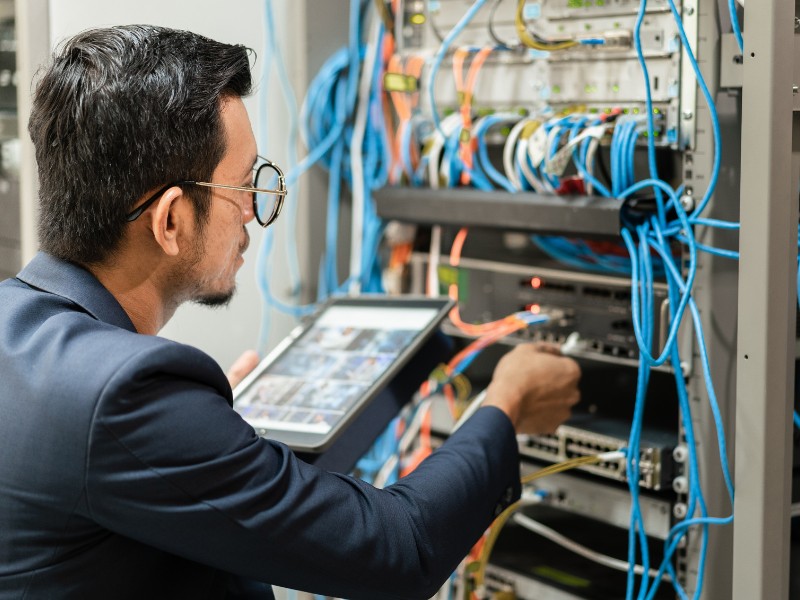
  2. AV and IT are converging. As AV is becoming more integrated into IT network switches, basics like proper cabling, switching, and secure device selection directly affect performance and cybersecurity posture. Accessories chosen with IT in mind help ensure clean signal paths and fewer help desk tickets.

Trends shaping how you choose periphoral gear

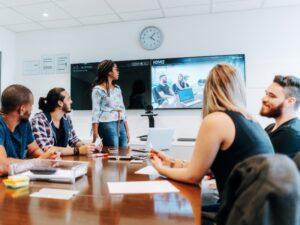
standard meeting roomStandardization is the new innovation. Integrators are being asked to build repeatable room types that scale across floors and regions. That depends on predictable, vetted building blocks – not one off parts.

Interoperability and ease of use. Customers want rooms that “just work” no matter the meeting platform. That requires attention to the small things: certified cables that carry the bandwidth you promise, mounts aligned to your standard displays, and switches sized for current and near term needs. Interoperability remains a defining theme in 2026 as users expect simple, cross platform collaboration.

Data, monitoring, and lifecycle planning. More enterprises are using room analytics and remote management to guide refresh cycles. That only pays off if the physical foundation is stable. Clean wiring, consistent accessories, and known good parts reduce false alarms and make remote diagnostics meaningful.

Growth in networked AV. AV over IP continues to expand as businesses upgrade to higher bandwidth and connected systems. That puts extra pressure on proper switches, cabling, and labeling – all squarely in the “components” category. Industry roundups note the mainstreaming of networked AV and the need for stronger reliability and security as systems scale.

For example: A company rolled out AV‑over‑IP using switches that worked fine at first, but as more rooms came online and resolutions increased, video latency and packet loss started appearing during peak hours. The issue wasn’t the endpoints. It was the need to upgrade the switches and standardize bandwidth planning across room types.

What “good” looks like in a corporate space

Here’s a practical checklist we see winning in boardrooms, huddle spaces, meeting rooms, lobbies, and workstations:

  • Cabling that matches the spec, not just the price. Correctly rated HDMI/USB C, category, and fiber runs sized for high resolution content and room distances. Poor cabling is a top cause of signal issues and intermittent failures, which is why standardizing on vetted SKUs pays off fast.
  • Mounts that fit your standard displays and use cases. Keep a short list that covers fixed, tilt, articulating, and ceiling needs. Consistency here speeds installation and simplifies service calls.
  • Switches and extenders chosen with IT. Size switches for both current traffic and near-term growth, and ensure devices are aligned with your AVoIP roadmap and security expectations. The 2026 focus on connected, secure systems makes these choices foundational.
  • Projection screens where they still make sense. Not every space needs LED or a tiled LCD wall. In training rooms and multi purpose spaces, a well matched projector and screen remain cost effective as long as the essentials around them are planned correctly.
  • Labeling, documentation, and spare kits. Treat labels, cable management, and spares as part of the essential bill of materials. Standardized documentation makes remote support and managed services far more effective.

Why source all AV system components through Almo

av system integrator teamYour teams want to streamline purchasing and reduce on site surprises. Consolidating the components with Almo helps you do both:

  • One BOM, fewer delays. We help you assemble complete kits for each room type, so procurement and staging are straightforward and predictable. That aligns with the enterprise push to standardize spaces in 2026.
  • Pre vetted compatibility. Our specialists live in the details: cable lengths, mounting patterns, bandwidth constraints, power needs. We validate the parts list against your design and room templates.
  • Breadth across trusted brands. You get the flexibility to match brand standards and budgets without reinventing your essentials list for every project. Industry outlooks consistently point to scalability and security as must haves this year; our line card and guidance support both.
  • Support that mirrors your standardization goals. From design assistance to post install troubleshooting, we help you keep rooms consistent and easy to manage as your portfolio grows. The more your kits repeat, the more value you get from remote monitoring and analytics.

The takeaway

In corporate AV, reliability starts with the pieces that rarely make headlines. Get the AV system components right and you’ll spend less time firefighting, more time delivering a consistent user experience that scales across locations. The 2026 trendlines are clear; standardize, simplify, and build for the long term with components you trust.

Ready to simplify your BOM and standardize your corporate spaces?
Connect with the Almo Pro AV team for a quick consultation. We’ll review your room types, recommend the right periphorals, and help you source everything in one place so your next rollout is smoother from day one.

Pin It on Pinterest