The Future of Flexible Meeting Spaces in 2026: Powered by Audiovisual Innovation

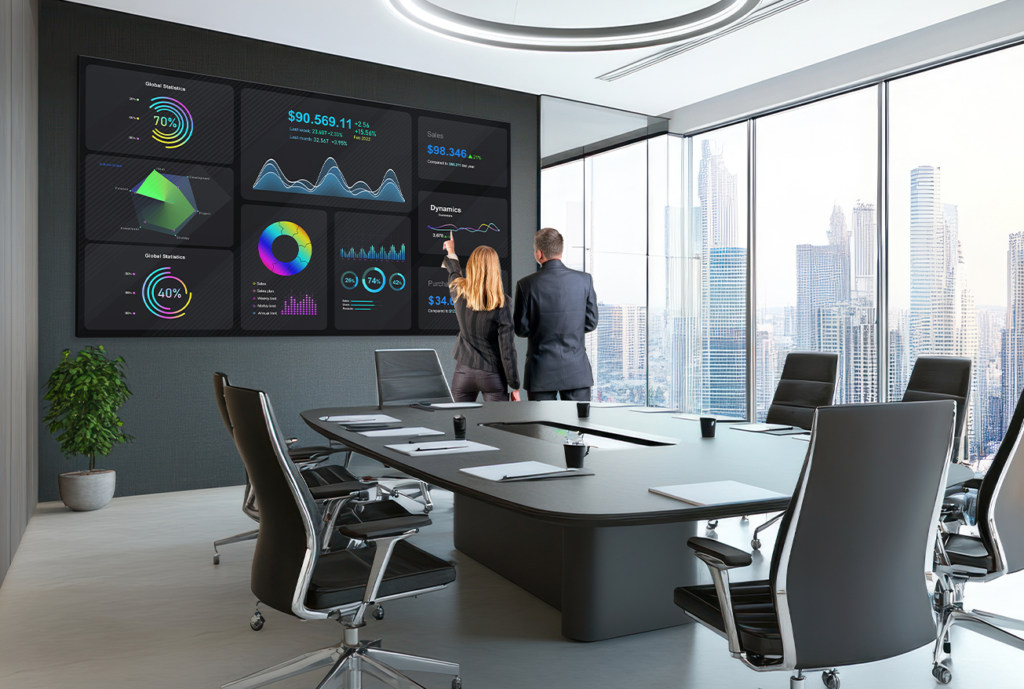
In 2026, the modern workplace is no longer defined by static boardrooms and rigid layouts. Instead, organizations are embracing flexible meeting spaces – dynamic, technology-driven environments designed to support hybrid teams, boost collaboration, and maximize real estate efficiency. At the heart of this transformation is the rapid evolution of audiovisual (AV) technology, which has become a critical enabler of seamless communication and productivity.

The Shift Toward Flexibility

The Shift Toward FlexibilityThe rise of hybrid work has fundamentally changed how people gather. Teams are now distributed across cities, countries, and time zones, requiring meeting spaces that adapt instantly to different group sizes and collaboration styles. A single room might host a client presentation in the morning, a hybrid brainstorming session in the afternoon, and a global town hall later in the day.

Flexible meeting environments achieve this through:

  • Modular furniture and movable partitions
  • Scalable AV systems
  • Wireless connectivity and device-agnostic design
  • Smart scheduling and room automation

But while furniture and layout are important, it is the AV foundation that ultimately determines how effective these spaces are.

AV as the Backbone of Hybrid Collaboration

In 2026, AV systems are no longer a “nice to have” – they are mission-critical. Employees expect meetings to work flawlessly regardless of location. This demand has led to the widespread adoption of intelligent, integrated AV ecosystems.

1. Smart Cameras and AI-Driven Video

Advanced cameras now use AI to:

  • Automatically frame speakers and track movement
  • Switch perspectives based on who is speaking
  • Provide equitable visibility for both in-room and remote participants

This ensures that remote attendees feel just as present as those physically in the room, eliminating the “second-class participant” problem that plagued early hybrid meetings.

2. Intelligent Audio Systems

Clear audio is the single most important factor in meeting success. Modern spaces leverage:

  • Beamforming microphone arrays that capture voices across the room
  • Noise cancellation and voice isolation
  • Speaker tracking to enhance clarity

These systems adapt dynamically, ensuring consistent sound quality even as people move around or reconfigure the space.

3. Wireless Content Sharing

Wireless Screen SharingGone are the days of HDMI cables and compatibility issues. Flexible meeting rooms now feature:

  • One-touch wireless presentation systems
  • Multi-device collaboration (laptops, tablets, mobile devices)
  • Real-time co-editing and annotation tools

Participants can join and share content instantly, making meetings more fluid and inclusive.

4. Unified Communications Integration

Modern AV setups integrate seamlessly with platforms like Microsoft Teams, Zoom, and other collaboration tools. This creates:

  • Consistent meeting experiences across rooms
  • Simplified user interfaces
  • Reduced IT complexity

With “one-touch join” capabilities, users can start meetings effortlessly, reducing friction and wasted time.

Designing for Adaptability

The true power of 2026 meeting spaces lies in their ability to scale and adapt. AV systems are now designed with flexibility in mind:

Modular AV Infrastructure

Organizations are investing in modular systems that can expand or contract based on needs. For example:

  • Adding additional microphones or displays for larger groups
  • Reconfiguring rooms without overhauling the entire system
  • Supporting multiple use cases with a single setup

Cloud-Based AV Management

IT teams manage devices remotely through cloud platforms, enabling:

  • Real-time monitoring and troubleshooting
  • Software updates without physical intervention
  • Data-driven optimization of room usage

This reduces downtime and ensures consistent performance across locations.

Sensor-Driven Automation

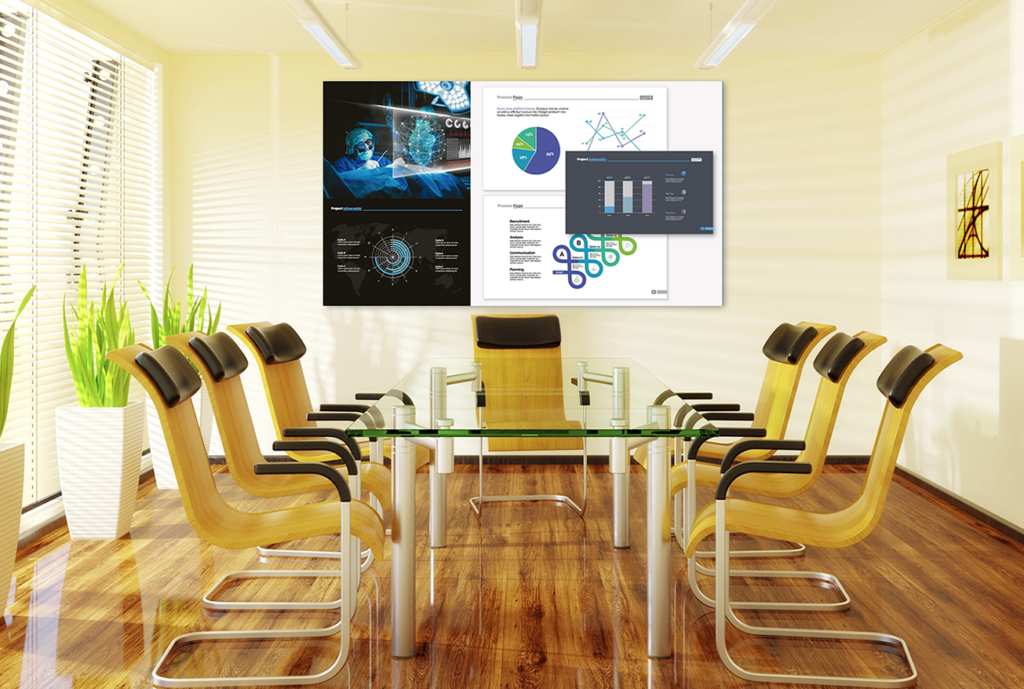
Flexible Meeting SpaceMeeting rooms now use occupancy sensors and analytics to:

  • Automatically adjust lighting, temperature, and AV settings
  • Optimize space utilization
  • Provide insights into how rooms are used

These capabilities allow organizations to make smarter decisions about space design and investment.

Enhancing Employee Experience

Flexible meeting spaces are not just about efficiency, they are about experience.

Employees expect meetings to be:

  • Easy to start
  • Visually engaging
  • Inclusive and interactive

High-quality displays, immersive audio, and intuitive interfaces contribute to a more enjoyable and productive meeting environment. This, in turn, drives:

  • Greater engagement
  • Better decision-making
  • Improved collaboration outcomes

Sustainability and Efficiency

Another key trend in 2026 is the alignment of AV technology with sustainability goals. Smart systems help organizations:

  • Reduce energy consumption by powering down unused equipment
  • Optimize space usage, minimizing real estate needs
  • Extend equipment life through remote management and updates

Flexible meeting spaces are not just smarter, they are greener.

What Businesses Should Consider

To fully leverage flexible meeting spaces, organizations should focus on:

  • Standardization across rooms for consistency
  • Scalability to accommodate future growth
  • User-centric design to minimize training and adoption barriers
  • Interoperability with existing tools and platforms

AI-Assisted Meeting RoomInvesting in the right AV ecosystem is key to unlocking the full potential of flexible work environments.

Looking Ahead

As we move deeper into 2026 and beyond, the line between physical and digital collaboration will continue to blur. Emerging technologies such as spatial computing, immersive video, and AI-driven meeting assistants will further enhance how teams connect.

Flexible meeting spaces will evolve from being reactive environments to proactive, intelligent ecosystems – anticipating user needs and adapting in real time.

Final Thoughts

Flexible meeting spaces are no longer a trend – they are the standard for modern workplaces. By leveraging advanced audiovisual technology, organizations can create environments that are adaptable, inclusive, and future-ready.

In a world where collaboration knows no boundaries, the right AV strategy isn’t just supporting meetings. It’s redefining how work gets done.

Whether it’s projection, displays, office furniture, or audio, Almo ProAV has a broad offering of manufacturing partners to support your business! Please feel free to reach out to me or your Almo Rep.

Angie Greene
About the Author

Angie Greene | DSCE

Business Development Manager

Supported Manufacturers: Panasonic Connect

Designing Hybrid-Ready Meeting Spaces: How to Build Teams Rooms That Actually Get Used

Hybrid work didn’t just change where meetings happen, it changed what your customers expect when they walk into a room.

Today, users expect meeting spaces to just work. The same simplicity they get on their laptop. The same Teams interface they already know. No delays. No confusion. No troubleshooting. And when that doesn’t happen, you’ve seen what follows – people avoid the room altogether.

Because installing a Microsoft Teams Room is one thing. Designing one your customer actually wants to use every day? That’s where you win.

Why Some Meeting Rooms Still Miss the Mark

tech issues in your meetingYou’ve likely walked into spaces with great hardware but a frustrating experience – rooms that are inconsistent from one space to the next, difficult to operate, or plagued by audio issues.

In most cases, it’s not about the products. It’s about how everything comes together.

The reality is, many spaces are still being designed like they were a few years ago. Meanwhile, your customers are navigating hybrid teams, flexible layouts, and much higher expectations.

What Your Customers Actually Want

Your customers aren’t asking for cutting-edge AV just for the sake of it. What they really want is simple: meetings that start on time, include everyone, and don’t require IT support to get going.

They want consistency from room to room and an experience that feels familiar.

That’s exactly why Microsoft Teams Rooms has become a standard. It extends the Teams experience into the room, creating a consistent, intuitive environment that removes friction and drives adoption.

Start With How the Room Will Be Used

This is where you can truly differentiate yourself.

Before you specify any equipment, step back and think about how the space will actually be used. Consider the types of meetings that happen there, how many people are involved, and whether the room is used for internal collaboration, client meetings, or training.

When you design around real workflows instead of just floor plans, everything else falls into place more naturally.

Think in Systems, Not Just Products

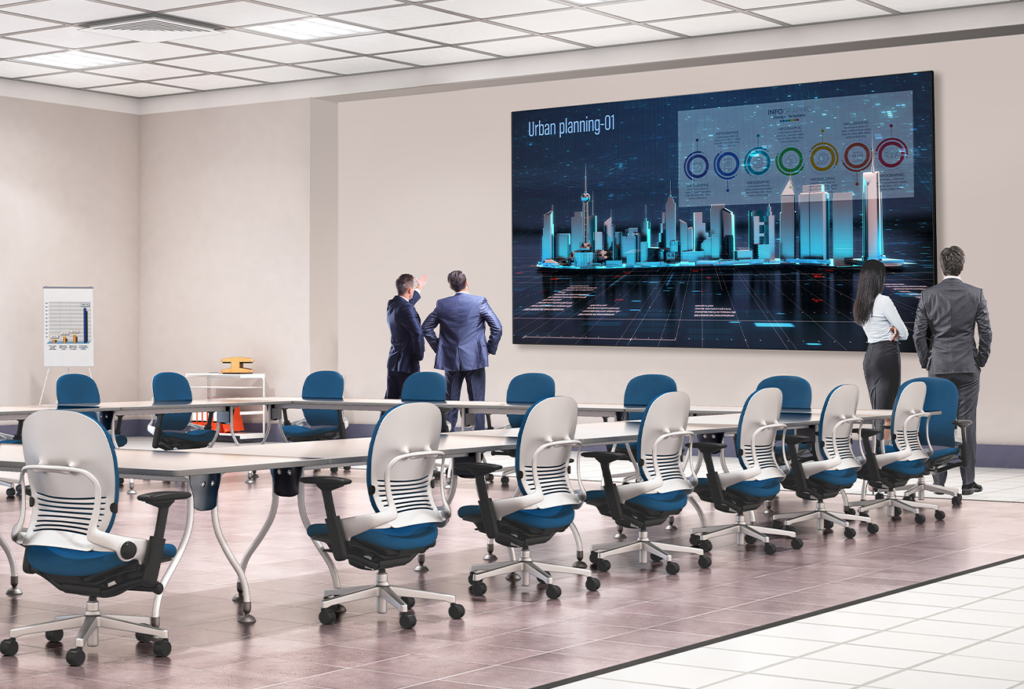
MaxHub large meeting roomThe most successful Teams Rooms aren’t built piece by piece. They’re designed as complete systems.

It starts with the platform itself – the Teams Rooms environment that ties everything together. From there, every layer plays a role in the overall experience.

Audio is where most rooms succeed or fail. Clear pickup, proper coverage, and balanced sound are what make meetings productive instead of frustrating.

Video has also evolved. It’s no longer just about having a camera. It’s about intelligent features like auto-framing and speaker tracking that help remote participants feel included.

Control is just as important. If users can’t walk in, tap once, and start a meeting, the experience breaks down quickly.

Then there’s content sharing. Wireless tools and digital whiteboarding make collaboration seamless, without the delays and clutter of cables.

Behind it all, reliable network infrastructure and management tools ensure everything performs consistently and can scale over time.

Right Room, Right Solution

Not every space needs the same setup, and your customers are starting to expect that level of precision.

Huddle rooms need to be quick and frictionless. Conference rooms need balanced performance. Boardrooms demand a higher level of quality and reliability. And multi-purpose spaces need the flexibility to adapt.

The key is matching the solution to how the space is actually used without overbuilding or cutting corners.

Keep It Simple or Risk Losing Adoption

Even the most advanced system won’t succeed if it’s difficult to use.

Users expect to walk in, press a button, and get started. When that doesn’t happen, meetings run late, frustration builds, and rooms go unused.

That’s when your customer starts to question the investment – not the technology itself, but the experience.

New Expectations: Intelligent, AI-Driven Meetings

You’re also seeing expectations shift with the rise of AI.

Capabilities like intelligent framing, speaker recognition, automatic summaries, and AI-driven workflows are quickly becoming part of the standard experience.

These features don’t just enhance meetings, they create opportunities for you to deliver more forward-looking, scalable solutions.

Standardization Makes Everything Easier

When your customers start rolling out multiple rooms, consistency becomes critical.

With Teams Rooms, you can help them create the same experience across every space, making training easier, support simpler, and deployments faster.

That kind of standardization is what drives adoption at scale, and keeps projects moving forward efficiently.

At the End of the Day, It’s About Used – Not Installed

Yealink MTRA successful project isn’t the one that gets installed.

It’s the one that gets used.

The rooms that succeed are intuitive, reliable, and aligned with how people actually work. That’s what your customers remember, and what brings them back to you for the next project.

Where Almo Pro AV Fits In

You don’t have to figure all of this out alone.

At Almo Pro AV, we work alongside you to design complete collaboration solutions, navigate Teams-certified ecosystems, and access the expertise you need to move faster from opportunity to execution.

From pre-sales support to training and enablement, we’re here to help you deliver better outcomes, and build stronger customer relationships along the way.

Let’s Build Rooms That Actually Work

You already know how to deploy technology.

We’re here to help you design collaboration spaces that are easier to install, easier to support, and most importantly…actually get used.

Want to go deeper? Download our AV Guide to a Complete Collaboration System, and connect with your Almo Pro AV rep to start building smarter, more effective Teams Rooms.

Public Sector AV: Navigating Compliance, Complexity, and Opportunity

Public sector projects rarely leave room for improvisation. Specifications are precise, timelines are fixed, and compliance requirements are non‑negotiable. Whether the project is for a government facility, public safety agency, or educational institution, AV systems must perform reliably from day one, and for years beyond. That reality fundamentally shapes how public sector projects are planned, specified, and executed.

From schools and courtrooms to command centers and government facilities, public sector AV plays a critical role in supporting mission‑critical communication and public service delivery. The stakes are higher, the rules are stricter, and there is far less margin for error.

Understanding what makes public sector projects different, and having the right partner to help navigate that complexity, can make all the difference.

Why Public Sector AV Projects Are Unique

Public sector buyers, including Federal, State, Local, Tribal, and Territorial agencies, rely on AV technology for mission‑critical communication and public service delivery. From council chambers and classrooms to command centers and secure meeting rooms, systems must meet higher expectations for reliability, longevity, and accountability.

For integrators, this often means navigating:

  • Lengthy approval and bidding cycles
  • Strict documentation and audit requirements
  • Limited flexibility after specifications are submitted
  • Increased scrutiny around where products are made and how they’re sourced

In public sector work, clarity upfront is essential.

TAA Compliance: Where Many Projects Win or Stall

Christie Secure Series IIIOne of the most common challenges in public sector AV is TAA compliance.

The Trade Agreements Act governs where products are manufactured or substantially transformed, and for many government projects, compliance is a firm requirement. What complicates matters is that compliance considerations now extend across entire AV systems…not just displays and projectors.

Today, TAA considerations often include:

  • Audio solutions
  • AV‑over‑IP components
  • Infrastructure and accessories
  • Control and collaboration technologies

Layer in BAA requirements and NDAA restrictions, and it’s easy to see how compliance missteps can delay projects or jeopardize bids altogether.

Key Installation Considerations in Public Sector Environments

Beyond compliance, integrators must also plan for:

System longevity
Public sector buyers expect technology that will remain reliable and supported for years – not just through a single refresh cycle.

Security and risk management
Many installations support sensitive communication, making security and infrastructure integrity critical.

Consistency at scale
School districts, municipalities, and agencies often deploy solutions across multiple facilities, demanding standardized products with dependable availability.

Fixed timelines
Funding cycles and public deadlines leave little room for delays caused by inventory gaps or re‑spec work.

This is where experienced guidance becomes a competitive advantage.

How Almo Helps Simplify Public Sector AV

At Almo Pro AV, we work as a strategic extension of our partners’ teams, helping integrators navigate public sector projects with clarity and confidence.

Our team supports partners by:

  • Identifying which product categories require TAA, BAA, or NDAA compliance
  • Explaining nuances like substantial transformation
  • Aligning solutions with agency requirements early, before projects go to bid

This proactive approach helps protect bids, reduce delays, and keep projects moving forward.

Public Sector Expertise You Can Rely On

Almo’s dedicated Public Sector team, along with our vertical‑focused sales and business development managers, understand how government projects are specified, quoted, and awarded.

Almo pro AV public sector teamWe provide insight into:

  • Common procurement challenges
  • Public sector buying patterns
  • Best practices during planning, specification, and execution

Instead of navigating public sector complexity alone, partners gain consistent guidance from experts who understand the landscape.

The Value of the Right Partner

Public sector AV projects require precision – from compliance and product selection to logistics and long‑term support. Choosing the right distribution partner can mean the difference between a stalled bid and a successful deployment.

At Almo Pro AV, we combine compliant, future‑ready solutions with knowledgeable support, dependable inventory, and national reach; helping integrators move forward with confidence in even the most complex public sector environments.

Have a public sector project coming up? Download our reseller guide for insight into public sector solutions and exclusive offers from leading brands.

Hospitality Tech Is Changing Fast: What Integrators Need to Know About TVs and Signage in 2026

guest experienceIf you’ve worked even one hotel project in the last couple of years, you’ve noticed that guest expectations are changing fast. Today’s travelers don’t just use the screens around a property… they depend on them. And as their expectations rise, your hospitality clients look to you to make sure every display – from the lobby video wall to the guest‑room TV – feels modern, seamless, and easy to use.

Let’s walk through the biggest display trends shaping hotels in 2026 and what they mean for your next installation.

  1. Guest‑Room TVs Need to Work Exactly Like Home (If Not Better)

You’ve probably had a hotel client ask why guests can’t cast Netflix or stream their own content yet. The truth is, people don’t want “hotel entertainment”- they want their entertainment. And if the in‑room TV doesn’t support it, they go straight back to their phones.

Modern hospitality TVs fix that. These displays are the nerve center of the guest room. Guests want to walk in, tap their phone once, and instantly watch their favorite shows, just like they would at home. Streaming, casting, personalized content… the whole package.

And trust me, when you give guests that seamless experience, they notice.

  1. Casting Options Aren’t a Perk… They’re a Requirement

If you’re selecting in‑room displays for your hotel projects, you already know a standard TV won’t cut it. Hotels expect Google Cast, Apple AirPlay, and secure login options right out of the gate. If it doesn’t pair easily with a guest’s device, it’ll feel outdated the moment it’s installed.

More hotels are also tying their TVs into PMS systems or mobile apps so the screen can:

    • Welcome guests by name
    • Share check‑out times or property highlights
    • Promote upgrades or amenities
    • Even sync with room controls

This is exactly the kind of behind‑the‑scenes magic that enriches a property, and sets your installation apart.

  1. Digital Signage Has Become the Backbone of the Hotel Experience

hotel restaurant guestsWalk into any hotel lobby today, and you’ll see what I mean; digital signage is everywhere, and it’s doing real work. It’s helping guests:

    • Find their meeting rooms
    • Navigate large properties
    • Check event schedules
    • Browse menus or promotions
    • Get real‑time weather or travel updates

This isn’t “nice to have” anymore. It’s operational infrastructure.

Here’s the deal: hotels want screens that update automatically, change by time of day, support multiple languages, and stay on brand across every location they own. When you build signage networks that can handle that, you’re giving them an asset, not just a display.

And while we’ve been talking screens, it’s worth remembering that great visuals only go so far without clear, consistent audio to match. In louder public spaces like restaurants, bars, and busy lobbies, hotels rely on sound systems that deliver even coverage and maintain speech clarity without overwhelming the room. Strong audio isn’t just background…it’s part of creating the welcoming, high quality atmosphere guests expect the moment they walk in.

  1. Self‑Service and Mobile‑First Experiences Are Changing Lobby Design

room signageYou’ve definitely seen this shift firsthand: guests want contactless everything.
QR‑codes. Digital keys. Mobile check‑in. Kiosks that keep guests moving instead of waiting.

Digital displays are at the center of these flow improvements. Whether it’s a QR‑enabled menu at the bar or a lobby kiosk guiding guests to their rooms, the screens you install are helping hotels reduce bottlenecks and lighten the load on front-desk staff.

If you’re designing lobby signage, now’s the time to think about:

    • QR‑led journeys
    • Interactive kiosks
    • Digital maps and directories
    • Short-form, high‑impact messaging

Guests appreciate it, and hotels depend on it.

  1. Cloud‑Based Content Management Isn’t Optional Anymore

Samsung TVIf you’ve ever had a client ask you to update dozens of screens across multiple properties… you know how rough local content management can be.

That’s why cloud-based CMS platforms are becoming the default. Hotels want to:

    • Push content updates instantly
    • Keep branding consistent
    • Manage multiple locations at once
    • Handle multilingual needs
    • Automate updates without calling IT

When you recommend cloud-ready systems, you’re not just making your installs smoother; you’re future‑proofing your client’s entire display network.

  1. Plan for 24/7 Reliability and Scalability (Because Hotels Demand It)

Hospitality is a 24/7 business. Guests check in at midnight. Conferences start at dawn. Restaurants stay lit until closing. Your displays need to keep up.

Hotels are treating digital signage and hospitality TVs as mission‑critical now, and they’re expecting integrators to design systems that stay online, stay accurate, and stay consistent year-round. Choosing purpose-built displays and platforms is more important than ever.

And of course, that’s where the right products, and the right guidance, make all the difference.

Let’s Elevate Your Next Hospitality Project

Whether you’re refreshing guest rooms, designing a lobby experience, or planning a full-property rollout, Almo is here to help you choose the right displays, integrations, and platforms. If you’ve got a hotel project coming up, or you just want to double‑check your specs, we’d love to talk through it with you.

Reach out to your Almo Pro AV team anytime. We’re here for you.

Want to explore more Hospitality content? You might enjoy “Extended Stay Properties: Solutions that feel like home.”

The Importance of Good Audio

I’ve been working remote since ’06 – way before remote was cool – and I was in audio for 14 years before I started doing anything related to video.  I still remember my first day working for an integrator back in ’00 and attending computer interface training from one of the ‘trons.  I didn’t even know this ‘tron stuff existed before then.  I say all that to say this: I’ve been around a while.

As I mentioned, I’m remote and I’ve been on video calls using Skype, GoTo, Zoom, Teams and others for almost two decades.  Granted, the audio I’ve heard from most one-on-one video calls has been almost acceptable with the other person’s laptop mic.  Never great, but okay-ish.  It’s the audio from the typical meeting room that has been the real problem.  To describe it from the perspective of a far side participant, I will quote the late Scott Sharer, “It would have to suck to be better”.

“In the beginning”, meeting rooms used gooseneck mics, but the gooseneck farm was deemed ugly.  So we moved to boundary and button mics, but they were subject to liquid spills, inadvertently covered up by folders or papers, or the laptop fan blew directly across the mic.  Then we tried all sorts of ceiling mics from the big Plexiglas things to hanging shotgun and golf ball mics – all with varying levels of unsuccess.  With each aesthetic “improvement” the mics kept getting further and further away from the participants – the audio source.  If we kept moving displays further and further from the viewers like this, you would think we were nuts.

All too often, you’ll see a meeting room with a conference phone in the middle of a 20 ft. table. Or worse, they’re using a 360-degree ”bird” camera in the middle of that same table and they think they’ve achieved meeting equity.  Or, the meeting room is an acoustic nightmare and the microphones are just too far away from the participants.  While the people in the meeting room get a chance to converse, share ideas and come away with valuable information, the remote participants are left to fend for themselves as they haven’t been able to hear much of anything because of the poor and indistinguishable audio.  If they can’t hear you, you can’t expect them to feel included and make meaningful contributions.

I also wonder how much poor audio may have affected career advancements for remotes when full participation with the larger group has been hindered in this way.

Admittedly, conferencing audio has improved over the years with the ceiling mic arrays and large wall mounted audio conferencing systems, but nothing replaces sticking a mic directly in front of someone’s face.

In March of 2025, NPR ran a piece on All Things Considered about how people perceive you in relation to your audio and I think it’s worth quoting here:

“People who participate in online meetings using platforms like Zoom may want to pay closer attention to how their computer microphone alters the sound of their voice.

That’s because high-quality audio can make the speaker seem more attractive and convincing to others, according to results published in the Proceedings of the National Academy of Sciences.

Lower-quality audio, in contrast, can make people seem less appealing.”

Wow.  No mention of video, lighting, framing or camera quality.

It’s all about the audio – whether it’s a one-on-one call or picking up a room full of people.

I consider audio to be the “blue-collar worker” of our AV world.  Without audio, you’re not communicating.  After all these years, I still believe that the audio is more difficult to get right than video because you while you can see light, you can’t see sound.  Worse, most people seem to have the expectation that some new microphone located far from the participants or some new DSP can fix all things audio and acoustic.  Yes, you can be heard but what about the quality and how you’re being perceived?  Fast forward into the 23rd century and even Scotty couldn’t change the laws of physics.

Consider for a moment if the emphasis on meeting room design was flipped, and audio and acoustics became the primary considerations rather than the latest display technology or interior design fad.

Imagine better communication.
Imagine sounding more attractive and convincing to others.

Being an “audio person”, I have always felt that my audio was important.  I typically use a standard broadcast microphone model first introduced back in 1968.  1968. That’s not a misprint.  That’s back when only 25% of households had a color television.

This mic is so good that it even has its own Wikipedia article.  It uses a connector that’s been in use since at least 1955.  The pinout for that connector was finally set by an AES standard a mere 33 years ago.

On the other end of the signal chain is the loudspeaker, typically a moving coil design patented back in 1925.

While the signal path in between the mic and loudspeaker could be analog or digital, the transducers on either end really haven’t changed that much.

You could argue that the quality of audio has certainly improved since 1925, especially on the loudspeaker side but the design of this broadcast standard microphone that I use almost every day is almost 60 years old and it’s still revered today.

Displays and cameras are great, but if you really want to improve your image, improve your audio.

NTSC, VGA, 4:3 have all come and gone.  Basic audio is still just as essential as it has always been.

If you’re unsure of the best audio approach for your communication needs, let us know here at Almo ProAV.  We have audio specialists ready to help.

Tom Kehr
About the Author

Tom Kehr

CTS-D, CTS-I, Network+, LEED Green Associate, ISF-C, ATD Master Trainer

In-House System Designer and Trainer

Supported Applications: System Design

JBL Portable Powered Loudspeakers

EON700 SeriesJBL changed the live sound market when they introduced the original EON powered loudspeaker in 1995. The EON was a radical concept – a compact, portable loudspeaker with a built-in amplifier and simplified mixer that allowed musicians, DJs, and public speakers to roll up to a gig and be ready to play or present within a matter of minutes without the need for any outboard mixers or amplifiers.

Since its introduction, the compact, portable powered loudspeaker market has continued to grow and be a first choice for performers and rental houses thanks to its convenience and ease of use. While the JBL EON is still alive and well (currently sold as the EON 700 series), JBL Professional has continued to innovate and evolve their offerings in this category. Whether you are a street busker or a house DJ, a motivational speaker or a fitness instructor, JBL has a portable powered loudspeaker to fit your needs. Let’s take a deeper dive!

“Traditional” Powered Loudspeakers

As mentioned above, the original JBL EON set the standard for portable powered loudspeaker systems. These products are typically deployed in a stereo or dual-mono arrangement of two speaker cabinets on stands flanking the performer, but can also be deployed in a single, mono configuration, on top of powered subwoofer cabinets, or even used as stage monitors. They can be used “out of the box” by connecting one or two microphones directly to one of the speakers, or by connecting a mixer to one of the inputs if more channels are needed.

IRX SeriesThe JBL IRX108BT and IRX112BT are affordable options for small engagements and solo performers. They offer big-system sound in a compact footprint and are lightweight and durable. Both models have two mic/line-level inputs, EQ presets, Bluetooth streaming, and automatic feedback suppression (AFS).

The EON700 series is a big step up in terms of capability, sound quality, and power. Packed with on-board features like Bluetooth (for audio streaming and control), DSP, and a backlit LCD, JBL offers the EON700 in a 10”, 12”, 15”, and 18” subwoofer option.

The JBL PRX900 series offers professional sound quality at an affordable price in a wide range of sizes, from 8” to 15”, plus an 18” subwoofer option. They are loaded with a comprehensive DSP suite and have massive amounts of power on tap – 2000W peak! They shine as main PA cabinets and as stage monitors thanks to their wide frequency response and built-in tuning presets.

Finally, the newest line from JBL Professional – the SRX900 series – offers best-in-class power, performance, and quality from a portable powered loudspeaker. JBL’s patented Progressive Transition waveguide makes sure sound goes where you need it (and not where you don’t). The entire SRX900 series is voiced to match each other in both frequency and phase response, so the new SRX912M, SRX915M, and SRX922 can be used seamlessly side-by-side with an SRX900 line array system.

The Newcomers: All-in-One Column Systems

All-in-One column PA systems have become extremely popular in the last decade, and it is no surprise why. They offer full-range sound in a compact, portable package which doesn’t require any mounting hardware. Portable column systems typically consist of a powered subwoofer at the base (with a built-in mixer system), and a thin column speaker above which provides an extremely wide coverage pattern, typically capable of covering a room with just one main loudspeaker. Performers can wheel in one piece of equipment and be up and running in a matter of minutes.

If you’re in the market for an All-in-One Column PA, JBL has you covered, no matter the size and input needs you might require!

EON OneThe JBL IRX One was created to be so simple to operate that anyone, regardless of background, can feel comfortable operating the system. It has plenty of power on tap (1300W!), and features a three-input mixer with XLR and ¼” inputs, audio ducking, and Bluetooth audio streaming. It is easy to set up and tear down, and a perfect fit for public speaking, outdoor performances, and fitness instructors.

The EON One MK2 improves on the IRX One by adding more power, more inputs, fully-featured DSP processing, and Bluetooth streaming and control. Not only that, the EON One MK2 can be powered by AC or a built-in battery, providing up to 6 hours of performance time. Just like the IRX One, the EON One can be packed up easily and carried with one hand, making it perfect for solo performers.

The top of the line column PA system from JBL is the PRX One, featuring up to 2000W of power, a 7-channel digital mixer, a fully-featured onboard DSP, and Bluetooth functionality, all in a compact, portable footprint. Thanks to its XLR through output, coverage can be expanded with satellite speakers, allowing the PRX One to be the main component of a PA system for large rooms. The powerful subwoofer extends frequency response to 35 Hz, and the array of 12 2.5” drivers deliver even coverage throughout the room.

Conclusion

Whether you decide to go with a more traditional solution or prefer the convenience of an all-in-one column, JBL has you covered for on-the-go PA systems. If you need help specifying the right system for your needs, reach out to the Almo Audio Team at [email protected].

Audio enthusiast? Check out “Visiting the JBL Experience Center“.
John Rossman - headshot-frame

About the Author

John Rossman | CTS

BDM II – Technical Specialist

Supported Manufacturers: Harman ProfessionalAKG, AMX, BSS, Crown, DBX, JBL, Lexicon, Martin, & Soundcraft

Pin It on Pinterest