Plug-and-Play AV: The Fast Track to Smarter Collaboration Upgrades Before Year-End

The clock is ticking on year-end budgets, and for many corporate clients, that means finding smart ways to maximize remaining funds without adding complexity. Enter plug-and-play AV solutions: the ultimate shortcut to collaboration upgrades.

What Does Plug-and-Play AV Really Mean?

In simple terms, plug-and-play AV is all about simplicity, speed, and scalability. These solutions are designed to work right out of the box – no lengthy configuration, no specialized programming. For integrators, that translates into faster deployments and fewer headaches. For clients, it means immediate ROI and minimal disruption to daily operations.

Why It Matters for Corporate Spaces

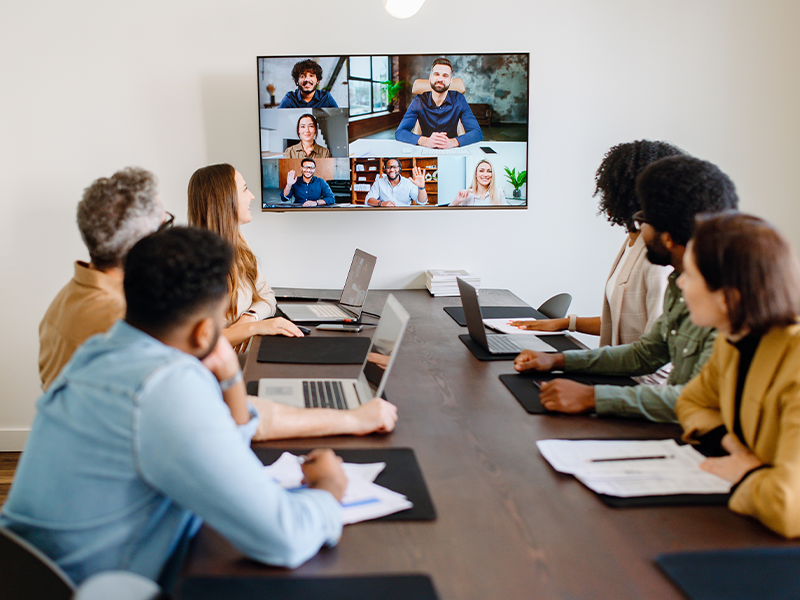
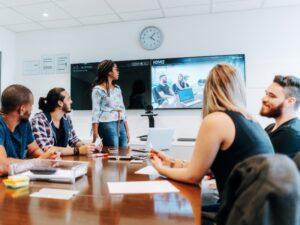
Hybrid work isn’t going anywhere. Teams need tools that make collaboration seamless whether participants are in the room or remote. Plug-and-play AV solutions deliver exactly that:

  • Ease of use: No IT degree required – employees can walk in and start collaborating.
  • Flexibility: Works across multiple platforms and spaces, from huddle rooms to boardrooms.
  • Scalability: Start small and expand as needs grow.

Popular Solutions to Consider

MaxHub collaborationHere are a few examples of plug-and-play options that integrators are leveraging to help clients upgrade quickly:

  • Wireless Presentation Systems: Tools like Barco ClickShare Hub Core make sharing content effortless – no cables, no confusion.
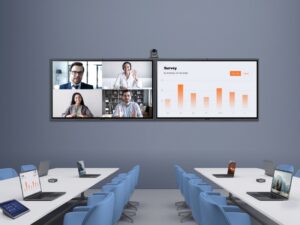
  • USB Conferencing Kits: Solutions such as the Maxhub XCore Kit for Teams or Huddly L1 Kit deliver high-quality video and audio without complex installs.
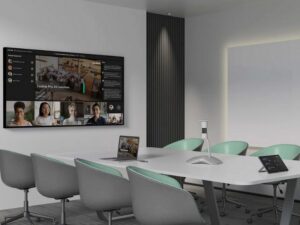
  • Smart Cameras and Video Bars: Products like Jabra PanaCast 40 VBS enhance hybrid meetings with intelligent framing and crystal-clear sound.
  • Network Optimization: Don’t forget the backbone – switches like Netgear M4250 ensure AV-over-IP runs smoothly.

Why Act Before Year-End?

There’s a strategic advantage to moving now:

  • Budget Efficiency: Many organizations have funds earmarked for technology upgrades and must use them before they disappear.
  • Immediate Productivity Gains: Faster deployments mean teams start benefiting right away.
  • Future-Proofing: These solutions position clients for success in 2026 and beyond.

Bottom line: Plug-and-play AV isn’t just a trend – it’s a practical way to deliver value quickly. As an integrator, helping clients make these smart upgrades now can strengthen relationships and set the stage for continued growth.

Want help finding the right solutions for your projects?
Reach out to your Almo sales representative or business development manager. We’re here to make the process simple and stress-free. Start the conversation with our team ⟫

Beyond the Boardroom: dvLED Projects That Define Corporate Identity

Thanks to direct view LED technology (dvLED), corporate environments are evolving from functional spaces into immersive brand experiences. From lobbies to executive boardrooms, custom dvLED installations are helping companies communicate their identity with clarity, creativity, and impact.

Of course, bringing these projects to life requires more than just great design – it takes a solid understanding of the technical building blocks behind dvLED. That’s where Almo’s dvLED Category Manager, Tom Keefe, comes in. In his Breaking Down dvLED blog series, Tom shares practical insights that help AV professionals plan smarter, install with confidence, and avoid common pitfalls.

Here’s a quick overview of the topics he covers – each one offering valuable guidance for your next corporate dvLED project.

Get Help When You Need It

Even experienced AV teams benefit from commissioning assistance. Having expert support during installation helps avoid costly mistakes and ensures the system is optimized for long-term performance.

Read more → The First Step in Installing a dvLED Video Wall Is Admitting You Need Help

Start with the Space

Every great dvLED installation begins with proper site prep. From structural integrity to power and ventilation, laying the groundwork ensures the system performs as intended and integrates seamlessly into the environment.

Read more → First Things First: The Importance of Proper Site Prep

Understand the Anatomy

Direct view LED video walls are built from cabinets, modules, and panels – each playing a critical role in the system’s performance and appearance. Knowing how these components work together helps you design smarter and install more efficiently.

Read more → Cabinets & Modules & Panels, Oh My!!!

Choose the Right Pixel Pitch

In corporate settings, clarity and detail matter. Whether you’re displaying branded visuals or data dashboards, selecting the right pixel pitch ensures your content looks sharp and professional from every angle.

Read more → Perfect Pitch: The Importance of Selecting the Right Pixel Pitch the First Time

Plan for the Unexpected

Corporate environments demand reliability. Having spare parts on hand, especially for custom configurations, can make all the difference when maintenance is needed or downtime must be avoided.

Read more → Got Spares? The Importance of Having Spares When Purchasing / Commissioning a dvLED Video Wall

Bringing It All Together

Direct view LED technology offers endless possibilities for expressing corporate identity – from bold lobby displays to high-performance executive spaces. By understanding the essentials and planning with purpose, AV professionals can deliver installations that go beyond the boardroom and leave a lasting impression.

Explore Almo’s dvLED solutions or contact a BDM to start your next project.

Want more business development advice? Check out this blog by Tom, “The AV MBA: You Can’t Always Get What You Want“.

Tom Keefe BDM

About the Author

Tom Keefe | CTS, DMC-D-4K, DSCE

Category Manager – dvLED

Supported Category: Direct View LED

Spaces and Sound System Considerations: Looks About Right

Back around 1989, Curt Taipale coined the phrase, “Looks About Right” or LAR for short. It referred to any “design” that was the result of guesswork rather than using any of the readily available tools that can be used to actually predict an end result.

For whatever reason, a number of projects have crossed my desk recently that look way too much like LAR.

JBL DSD SoftwareThe most common use of this poor “design” philosophy seems to be in determining the appropriate number of ceiling loudspeakers for a room. It seems everyone other than an actual AV Designer guesses at the number of loudspeakers needed using the LAR method. Take for example the 40 ft. x 27 ft. room with a 9 ft. ceiling where the initial inquiry stated, “I would think a ceiling speaker on each side of the room would be sufficient.” JBL’s free DSD (Distributed System Design) software has been around for decades and it’s a simple method for determining the number of ceiling or pendant loudspeakers required. No guesswork. Done. Quote ‘em. Put ‘em in. Manufacturers other than JBL have similar programs. Some even have nice graphics. All free, so there’s no reason not to use one.

However, once you go beyond ceiling or pendant loudspeakers, you may not be able to use a simple piece of design software; you’re into a completely different thought process using room modeling software to predict audience coverage.

In one recent example, I was shown a very reverberant house of worship space with high quality (insert reputable name brand here) loudspeakers everywhere. This included some in the back facing towards the front! It looked like the Water Sprinkler Theory of Sound where you just spray energy everywhere for “coverage”. As I remarked to the integrator tasked with fixing this, “I have never seen such quality gear implemented so poorly.”

In another recent example, the request was for a couple of two-way surface mounted loudspeakers with 5 1/4 inch woofers to cover an auditorium of 200 people. To quote Derek Bieri, “We’ll pretend we didn’t see that.”

When designing a sound system, consider these four parts:

  • The acoustical properties of the room
  • The background noise level of the room
  • Loudspeaker choice and location
  • Needed bandwidth

Large room with varied acousticsAcoustical Properties:

This involves the room shape, size and the materials found within the room as well as the areas adjacent to the room. Concave walls, domed ceilings, excessive volume (as in cubic feet or cubic meters) and large flat, smooth surfaces are challenging and at worst, could make the space unsuitable for the intended purpose. The only way to change the acoustical properties is to change the room physically or by the use of strategically chosen and placed acoustical materials. Unfortunately, people seem to always believe that new gear can fix a bad room. Look at fixing the room first if you think you have a room issue.

Background Noise:

Another key component to consider for a successful sound system is the acoustic signal-to-noise ratio. You can’t just crank the sound system to 11 because the room is noisy and expect the listeners to be comfortable. A common offender is the noise emanating from the HVAC system. However, ASHRAE (American Society of Heating, Refrigeration and Air-Conditioning Engineers) publishes their Handbook with a handy Design Guideline Chart in the Noise and Vibration Control chapter. It shows NC (Noise Criteria) and RC (Room Criteria) ratings for different room types. You might be surprised that they list a target of NC/RC 35 for Conference Rooms and NC/RC 30 for Teleconference Rooms and Classrooms. Churches are listed as NC/RC 25. Our lives would be so much easier if we found these levels out in the wild.

Loudspeakers:

The more challenging the acoustics, the more critical loudspeaker choice and placement become. You need to direct the energy from the loudspeakers to where the people are and off of all the other surfaces in the room and this requires pattern control. You need the correct loudspeakers located in the correct position and as every room is different, loudspeakers are not one-size-fits-all.

So how do we keep all that sound pointing only in the direction we want it to? Directivity comes in two forms:

  1. Interaction with a boundary like a wall (which creates its own problems) or a loudspeaker mounted within a horn or,
  2. Interaction with another loudspeaker like you would find in a line array.

Regardless of whether it’s a point source loudspeaker or line array, size matters when it comes to pattern control.

The issue is that over the ten octave frequency range from 20 Hz to 20,000 Hz, we’re dealing with wavelengths from over 56 ft. long to less than 3/4 in. long. In other words, if we want to control the spread of energy down to the lower frequencies, we are going to need some really large devices. How practical are the loudspeakers that will provide adequate “throw” and pattern control over that range? This can be difficult if someone decides loudspeakers should be heard but not seen.

Bandwidth:

The analog telephone system that some of us grew up with had a frequency response of about 300 Hz to 3,400 Hz and it worked quite well for intelligibility. Our clients probably have a bit higher expectation from a modern sound system.

On the other hand, do we need a full 20 Hz to 20,000 Hz bandwidth?

What’s important as far as frequency range? We find that the octave bands of 1 kHz, 2 kHz and 4 kHz account for about 75% of speech intelligibility with the 500 Hz octave band contributing about another 13% and the 8 kHz octave band only about another 6%.

Intelligibility is a different criteria from quality speech reproduction as the average speech spectrum covers from the 125 Hz octave band to the 8 kHz octave band and even beyond with the additional harmonics affecting speech quality.

Full-range loudspeakers designed for sound reinforcement can certainly extend below 100 Hz, but how much of that range do you need? It depends… Usually, we’re designing a dual purpose system – one that’s used for speech and music. The need for low frequency extension usually depends on the genre of music being played or reproduced.

On the other end of the spectrum, we may have to contend with air absorption in very large rooms. Air absorption can act as a natural low pass filter with the cutoff frequency decreasing as a function of increasing distance.

Graph of hz audio frequencies

Unless we’re in a recording studio or a post-production facility sitting in the sweet spot with high-end monitors just feet from our ears, getting 20 Hz to 20 kHz just isn’t practical or even necessary. It’s also good to remind yourself that the SM58 has a stated frequency response of 50 Hz to 15,000 kHz as a reality check.

There have been some articles written recently about how others’ perception of you – rightly or wrongly – may be based upon the quality of your audio, and that high quality audio can make you sound more attractive and convincing to others.

It’s all a balance between desire and practicality.

Summary:

There will be tradeoffs between desire, practicality and budget. There isn’t any loudspeaker, venue or system implementation that’s 100% perfect, but there certainly seems to be a lot of “very wrong” out there.

If you would like help avoiding the LAR approach and “very wrong”, let us know at Almo Pro AV. We can assist the system integrator with product recommendations, resources as well as paid engineering services and more through our LinkLab professional services division.

Tom Kehr
About the Author

Tom Kehr

CTS-D, CTS-I, Network+, LEED Green Associate, ISF-C, ATD Master Trainer

In-House System Designer and Trainer

Supported Applications: System Design

Almo ProAV’s in-house system design experts have you covered with tools to deliver impeccable visual and sound experiences. Whether you’re working with a screen, flat panel, or LED wall, or even designing a sound system, the tools below will help you answer questions such as:

  • How big does an image need to be?
  • Where should the viewers be located in relation to that image?
  • Will my sound reinforcement system be free from feedback?

Check out the Almo Pro AV Calculator Tools developed by Tom including:

  • Basic Decision Making (BDM)
  • Analytical Decision Making (ADM)
  • Potential Accoustic Gain (PAG) – Needed Accoustic Gain (NAG)
  • General Calculator & Converter
  • Ceiling Loudspeaker Design

October: Where Sports and AV Play as a Team

October isn’t just pumpkin season, Halloween candy and pumpkin patches, it’s the heart of sports season. My husband grew up in Brooklyn but somehow became a Cowboys fan (still investigating). I grew up with the Giants in my backyard, and after 14 years in South Florida, I’ve learned to cheer for the Dolphins too, mostly so my neighbors don’t egg my driveway or I don’t get dirty looks at Publix. Add my half-Brazilian, half-Portuguese roots and suddenly the World Cup feels like a family reunion. The rivalries are real, but here’s one thing we all agree on: sports without the right AV is just overpriced beer or trick-or-treat without candy. With the right AV, it’s unforgettable, and that’s where Almo Pro AV comes in.

Stadiums in October aren’t just about football; they’re about atmosphere. Absen PL2.5 Pro, Samsung IAC, LG’s LAPA136-GF.AUSQ, Planar TVF, and MAXHUB LM138A07 LED walls make even the nosebleeds feel like front row. Epson EB-PU2220B projectors put replays on the big board brighter than the Florida sun. Christie Griffyn 4K32-RGB lights up end zones like Broadway, and Panasonic PT-MZ880 keeps multipurpose areas covered. Peerless-AV and Chief mounts hold it all steady, while Sennheiser EW-DX mics, JBL VTX arrays, and Crown I-Tech amps make every whistle and roar shake the concrete. And if you don’t have control? Forget it. AMX and Atlona keep the show running smooth so no one fumbles the AV on 4th down.

PTZOptics belongs here too. Their 30X-NDI cameras with Hive are being used for live sports broadcasts, streaming games, press conferences, and even fan cams that rack up more views than the actual highlight reel. It’s broadcast quality without the truck, which means even smaller venues can deliver big-league streaming.


Gyms are catching on as well. I visited one in Bogotá that looked more like a TV studio than a gym. Netgear M4250 switches kept the feeds flowing, SoundTube pendants powered by LEA Connect 354 amps handled the sound, and Kramer processors kept the whole system easy to manage. Members were half-working out, half-starring in their own highlight reel. One guy told me he felt more scouted than he ever did in high school ball, and honestly, he wasn’t wrong.


Sports bars in Miami? That’s where Sundays are basically religion. A neighborhood bar turned game day into an experience with Sharp PN-M752 displays, Sony FW-98BZ53L BRAVIA Pros, and an LG LAPA136-GF.AUSQ LED wall. BrightSign XT1145 players kept replays and promos rolling, AtlasIED Atmosphere processors with Bose DS 100SE speakers made the sound clean, and Panasonic PT-MZ880 projectors expanded the view. AMX control made it simple for the bartenders to swap games between orders. Add ListenWiFi so fans could stream commentary to their phones, and suddenly no one was fighting over the volume. The owner said Sunday sales doubled. And yes, the Sennheiser wireless mic came out for Sweet Caroline after the Dolphins actually pulled off a win.


In Colombia, soccer stadiums are upgrading too. Imagine stepping into a venue with Absen LED walls lighting up the pitch, Barco G62 projectors handling pre-match visuals, and PTZOptics 30X-NDI cameras with Hive pushing live feeds straight to mobile apps and fan zones. Fans tune into ListenWiFi for play-by-play without missing a call, and the energy feels like Maracanã on a final. That’s the kind of AV that keeps fans in the moment instead of looking for the nearest exit.

Now let’s talk immersive experiences. Our Special Markets team has been transforming fan zones and gyms with headsets that bring the action straight into your ears. At one stadium install, fans tuned into play-by-play commentary in real time, no more missing the call because the guy behind you is arguing about fantasy football. This isn’t just AV, it’s personal, and it’s what makes a sports experience feel one-of-a-kind.

Sports bring passion. Nobody wants bad audio, laggy control, or a dead screen to ruin their game, whether they’re in a stadium, a gym, or a bar. With Almo Pro AV’s lineup, Absen, Samsung, LG, Planar, MAXHUB, Sharp, Sony, Epson, Panasonic, Barco, Christie, Peerless-AV, Chief, Sennheiser, JBL, Crown, AtlasIED, Bose, Netgear, LEA, SoundTube, PTZOptics, MicroTouch, Listen Technologies, AMX, Atlona, Kramer, and our Special Markets team, we’ve got every angle covered. The only thing we can’t do is fix your team’s record. If I could make the Giants, Cowboys, Dolphins, Brazil, and Portugal all win, I’d be running Vegas instead of writing blogs and selling AV. And since Almo Pro AV’s headquarters is in Philly, I’m obligated to say it… Go Eagles! (Don’t tell my Giants-loving heart I said that.)

Gisela Ramirez, Sales Director - LATAM

About the Author

Gisela Ramirez

Sales Director – LATAM

Exertis Almo

Digital Signage Essentials: Building Blocks of Visual Communication

Walk into any modern corporate lobby and you’ll likely be greeted by a sleek digital display showcasing company branding, welcome messages, or real-time updates. It’s polished. It’s professional. And it’s powered by more than just the display.

Behind every impactful signage experience is a network (pun intended) of essential components – often overlooked, but absolutely critical. As AV professionals, we know that the magic of digital signage doesn’t just happen. It’s built from the ground up with the right mounts, cables, media players, and signage management platforms – and of course, an appropriately sized display.

Let’s break down the building blocks using a corporate lobby as our anchor.

Chief mountsDisplay Mounts: The Foundation of Form and Function

In a high-traffic lobby, aesthetics and safety go hand-in-hand. A commercial-grade mount like the Chief Tempo Flat Panel Wall Mount System ensures the display is securely installed, perfectly aligned, and easily serviceable while providing for mounting locations for other components. Whether it’s a single screen or a video wall, choosing the right mount affects not only the visual impact but also long-term maintenance.

Integration Tip: Always consider ADA compliance and future serviceability. Look for mounts with micro-adjustments and quick-release features to simplify installation and upkeep.

Cables & Extenders: The Lifelines of Connectivity

Cables may be out of sight, but they’re never out of mind for integrators. High-quality HDMI, DisplayPort, and power cables – like those from C2G or Kramer – ensure reliable signal transmission and reduce the risk of downtime. Send 4K up to 130ft or 1080p up to 230ft with C2G’s HDBaseT Transmitter and Receiver – pair with CAT6a shielded cables for crystal-clear, reliable AV performance.

Integration Tip: Use proper length shielded cables to limit clutter, while allowing access and avoiding interference in high-density installations.

BrightSign media playerMedia Players: The Content Engines

Media players are the workhorses of digital signage. Devices like the BrightSign XT5 or SpinetiX HMP400 deliver smooth playback, schedule content, and support interactive experiences.

Integration Tip: Opt for players with remote management capabilities and robust security features – especially in corporate environments where IT standards are high.

Signage Management Platforms: The Control Center

A signage deployment is only as good as its management system. Platforms like SpinetiX ARYA or Samsung MagicINFO allow AV pros and IT teams to schedule, monitor, and update content across locations with ease.

Integration Tip: Look for platforms that integrate with existing enterprise systems and offer analytics to measure engagement and performance.

NetgearAV Network Switch: Preconfigured Power

From one display to thousands, properly configured networks allow you to manage and monitor your signage network from your desk. Choosing a switch preconfigured for AV networks, like the Netgear M4250, makes the job even easier.

Integration Tip: Consider adding a POE powered media player and POE capable network switch to limit the number of power connections needed behind the display. PoE++ is becoming the new standard for Audio/Dante-controlled devices, the Netgear M4250 has 1,400 Watts available to future-proof your AV power needs.

Middle AtlanticPower Management: The Silent Protector

Protecting your displays and media players from a devastating power surge is as simple as adding some type of power management system. Solutions from brands like Middle Atlantic or SurgeX offer surge protection, power conditioning, and remote monitoring to keep your signage systems safe and running smoothly.

Integration Tip: Use rack-mounted or inline surge protectors with remote reboot capabilities to minimize service calls and ensure uptime in high-traffic environments

The Unsung Heroes of Impactful Signage

While the display may steal the spotlight, it’s the essentials that make the experience seamless, scalable, and secure. From the moment a visitor steps into the lobby to the time they enter a meeting space, these components work together to deliver a consistent brand experience.

Whether you’re designing a single display or a multi-zone signage network, start with the essentials, and build from there.

Ready to Elevate Your Signage Projects?

Explore Almo’s full range of digital signage solutions, including mounts, cables, controllers, players, and platforms – all backed by expert support and distribution services. Contact your Almo Pro AV rep or Business Development Manager to get started.

Todd Heberlein

Todd Heberlein | CTS, DMC-D-4K, DSCE

Senior BDM – Technical Lead

Supported Manufacturers: Absen and BrightSign

Nick Carnahan

Nick Carnahan | DSCE

BDM – Brand Specialist

Supported Manufacturers: Legrand AVChief, C2G, Da-Lite, Luxul, Middle Atlantic, Vaddio, Wiremold

Eric Olson headshot

Eric Olson​​ | CTS, DSCE

Senior BDM – Technical Lead

Supported Manufacturers: Netgear, LG, Lumens and Atlona

September in LATAM AV: Closing Strong, Setting Up Bigger Wins

September is the last stretch of Q2 for us, and if I’ve learned anything in this industry, it’s that this month decides who walks into Q3 relaxed and who walks in scrambling. If you wait until November, you’ll be the one calling your customer to explain why their install is stuck on a boat. I have made those calls before and they are not fun.

One story that always sticks with me is from Colombia. A partner decided to hold off until November, thinking Buen Fin and year-end would be their big moment. By then, they were buried in freight delays, chasing approvals, and stressing about credit. Their competitor, who moved in September, was already delivering and winning market share. That was a turning point for me. In LATAM, the ones who move first, win first.

And I see it happening across the region right now. In Costa Rica, companies are already building hybrid rooms with LG displays, Barco ClickShare, and Netgear switching so they are ready before year-end. Guatemala is finalizing education projects with NEC projectors and Aver cameras. Chilean boardrooms are running Epson projection with Yamaha audio, while in Peru, lobby spaces are coming alive with LG DVLED walls and Legrand infrastructure. Honduras has events buzzing again with SoundTube and Peerless-AV solutions, and in Jamaica, resorts are securing Samsung outdoor displays, Yamaha audio, and Legrand cabling so their guests never miss a beat.

Puerto Rico is another great example. A university there recently upgraded lecture halls with Samsung professional displays and Listen Technologies systems. Because they moved early, everything was installed and ready before students returned. No delays, no excuses, just results. Their integrator looked like a rock star.

That is why I tell every partner the same thing: September is not a filler month. It is the launchpad. Budgets are getting finalized, projects are being scoped, and the smart integrators are locking in orders before the supply chain circus kicks off. I have watched it play out again and again. The ones who act in September spend December delivering. The ones who don’t spend December apologizing.

The lesson is simple. Don’t be the integrator explaining delays. Be the one delivering. With Almo Pro AV behind you, you have the brands, the credit, and the logistics strategy to make it happen.

Gisela Ramirez, Sales Director - LATAM

About the Author

Gisela Ramirez

Sales Director – LATAM

Exertis Almo

Pin It on Pinterest