Optimizing AV Systems for Hybrid Classrooms: Best Practices for Integrators

The hybrid classroom, where in-person and remote learners connect seamlessly, is now a staple in education. With 67% of college instructors leading hybrid classes in 2023 (up from 52% before the pandemic), this approach is expected to continue growing across K–12 and higher education. As an AV integrator, you’re already aware that a well-designed AV system is key to engaging every student equally. Here’s how to tackle that challenge with confidence.

  1. Prioritize High-Quality Cameras & Flexible Coverage

Opt for PTZ (Pan-Tilt-Zoom) cameras instead of fixed-lens models. They allow remote students to follow the instructor and classroom activity seamlessly. Lumens even suggests avoiding fixed lenses for multipurpose rooms due to their limited coverage.

Best practice suggestions:

    • Choose auto-tracking cameras for hands-free presentation.
    • Allow remote focus and zoom control via a secondary display or control console.
  1. Important: Don’t Allow Poor Audio to End the Class

Clear and intelligible audio is the foundation of effective hybrid learning. Ceiling mounted beamforming microphones, conferencing soundbars, and digital signal processors with (AEC) acoustic echo cancellation are just a few of the possible solutions used to ensure the class sounds as good as it looks.

Best practice suggestions:

    • Consider lapel mics for presenters and ceiling or table mics for students to stay loud and clear. Microphones are just as important as the loudspeakers being used.
    • Route audio through a central DSP with dynamic equalization, feedback suppression, and AEC (acoustic echo cancellation) to help balance out the sound and ensure no unwanted feedback/echo.
    • Room acoustics matter.  Taking into consideration the possible obstacles of reflective surfaces, open ceilings, and unwanted noises in the room will go a long way to stellar performance.
  1. Upgrade Displays and Sharing Infrastructure

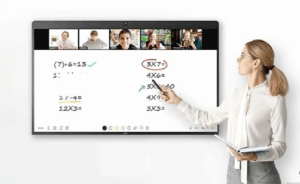
Dual displays, one for content, another for live video feed, help both in-room and remote participants stay engaged. Having the right size displays will ensure everyone in the room can clearly view what is being shown. Interactive whiteboards also boost collaboration, allowing annotations and media sharing in real time.

Best practice suggestions:

    • Use interactive touch screens, or interactive projectors.
    • Consider industry standards when it comes to the recommended display size for a given space.
  1. Fortify Network Reliability

A strong network is non-negotiable. Hybrid systems demand reliable bandwidth and proper Quality of Service (QoS) prioritization to avoid audio dropout or video lag.

Best practice suggestions:

    • Validate network health before installation.
    • Create separate AV VLANs to isolate traffic and maintain stability.
    • Ensure Wi-Fi strength supports classroom needs effectively.
  1. Integrate Seamlessly with LMS and Collaboration Platforms

Ease of use for educators is essential. Sick of manual setup? So are teachers. Make sure your AV design integrates smoothly with platforms like Canvas, Blackboard, Zoom, or Microsoft Teams.

Best practice suggestions:

    • Test both live streaming and on-demand delivery.
    • Tie AV controls into existing classroom software wherever possible.

Why This Matters

Hybrid learning isn’t just a trend. It’s backed by data: over two-thirds of educators now embrace it. When AV systems falter due to poor audio, unreliable cameras, lagging video, remote learners disengage. Your expertise in deploying smart, integrated AV systems can ensure every voice is heard and every lesson matters.

Final Take

By implementing PTZ cameras, dependable audio, dual-display systems, robust networking, and smart integrations, you’ll deliver hybrid environments that feel inclusive, intuitive, and professionally engineered. For AV integrators who stay ahead of these practices, the payoff is improved learning outcomes, and stronger client trust.

Ready to upgrade your hybrid classroom AV? Connect with your Almo team for a free consultation on your next project.

Why Resellers Should Take Advantage of Project Registrations

Let me ask you if you’ve ever experienced this scenario: you’ve been working on a project, specifying every detail and researching and locating the products to meet the project requirements. You’ve quoted the client, and you’re waiting on funding or their next signature. The buyer receives the information, and you learn that they placed the order with another supplier due to lower cost.

Unfortunately, I’ve had that experience with over 25 years in this industry. I want to provide you with a recommendation designed to help minimize these scenarios for the future.

One of the most powerful, and often underutilized, tools available is project registration.

What is project registration?

Project registration is a process that allows a reseller to inform manufacturer (leveraging your Almo team) about a specific opportunity or project. This process provides numerous benefits to both the reseller and the manufacturer, including transparency, pricing protection, forecast of needed products and more.

Let’s dive into the benefits of registering your projects.

Why does project registration matter?

First and foremost, project registration is a simple and effective way to protect your profit. When a project is registered, you’re able to secure your pricing and provide yourself the opportunity to make more margin.

James Calandrillo, Vice President of Almo Pro AV Sales, detailed the importance of project registration, especially with prices on the rise.

“In today’s unprecedented times with price changes due to tariffs, it’s more important than ever to register as many projects as you can, as often as you can,” he explained. “And as pricing changes, active registrations are covered to the end of that, whereas there’s no pricing guarantee if you don’t register the project.”

When you register a project, you’re not just receiving reliable pricing, you’re creating awareness about the intricacies of your project with the manufacturer utilizing your Almo team. Consider it a win for both the reseller, distributor and the manufacturer. The reseller enjoys pricing recognition provided from the manufacturer while both the distributor and manufacturer gain knowledge their products for future forecast.

Taukia O’Donnell, Director of Bid Operations at Almo Pro AV, provided additional details on the importance of project registration in a recent conversation.

“Project registration is a critical tool that empowers resellers to maximize profitability and strengthen partnerships with manufacturers,” she explained. “This not only safeguards margins but also fosters transparency, enabling manufacturers to better understand project needs and market demands.”

Along with pricing recognition, project registration separates the reseller from a simple box sale. Instead, they’re viewed as an actual design-build integrator.

“Project registration elevates resellers from mere transactional vendors to strategic design-build integrators,” Taukia said. “This distinction enhances credibility and deepens manufacturer relationships, creating a competitive edge.”

“If you’re registering projects, it shows the manufacturer that you’re really doing the work,” James added.

Why should resellers leverage Almo for support?

Oftentimes, sales representatives choose not to register their projects simply because they don’t have the time to do it. When dealing with a variety of brands, they don’t have the bandwidth to reach out to vendors themselves and explain their plans.

“Partnering with Almo Pro AV simplifies the process, offering expertise and access to multiple vendors who support registration at low quantities,” explained Taukia. “This support is invaluable for sales teams managing diverse brands under tight schedules.”

Along with expertise, Almo Pro AV is here to ensure an efficient registration process.

“I encourage all resellers to prioritize project registration to protect profits, streamline operations, and position themselves as trusted partners in the supply chain,” said Taukia. “Leveraging Almo’s resources can make this process seamless and highly rewarding.”

I realize we are all very busy, our time and resources are limited. This is definitely one area to take the extra few minutes to register your projects when you’ve spent time to specify the project for your client.  It’s like offering yourself a little added protection from the “last minute low-ballers”. I’m not saying you will do away with the competition, however this process will definitely assist in minimizing the risk for you.

The project registration process is usually quite easy – simply provide the details to your Almo Sales Rep and they will work directly with the manufacturer utilizing Almo’s Bid Registrations. Your Almo sales representative will be happy to assist you in collecting the information to register your projects.

If you have any questions or would like to request to have a project registered on your behalf, please reach out to Almo Sales or myself for assistance.

Angie Greene
About the Author

Angie Greene | DSCE

Business Development Manager

Supported Manufacturers: Panasonic Connect

Emerging AV Trends Shaping the Future of Government Facilities

Government facilities are undergoing a technology modernization – and AV technology is at the heart of it. From city halls and courthouses to command centers and public safety offices, agencies are investing in smarter, more secure, and more scalable AV systems to meet the demands of hybrid workforces, citizen engagement, and operational resilience.

At Almo Pro AV, we work in partnership with resellers and integrators to help them stay ahead of the curve. Let’s look at the top technologies shaping the future of public sector AV – and how you can leverage them to grow your business.

  1. AV Over IP: The Backbone of Scalable Government Infrastructure

Kramer kds7mngrAV over IP is rapidly replacing traditional AV distribution in government buildings. It offers flexibility, centralized control, and cost-effective scalability – especially for multi-site deployments and command centers.

Integrator Insight: Agencies are prioritizing TAA-compliant, secure AV-over-IP solutions that integrate with existing IT infrastructure. Almo’s product portfolio includes vetted, standards-based systems ready for federal and SLED environments.

Featured Product: Explore Kramer’s reliable AV over IP solutions, such as the KDS-7-MNGR, for seamless video distribution.

  1. Hybrid-Ready Meeting Spaces

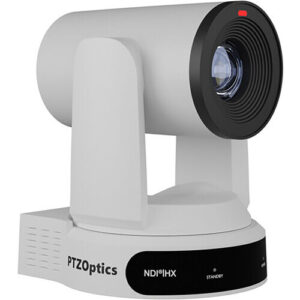
PTZOptics Move 4kVirtual and hybrid meetings are now standard in government operations. Agencies need AV setups that support remote testimony, live streaming, and real-time collaboration with high security and accessibility.

Integrator Insight: Focus on UC platforms with ADA-compliant features, real-time captioning, and EO 14028 alignment. Almo offers training and sales enablement to help you map product features to policy requirements.

Featured Product: PTZOptics Move 4K offers built-in auto-tracking capabilities and comes native with NDI® HX3 for unparalleled performance and versatility.

  1. Digital Signage for Public Messaging and Wayfinding

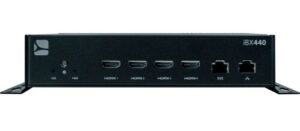
SpinetiX media playerDigital signage is becoming essential for real-time alerts, multilingual communication, and interactive wayfinding in public buildings. Agencies are replacing static signage with dynamic, remotely managed displays.

Integrator Insight: Offer signage solutions with emergency alert integration and remote content management. Almo’s partners benefit from access to exclusive signage platforms and deployment support.

Featured Product: SpinetiX iBX440 is the digital signage player that makes
video walls accessible to everyone.

  1. Assistive Listening and Accessibility TechListen Technologies

Accessibility is a legal and ethical priority. Agencies are upgrading council chambers and courtrooms with assistive listening systems, captioning, and inclusive interfaces.

Integrator Insight: Almo’s team helps you spec and source ADA-compliant solutions, including induction loops, IR systems, and real-time translation tools.

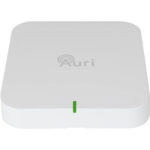
Featured Product: Auri™, powered by Listen Technologies, is the first Auracast™ broadcast audio-based solution for assistive listening.

  1. Sustainable and Energy-Efficient AVViewSonic ViewBoard

Sustainability is now a procurement priority. Agencies are seeking energy-efficient AV systems, recyclable components, and eco-conscious installation practices.

Integrator Insight: Almo offers EPEAT-certified displays and consults on green AV design to help you meet agency sustainability goals.

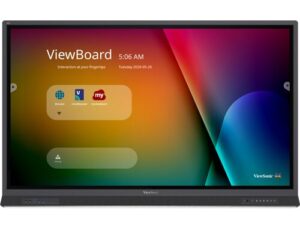
Featured Product: The EPEAT Gold-rated 65” ViewBoard series from ViewSonic is made with over 90% post-consumer recycled materials.

Why Almo Pro AV Is the Perfect Public Sector Partner

court roomChoosing the right technology is only part of winning in the public sector. The other part is having a partner who understands the entire procurement and deployment ecosystem – and that’s where Almo Pro AV excels.

✓ Deep Public Sector Expertise

Our dedicated public sector team has decades of experience navigating government buying cycles – from GSA contracts to SLED procurements. We speak the language of contracting officers, compliance reviewers, and IT security leads.

✓ Bid and Compliance Support

We help our partners position themselves competitively in bids by providing:

    • TAA and NDAA compliance documentation
    • RFP-ready technical narratives
    • Grant eligibility guidelines
    • Sales Enablement & Training

command and control centerWe train your sales staff to position secure AV solutions to government buyers, aligning product features with mandates like EO 14028, CISA OT guidance, and directives. Government buyers value reliability and expertise – we show up with both.

✓ Exclusive Product Access

As Christie Digital’s exclusive distribution partner for the Secure Series III, we give you a competitive edge – delivering a high-demand, compliance-ready display that your competitors can’t source through standard channels.

✓ Integration Support

We don’t just ship boxes. We understand each agency’s mission. Our technical specialists consult on system design, ensuring that your deployments align with security policies, accessibility standards, and command-center workflows.

Partner with Almo Pro AV and Lead the Future of Government AV

Public sector AV is evolving fast. Agencies need partners who understand the mission, the mandates, and the technology. With Almo Pro AV, you get more than a distributor – you get a strategic ally.

Let’s build smarter, safer, and more connected government spaces – together.

Contact an Almo Pro AV representative to get started.

TAA-Compliant Products Available from Exertis Almo

If you work with customers in the Federal Government space, you’re probably familiar with the term “TAA-Compliant”. For those curious, “TAA” refers to the Trade Agreements Act, and its statute requires that products purchased through government contracts are:

  • Articles [products] that are wholly the growth, product, or manufacture of the U.S. or a designated country, or
  • Articles [products] that are “substantially transformed” in the U.S. or a designated country into a new and different article of commerce with a name, character, or use distinct from that of the article or articles from which it was transformed.

TAA Compliant logoThe Trade Agreements Act (TAA) was enacted to encourage fair and open international trade, but in practice it has implemented the requirement that the US government may only acquire US- or “designated end country”-made end products.

While this statute can seem quite limiting on first glance, in practice there are plenty of products available to meet your customers’ needs while remaining TAA-compliant. The list of “designated countries” outside of the US is substantial, and includes countries you may not have considered compliant, including Taiwan, Japan, Hong Kong, Republic of Korea, and Singapore.

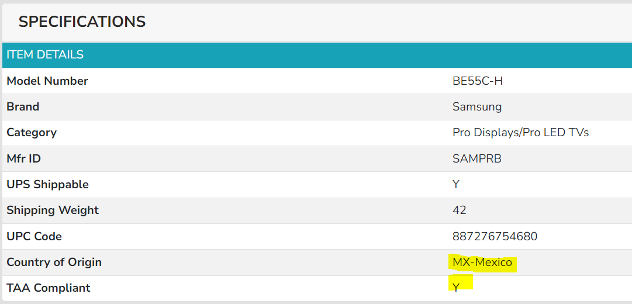
To assist with identifying TAA-compliant products, Exertis Almo has recently added a new field to Almo Access which readily shows whether a product is compliant:

TAA products specifications

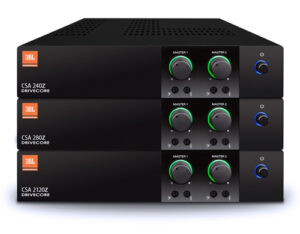
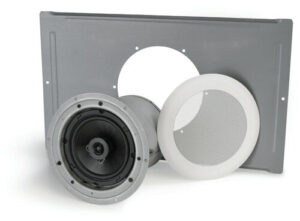
So what are some examples of TAA-compliant products available through Exertis Almo? The list might surprise you, and give you ideas of opportunities you may not have considered before: CSA series

AMPLIFIERS

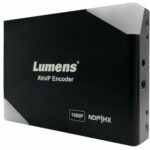
Lumens OIP-N seriesAV OVER IP ENCODERS/DECODERS

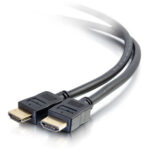
C2G 501 seriesCABLES

Sony CAMERAS

Nureva huddlecamCONFERENCING

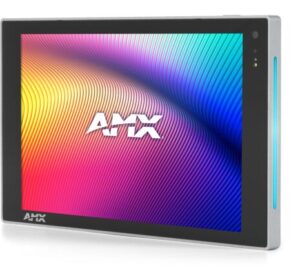
AMX VariaCONTROL

DISPLAYS

LOUDSPEAKERS

MICROPHONES

Chief display mountsMOUNTS

NETWORK SWITCHES

PROJECTORS

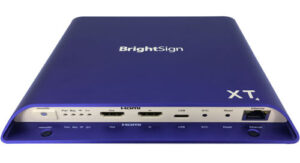
BrightSign TAA media player for digital signageDIGITAL SIGNAGE

VIDEO EXTENSION AND PROCESSING

This is just a sampling of the many products Exertis Almo has available for your projects which require TAA compliance. If you have questions regarding whether or not a certain product is TAA-compliant or have any technical questions, reach out to your Business Development Manager or to any of our Account Managers for assistance!

Want more audio tips? Check out “Enhance Your AV Projects with Pro Audio Solutions“.
John Rossman - headshot-frame

About the Author

John Rossman | CTS

BDM II – Technical Specialist

Supported Manufacturers: Harman ProfessionalAKG, AMX, BSS, Crown, DBX, JBL, Lexicon, Martin, & Soundcraft

Competitive Esports: What’s It All About?

Over the past few months, I went on a journey to gain a better understanding of Esports. With over 30 years in this industry, my exposure and knowledge level about this new and growing business was very limited at best. Other than the discussions with my niece and attending a few webinars hosted by rAVe’s Gary Kayye, I intended to expand my personal knowledge – and hopefully share some of that information with you.

Over the past few years, Esports has transformed from a niche activity into a global phenomenon, with large audiences, sponsorships, and college programs dedicated to competitive gaming. While Esports is rising in popularity across many universities, the term can still be a bit of a mystery for those who aren’t immersed in the gaming world. Simply put, Esports focuses on competitive video gaming, where players and teams participate in organized tournaments, often with large audiences watching online or live at arenas.

In a recent article about the rapid expansion of Esports, rAVe’s Clara Mello details the large market potential for competitive gaming. Thanks to its expansion into college programs, the gaming market was valued at $187 billion with 335 million players and viewers when rAVe’s article was published.

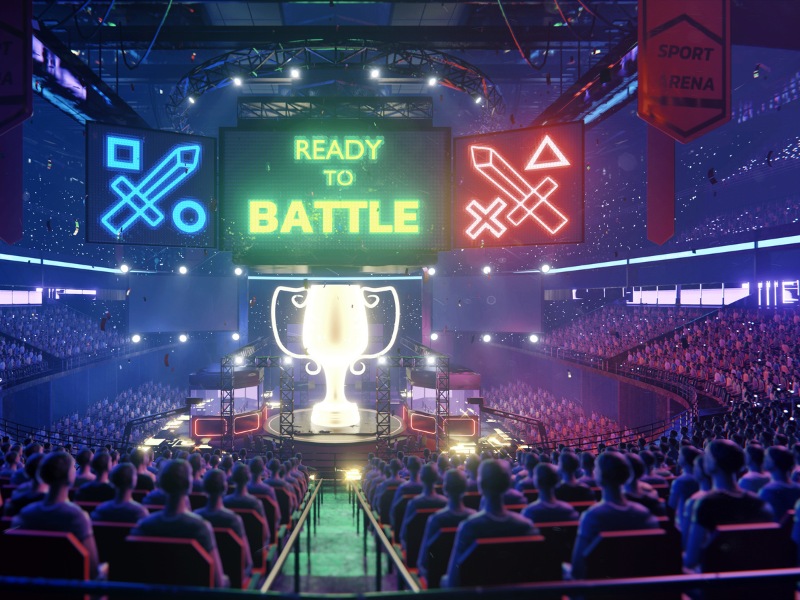
esports-arena-displaysBut it’s not just about the games — there’s a long list of audiovisual technology that helps bring these epic events to life. Let’s take a deeper dive into the world of Esports and discuss how AV solutions are driving this industry.

In conversation with Keith Vidger, Engineering Manager for Pro Video and Audio at Panasonic, we discussed the key factors that contribute to a successful Esports setup. First and foremost, it’s important to differentiate Esports streaming from broadcasting.

“There are many rules and procedures used for broadcasting at conventional sporting events,” he explained. “These rules do not apply when you’re not broadcasting over the air, so there’s no need for delay.”

While the government requires that traditional broadcasts insert several seconds of delay, these rules do not need to be followed when streaming. Instead, streams should have one frame or lower latency. And in competitive Esports, latency and lag are major concerns. With each game requiring split-second decisions, even a few milliseconds of delay can cost players the game.

“Certain applications do not care about lag, but [in Esports,] 3-microseconds versus 2-microseconds of lag could be the difference between winning and losing a game,” Vidger said. “[Traditional] broadcasting caused an unnecessary delay that was detrimental to the game players.”

Additionally, the growing popularity of Esports wouldn’t be complete without the rise of platforms like Twitch and YouTube. Many Esports events are streamed live on Twitch, where millions of fans tune in to watch the action unfold in real time. Pre-recorded events are frequently uploaded to YouTube, where they can be revisited by fans after the event is over.

So, how does the right AV gear enhance an Esports event? Here are a few necessary products that are designed to help these competitions run smoothly and efficiently.

PTZ Cameras

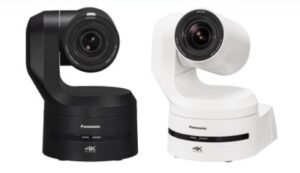
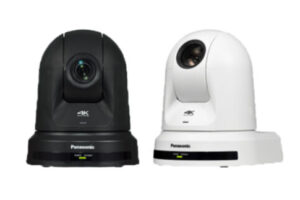
Panasonic Connect PTZ cameras Panasonic’s AW-UE150 and AW-UE160 cameras are excellent choices for Esports events, as they provide crystal-clear images and capture fast-moving gameplay. For smaller setups or more budget-friendly options, the AW-UE30 and AW-UE40 are also great choices.PTZ cameras by Panasonic Connect

Explore the Panasonic PTZ Camera lineup.

Displays

While the players often have access to their own personal monitors during an Esports event, large displays are an essential component of an arena. These displays show the competition to large, in-person crowds and give attendees a close-up look at key moments.

Looking towards the future of competitive Esports, Vidger finds that the largest point of change is in the organization of the sport itself, as there are many different leagues that can employ players and drive revenue. He expects that the scope and reach of these leagues continues to expand, with more university campuses requesting these audio-visuals systems to host competitive Esports events.

Overall, Esports is a fast-growing segment for the AV industry. In my opinion, it’s a very interesting topic, especially if you are not really involved in playing any games. If you’re looking to experience an Esports event, I’d recommend going on Twitch to watch an online stream. This is an area that brings opportunities for all of us to provide equipment for these events. Additionally, Esports also presents itself as a rapidly growing business segment, which will only bring even more discovery of products and services.

This was an educational and eye-opening process for me, and I’ll share some useful links and resources so you can peruse them, too!  With any questions, please reach out to me, your Exertis Almo representative, and/or your Panasonic TAM for assistance.

Resources for You

Angie Greene
About the Author

Angie Greene | DSCE

Business Development Manager

Supported Manufacturers: Panasonic Connect

Want a New Year’s Resolution? Put the “Professional” in Pro AV

Are you eating healthy, exercising and doing all that you can to take care of yourself and your family? Are you doing all you can to further your advancement and make yourself more valuable to the company that you work for? Did you get a professional headshot for your web page and LinkedIn profile?

You do all these things because you’re supposed to be a responsible adult but so many of you still look and sound terrible in every video call. I can’t tell how many times I’ve witnessed an executive level person of an AV related company or organization sound and look terrible during an industry interview or podcast. It’s so bad that it’s unusual when they do it well.

I would argue that you are tarnishing your value as a supplier, client and coworker if you don’t get the basics of sound and video correct on a personal level.

unprofessional audiovisual presentationHere is a list of things that I don’t want to see or hear including my nicknames for each:

  • Only one half of your face because the rest is out of frame. (Abstract Art)
  • Only one side of your face because you’re not looking at the camera. (The Profile)
  • A dark face because you’re poorly lit. (Witness Protection Mode)
  • Way too much space above the top of your head. (Kilroy Was Here)
  • Your chin. (The Uppercut)
  • An empty conference table with you at the far end. (The Bowling Alley)
  • Your laptop microphone. (Speakerphone Mode)
  • Your videobar 25 feet away from you. (1/24 Scale)

Face it. Literally. Your laptop camera and microphone look and sound terrible. Your lighting is non-existent. Why are you using the built-in $2.00 microphone and $10.00 webcam to try and sell someone on the need to invest $100K in their conference room?

Promote the value in a quality audiovisual investment starting at your desk – convey your professionalism one-on-one.

I know this can be a vanity issue for some of us. We don’t think we look good on camera, so we turn the camera on only because it’s expected. Speaking as a lifetime member of the Introvert Club, I get it. But as a fellow coworker and introvert said to me, “Preparedness is the best medicine for nerves, so it all began with a simple thought, ‘If I upgrade my webcam, maybe I’ll feel more confident on camera.’” For him it started with a camera that’s popular with content creators. That lead to research on lighting and then what elements were in view of the camera frame. After that came the audio. He now has the best looking and sounding rig in the entire company. Plus, he and his wife started doing podcasts! He’s not even in the Pro AV division, he’s in IT. I might have the edge on him on the audio side, but he absolutely smokes me on the video side.

Lesson: If your IT person looks and sounds better than you, you seriously need to up your game.

Remind yourself that we are in Professional AV and more importantly, that we are in a relationship business. You wouldn’t visit your client in person knowing that you had bad breath so why are you practicing virtual bad breath with every video call?

Camera, lights, microphone and look up the “Rule of Thirds” for subject framing. It’s a “system” not unlike all the various components we put together for a client’s “system”. While it may be on a smaller scale it should be no less professional than the experience we’re promoting.

While we would love to work with you on your next $100K project, we’re no less interested in helping you look more professional on a personal level. This is the AV industry – we’re all in this together.

If you enjoyed this blog, check out Tom’s “Choose Quality AV” blog for more insights.

Tom Kehr
About the Author

Tom Kehr

CTS-D, CTS-I, Network+, LEED Green Associate, ISF-C, ATD Master Trainer

In-House System Designer and Trainer

Supported Applications: System Design

Pin It on Pinterest