Maximizing Success in Pro AV: The Power of Delivering Complete Solutions

In today’s fast-paced world, where seamless collaboration and impactful presentations are vital, customers in corporate, government, education, healthcare, and other industries are increasingly seeking turnkey solutions for their audio-visual (AV) needs. As a reseller, installer, or integrator, this presents a tremendous opportunity to maximize your business by offering full and complete AV solutions that address every aspect of the end-user’s requirements. So, I challenge you with every opportunity to consider “What else can we offer?”.

From displays, microphones and cameras to switchers, mounts, and cables—every component plays a critical role in delivering a reliable, high-quality AV experience. At the heart of it all, solutions like Barco ClickShare ensure that meeting spaces, collaboration rooms, and presentation environments operate flawlessly, making it easier for users to connect, collaborate, and present without frustration.

Let’s dive into why offering full AV solutions is crucial, how it benefits your clients, and how integrating ClickShare can elevate any meeting space.

  1. End-to-End Reliability

A fully integrated AV solution ensures all components work seamlessly together. Piecemeal solutions often result in compatibility issues, signal degradation, or inefficient setups. By offering a complete AV package, you give your customers peace of mind that their investment will deliver reliable, high-performing results.

  1. Enhanced User Experience

End-users in collaboration or presentation spaces want technology to “just work.” Well thought out solutions eliminate complexities, enabling simple and intuitive operation.

  1. Increased Business Opportunities

By recommending complete AV systems, you not only increase the value of each project but also position yourself as a trusted advisor capable of delivering the best overall solution. This opens doors for cross-selling additional products that your customers may not have considered initially but are essential for achieving their goals.

  1. Cost and Time Savings

When you provide a turnkey solution, you save the customer valuable time and effort in piecing the system together themselves. Instead of sourcing products from multiple vendors, they get a cohesive package designed for their space and needs.

 What Does a Complete AV Solution Look Like?

  1. Professional Displays, Projectors and Cameras

High-quality professional-grade displays, video walls, or projectors form the visual backbone of the space. Customers require clear, bright visuals, especially in larger rooms or high-traffic areas. Cameras are a must have for virtual meetings and vary in quality and features. *Some considerations – Brightness/ambient light, Room size & audience/participant layout, image/screen size and mounting placements/heights, run time, etc.
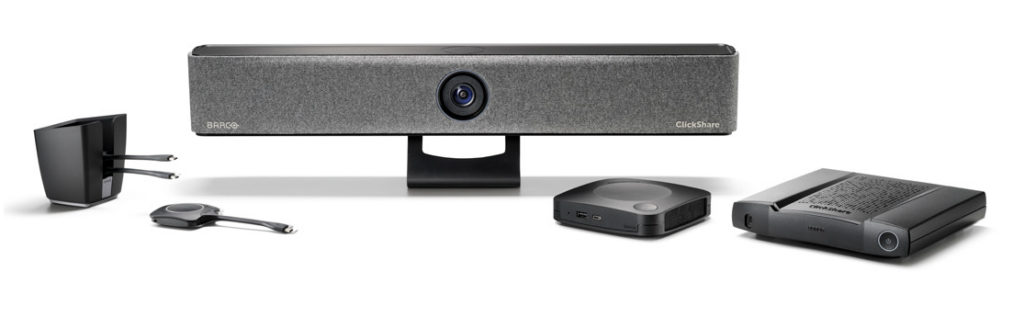
Barco Clickshare solutions

  1. Audio

Audio quality is just as critical as visuals! Room microphones and professional-grade speakers ensure every voice is heard clearly, whether in a hybrid meeting or live presentation. *Some considerations – architectural acoustics, room size & audience/participant layout, mounting placements, etc.

  1. Essentials

Proper mounting systems, paired with high-quality cables, contribute to clean installations and uninterrupted performance. Faulty connections can disrupt meetings and presentations. *Some considerations – mounting surface, positioning and height, product weight, aesthetics, distance from content source, cable management, etc.

  1. Switchers and Control Systems

AV switchers, signal extenders, and control systems help manage multiple inputs, displays, and sources seamlessly, ensuring flexibility and functionality. *Some considerations – power requirements, acoustics, video resolution, number of inputs/outputs, control interface, etc.

  1. Services

Here’s another thing to consider! Outsourcing work can be a game changer, or a life saver in many situations. Whether shorthanded or in need of additional expertise, we at Exertis Almo can assist. See our full extend of Services offerings.

  1. Wireless Presentation and Collaboration Tools

Integrating Barco ClickShare ties everything together, offering a seamless wireless collaboration experience. ClickShare enables users to present content or run full Bring Your Own Meeting (BYOM) scenarios without requiring cables or adapters. Whether connecting a laptop, tablet, or phone, users can instantly share their screens with the click of a button.

Barco ClickShare is the centerpiece that empowers collaboration and brings together all the AV components in a space. Here’s how ClickShare enhances any full solution:

      1. Wireless Simplicity
      2. BYOM Capabilities
      3. Scalability for Every Space
      4. Enhanced User Experience

In today’s interconnected world, every meeting room, collaboration space, or presentation environment demands a complete and integrated AV solution. These can be very simple or quite complex. By asking all the right questions and offering all of the best solutions accordingly—you provide customers with a reliable, user-friendly experience that meets their goals and budgets. For resellers and integrators, this approach not only drives sales but also solidifies your role as a trusted partner in delivering cutting-edge AV solutions.

So, as you approach your next opportunity, think beyond individual products and focus on delivering complete solutions that empower collaboration, communication, and success.

Partner with Exertis Almo and Barco ClickShare to create exceptional AV experiences.

Want to know more? Check out “Did You Say BYOM?

Nathan Dwelly BDM
About the Author

Nathan Dwelly

BDM – Brand Specialist

Supported Manufacturers: Barco ClickShare

The Future of Security: Opportunities for Resellers Combining AI-Driven AV Systems and Network Protection

The Security Industry is Booming

One of the most exciting developments in recent years is the integration of artificial intelligence (AI) into security systems. AI not only enhances the capabilities of security solutions but also opens up new opportunities for resellers like you to offer cutting-edge products to your clients. Additionally, the integration of network security with AI-powered AV technology is becoming increasingly crucial in providing comprehensive protection.

To illustrate the potential for growth, check out these numbers. The security industry in North America is experiencing significant growth, with the market size projected to reach $167.12 billion by 2028, growing at a compound annual growth rate (CAGR) of 10.3% from 2021 to 2028. In comparison, the AV systems integration market in North is also expanding rapidly, expected to reach $8.5 billion by 2028, with a CAGR of 12.5% from 2021 to 2028.

The projected growth highlights the immense opportunities for resellers and integrators to capitalize on the increasing demand for advanced security solutions. Let’s explore four key AV product categories where AI integration is making a significant impact:

1. Advanced PTZ Cameras for Surveillance

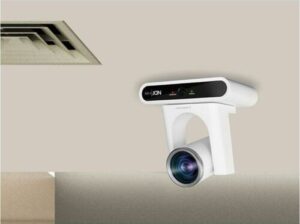
ceiling mounted Lumens VC-TR40N PTZ camera with facial recognition AIAI-powered surveillance cameras, such as PTZ (Pan-Tilt-Zoom) cameras, are revolutionizing the security landscape. These cameras use AI algorithms for advanced features like facial recognition, motion detection, and automated tracking. For instance, the Lumens VC-TR40N PTZ Camera offers AI-powered human face recognitionLumens VC-TR40N PTZ camera is available in white or black and gesture control, making it easier to track subjects during presentations or conferences. By offering these advanced cameras, you can provide your clients with enhanced security and monitoring capabilities, ensuring they stay ahead in the market.
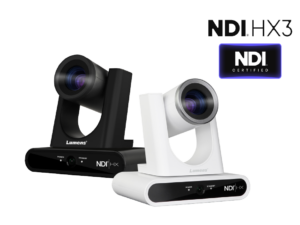
2. Video Walls for 24/7 Monitoring

Monitors and video walls are essential components of any security system, providing real-time visual feedback and monitoring. AI integration in these displays can enhance their functionality by enabling features like intelligent video analytics and automated alerts. For example, AI-driven video walls can analyze video feeds in real-time, identifying potential security threats and alerting operators immediately. Philips X-Line 6000 Series video wall displaysThis not only improves the efficiency of security operations but also reduces the workload on human operators. You can leverage these advanced displays to offer more comprehensive security solutions to your clients.
The Philips X-Line Videowall display is designed for 24/7 operation and can be customized to fit all your content needs. View content from multiple sources in real-time with enhanced picture quality.

3. Secure Networked AV

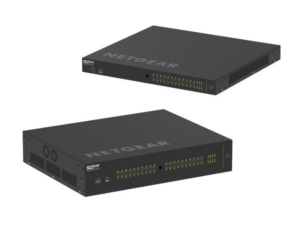
Netgear managed switchesNetworked AV solutions play a crucial role in managing multiple video feeds in a security system. The NETGEAR AV Line of M4250 managed network switches, including the GSM4212PX and GSM4248UX-100NAS, were built or the growing AV over IP market.

With AI integration, networked systems can now offer smarter routing and management of video signals. AI-powered networked AV solutions can automatically prioritize video feeds based on the level of detected activity, ensuring that critical events are always in focus. This intelligent management of video feeds enhances the overall effectiveness of security systems. By incorporating AI-enabled networked AV solutions into your offerings, you can provide more efficient and responsive security solutions.

4. Connectors and AV Furniture

C2G performance series cablesConnectors might seem like a small part of the puzzle, but they are vital for ensuring seamless integration and communication between different components of a security system. By integrating high speed cables, like the C2G Performance Series, in this solution, you can create a robust and efficient security workflow. These cables ensure high-quality video and audio transmission, making them ideal for high-resolution surveillance and monitoring applications. This setup not only enhances security monitoring but also provides flexibility and scalability for future expansions.

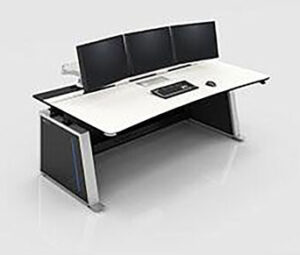
Middle Atlantic command control consolesAdditionally, incorporating AV furniture like the Middle Atlantic Visionline 24/7 Desk Consoles can significantly improve the functionality and ergonomics of your security operations. These consoles are designed for continuous use in mission-critical control rooms, offering robust cable management, integration for active equipment, and class-leading industrial design.
Conclusion

AI integration in security systems is not just a trend; it’s a game-changer for the Pro AV industry. By offering AI-powered surveillance cameras, intelligent monitors and video walls, smart networked AV solutions, and advanced connectors, you can provide your clients with state-of-the-art security solutions. These innovations not only enhance security but also open up new business opportunities. Stay ahead of the competition by embracing AI in your product offerings and delivering unparalleled value to your clients.

For more information, a quote, or consultation on AI-integrated security products, visit Exertis Almo.

Top Teams Room Devices for Maximizing Corporate Collaboration

With the rise of hybrid work environments and frequent guest collaborations, most businesses require straightforward and efficient conferencing solutions. Microsoft Teams Rooms (MTR) offer a seamless solution for enhancing meeting experiences, ensuring that teams can collaborate efficiently, regardless of their location. Knowing the technologies available, is essential to providing clients with the best equipment to set up these rooms. Let’s explore the top Teams Room devices available from Exertis Almo while covering the basics of setting up and optimizing Microsoft Teams Rooms.

MaxHub Ultra Wide 105 in. for hybrid work meetingsWhat equipment is needed for a Teams meeting?
To ensure a successful Teams meeting or to set up a Teams Room, having the right equipment is crucial. This includes reliable computing hardware, high-quality audio and video devices, and control systems that make managing meetings effortless. Here are the key components you’ll need:

  1. Reliable Computing Hardware: A desktop, laptop, or dedicated Teams device.
  2. High-Quality Audio and Video Equipment: Microphones, speakers, and video cameras.
  3. Stable Internet Connection: Ensures smooth communication without interruptions.
  4. Display Screens: For sharing presentations and viewing participants.
  5. Control Devices: Touch panels or consoles to manage meetings.

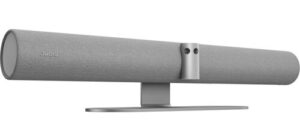
Jabra PanaCast 50 grayExertis Almo offers a range of devices that meet these needs, such as the Jabra PanaCast 50 Intelligent Video Bar which transforms video conferencing. With features such as dynamic composition, intelligent speaker, and virtual director, it ensures optimal collaboration by adjusting views and focusing on active speakers. Its advanced AI, including intelligent zoom and dual-stream whiteboard, makes Teams meetings immersive and easy to use.
What are the major components of Microsoft Teams Rooms?

Creating a fully functional Microsoft Teams Room involves integrating several major components that work together to provide a seamless meeting experience. These components ensure that meetings are easy to manage, and that audio and video quality are top-notch. Here are the essential elements:

  1. Control Console: A touch panel for easy meeting management.
  2. Camera: A high-definition camera for clear video.
  3. Microphone and Speakers: For clear audio input and output.
  4. Computer Module: A mini-PC or similar device to run the Teams Room application.
  5. Digital Display: One or more screens for video conferencing and content sharing.

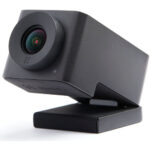
Huddly IQ ePTZ cameraFor example, the Huddly IQ ePTZ Cameras are excellent for boosting meeting engagement with their AI-directed multi-camera system.

The MAXHUB Commercial Display Ultra-Wide Series is perfect for MTR, featuring a 105″ collaboration display with a 21:9 aspect ratio and 5K resolution.

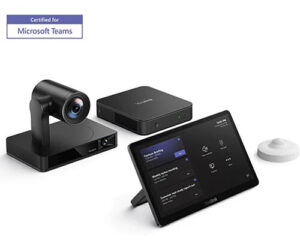
MaxHub XT Series Kit for MTRThe MAXHUB XT Series Kit for Microsoft Teams Rooms includes a computer, touch console, and integrated video bar, providing ultimate scalability for any meeting room setup.

What are the benefits of Microsoft Teams Rooms?

Microsoft Teams Rooms offer several benefits:

  1. Enhanced Collaboration: Facilitates better communication and teamwork.
  2. Ease of Use: One-touch join, and intuitive interfaces make it easy to start and manage meetings.
  3. High-Quality Audio and Video: Ensures clear communication.
  4. Scalability: Suitable for rooms of all sizes, from small huddle spaces to large conference rooms.
  5. Integration with Microsoft 365: Seamlessly integrates with other Microsoft tools and services.

By using top Teams Room devices, you can ensure that your conference room projects are equipped with the latest technology to maximize collaboration and productivity.

In Conclusion

Providing your clients with the right equipment for Microsoft Teams Rooms can significantly enhance their meeting experiences. By offering high-quality, reliable solutions from Exertis Almo, you position yourself as a trusted resource, ensuring your clients’ video conferencing needs are perfectly met.

The team at Exertis Almo is committed to providing our AV reseller and integrator partners with the latest and most innovative collaboration solutions for Teams Rooms and more. Contact us for a consultation, a quote, help with Microsoft licenses, and more.

Lisa Lingo, Category Manager – Collaboration

Still curious about collaboration solutions? Check out Lisa Lingo’s blog, “Stop, Collaborate and Listen“.

Stop, Collaborate, and Listen

Collaboration is often defined in many different ways.  Not near as much fun to say as it used to be in the 80’s… “Stop, Collaborate and Listen.”  BUT nevertheless, important.  Important in the sense that we do literally need to stop, collaborate and listen to/with our colleagues, leadership, customers, vendors and many others.  This requires the proper PRO AV gear to efficiently and effectively work with anyone and everyone on projects.

Exertis Almo Category Managers

This year I had the pleasure of returning to a familiar role.  Tweaked to fit the current time.  Exertis Almo has identified areas in which we need “Category Managers”.  We have a CM for Audio and one for dvLED.  I have taken on the role of Category Manager for Collaboration.

Am I in sales?  Sort of.  Marketing?  A little bit.  Business Development? Yes, that too.  My entire position focuses on helping our internal sales team and most importantly, our customers/dealers in the world of collaboration.  First, and possibly foremost, I am brand independent.  I work with each individual to meet the wants and needs of the end user to identify the best products available for their particular collaboration application.  (That’s kind of fun to say.)

I am not an engineer or designer.  However, I am more than capable of recommending the proper gear for a Microsoft Teams or Zoom room (to name a couple of biggies).   I also have a solid team of colleagues surrounding me, should I need input from an audio expert for instance.

Collaboration Solutions Consultation

music meetingLet’s say Robbie Van Winkle, aka Vanilla Ice, wants to revive his singing career and plans to have Teams meetings with record producers across the globe.  Maybe he needs a PTZ camera that offers tracking via Artificial Intelligence so that the far end will see his expressions as he paces the meeting room.  Perhaps he needs the camera to focus on him and not his entourage in the background.  Maybe he needs a simple, clean audio solution with a fantastic mic array and excellent speakers mounted on the wall.  I would be happy to help Robbie’s AV integrator select the right materials for the job.  AND if Robbie wants to join our meeting, that’s excellent too.
Ok, so I do not have many opportunities with this particular need.  But I could do it!

  • Need the perfect PTZ camera for MTR?
  • Starting from scratch and want to build out a simple huddleroom for BYOD conferencing?
  • Looking for a collaboration solution with a smaller budget than you’re accustomed to?

These are just a very few of the areas where I can assist for the win.  Whether your need is for one huddle room, ten boardrooms, house of worship, education, commercial office space, etc., I come equipped with excellent recommendations to fit the application.

Microsoft Teams and More

MTR SolutionsWhile we offer MTR licensing, we are aware many have a solution in place.  Keep in mind, we can tailor a complete MTR solution, including Teams Room licenses to fit the budget and needs.  Regardless of where you acquire your solution, do you have the right hardware to make for the best meetings?  A camera and audio are a great starting point, but we can help you further.  Do you need to share content with the participants in the room even when not using a conference solution?  Do you need to capture these meetings for later playback?  Has a touch control panel been considered?  Or perhaps an interactive display?

While new build-outs are fun, we can work with existing gear, as well.  OR perhaps you want to upgrade the current system.  I’ll let you know about trade-ins and promos.

I hope to connect with each and every one of you on your next opportunity.  Let me help you create seamless virtual meetings. I want to collaborate with you on collaboration.  (It makes sense, I promise.)

Want to know more about Collaboration Solutions? Check out “AI – The Sincerest Form of Flattery?
Reach out to Lisa on Exertis Almo.com or LinkedIn

Lisa Lingo, BDM

About the Author

Lisa Lingo

Category Manager – Collaboration

Supported Product Category: Collaboration

Building Better Meeting Spaces – A Focus on Simplicity and Efficiency

In the fast-paced world of professional AV, resellers and integrators are tasked with delivering solutions that meet their clients’ needs while staying ahead of market trends. One of the biggest challenges in recent years has been designing meeting spaces that are not only technologically advanced but also intuitive and simple for end-users. No one wants to spend precious time troubleshooting a conference room setup right before a big meeting. So, how do you offer your clients cutting-edge solutions without overwhelming them with complexity? The answer lies in simplifying the experience.

The Simplicity Trend: What Clients Really Want

One thing is clear in today’s market: clients are increasingly looking for streamlined, easy-to-use solutions for their meeting spaces. This trend comes down to a few key reasons:

1. Ease of Use

The last thing a business wants is a complex setup that requires extensive training to operate. Meeting technology should work seamlessly, whether it’s a small huddle room or a large boardroom. If a system is too complicated, it won’t be used to its full potential—if at all. Clients want to walk into a room, push a button, and start their meeting without delays.

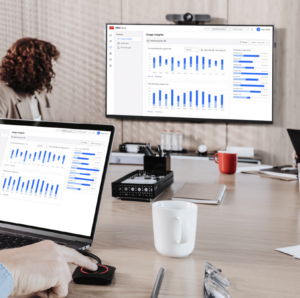
Barco ClickShare meeting space2. Time Efficiency

Meetings are often scheduled back-to-back, leaving no room for tech hiccups. Solutions that are quick to set up and easy to navigate help businesses save time and minimize frustrations. The more intuitive the system, the less likely users will run into problems, which means fewer support calls and faster meeting turnarounds.

3. Reducing the Learning Curve

No matter how advanced the technology, it will only be as useful as its ease of operation. When clients don’t have to spend time learning how to use the equipment, or calling for support to troubleshoot an issue, they’re more likely to fully adopt the solution. This helps create a smoother user experience that boosts productivity and engagement.

4. Long-Term Benefits of Smarter Design

As resellers and integrators, we know that designing a system that is simple and intuitive doesn’t happen by accident. It requires foresight and a deep understanding of how the technology will be used. Sometimes, this means investing more effort upfront—spending time with clients to understand their exact needs, carefully selecting the right components, and designing a solution that will work seamlessly from day one.

This approach is not just about installing hardware and software; it’s about educating ourselves and working smarter during the early stages of the design process. By putting in the time to create a well-thought-out system, you save both yourself and your client from hours of future troubleshooting and support. It’s a classic case of “work smarter, not harder.”

Think of it this way: the more time you invest upfront to make sure the system is simple and effective, the less time you’ll spend fielding calls from frustrated clients or having to walk users through technical procedures. Not only does this improve client satisfaction, but it also frees up your own time to focus on new opportunities rather than support issues.

5. Remote and Hybrid Work

hybrid work from home officeWith more companies embracing hybrid work environments, it’s crucial for conference room technology to integrate well with both in-office and remote participants. Solutions must offer clear, reliable communication, both in terms of video and audio, and should seamlessly connect with common conferencing platforms. Simplicity here is key: the technology should accommodate this hybrid style of work without any additional effort on the part of the user.
Ultimately, when we, as professionals, take the time to thoroughly understand the client’s needs and design a streamlined, intuitive solution from the start, we reduce the long-term strain on both sides. Clients get systems that just work, and we save time and effort on support and troubleshooting. It’s a win-win for everyone involved.

All-in-One Trend

One significant trend in simplifying meeting spaces is the rise of all-in-one products. Traditionally, designing a conference room involved integrating multiple components—cameras, microphones, speakers, and content-sharing devices—each from different manufacturers. This often means juggling different warranties, software updates, and setup processes.

Now, however, all-in-one solutions are transforming how resellers and integrators approach conference room designs. These systems combine essential A/V components into a single unit, making it easier to install, configure, and maintain. They also reduce the complexity for end-users, allowing them to focus on their meetings rather than figuring out which button to press next.

For resellers and integrators, these simplified solutions are a major selling point. Offering clients a more efficient way to manage their meeting spaces can set you apart in the market. By promoting the benefits of ease of use, time savings, and integration capabilities, you position yourself as a trusted advisor who understands the importance of both technology and user experience. Additionally, all-in-one solutions often have fewer moving parts, reducing the risk of compatibility issues or failures. This translates into fewer support calls for resellers and a more satisfied client base.

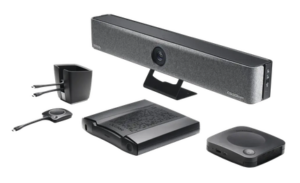
Barco CS wireless conferencingThis is where Barco’s ClickShare and the ClickShare all-in-one bar come into play. Barco has long been at the forefront of content sharing and collaboration solutions, offering products that prioritize ease of use without sacrificing functionality.

The ClickShare all-in-one bar is a perfect example of an innovation that addresses all the needs we’ve discussed. It combines content sharing, a camera, microphone, and speakers into a single, sleek unit. With features like automatic speaker framing and group framing, and six beamforming MEMS microphones for clear, echo-free audio, it’s an ideal solution for smaller meeting spaces (up to 15’ x 15’).

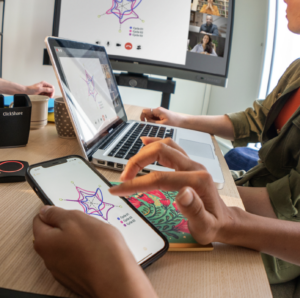
Barco CS meeting share laptopFor larger spaces where an “all-in-one” solution is not practical, the simplicity and reliability of ClickShare can still play a central role by providing a unified experience for content sharing and collaboration. And when those larger spaces demand more customized A/V setups, Exertis Almo is here to help integrators design full-scale solutions to meet any need.
In an industry where technology can quickly become overwhelming, simplicity is the key to long-term success. Whether you’re outfitting a small huddle room or designing a full-scale boardroom, focusing on streamlined, all-in-one solutions like Barco ClickShare can help you deliver top-tier results without overcomplicating the experience. As resellers and integrators, this is your opportunity to stand out by making the meeting room a place where technology enhances productivity, not impedes it.

At Exertis Almo, we’re here to support you with the expertise and solutions to make this a reality for your clients. The future of meeting spaces is all about doing more with less—let’s make that future happen together.

Want to know more? Check out “Did You Say BYOM?

Nathan Dwelly BDM
About the Author

Nathan Dwelly

BDM – Brand Specialist

Supported Manufacturers: Barco ClickShare

The Rise of Audio Tracking PTZ Cameras: Enhancing Engagement & Meeting Equity

The world of ProAV conferencing technology is evolving rapidly, with one of the most groundbreaking advancements being audio tracking PTZ (Pan-Tilt-Zoom) cameras. These sophisticated devices offer a blend of high-quality video and advanced audio tracking, revolutionizing how we experience meetings and collaborations. In this blog, we’ll delve into what these cameras are, how they work, their applications, and the benefits they bring.
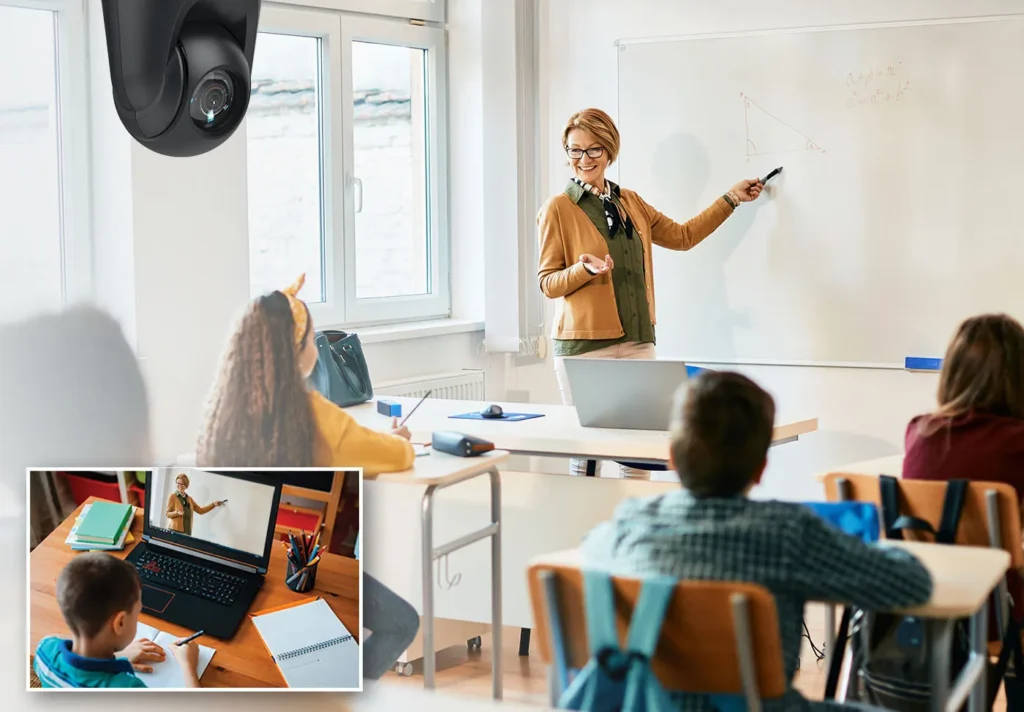
Classroom PTZ Cameras

What Is an Audio Tracking PTZ Camera?

Audio tracking PTZ cameras are innovative systems that merge traditional video capabilities with advanced audio tracking technology. They can pan, tilt, and zoom to follow subjects, while also capturing and focusing on audio sources. This dual functionality provides a comprehensive view, enhancing both visual and auditory experiences.

Key Features

  1. Pan-Tilt-Zoom Capabilities: These cameras can move horizontally (pan), vertically (tilt), and zoom in or out, covering a broad area and allowing precise focus on subjects.
  2. Audio Tracking: Equipped with microphones and sophisticated algorithms, these cameras detect and track sound sources, ensuring clear audio capture. Some cameras have these audio sensors or microphones built in, while others utilize a partner in microphone technology that allows the two to work in tandem with each other.
  3. High-Definition Video: They typically offer high-resolution video (1080P or 4K quality), providing detailed and clear footage that ensures every participant can see and be seen with precision.
  4. Smart Technology Integration: Many models incorporate AI to follow presenters visually and work with microphones or microphone arrays to enhance tracking, improving meeting equity and participant engagement.

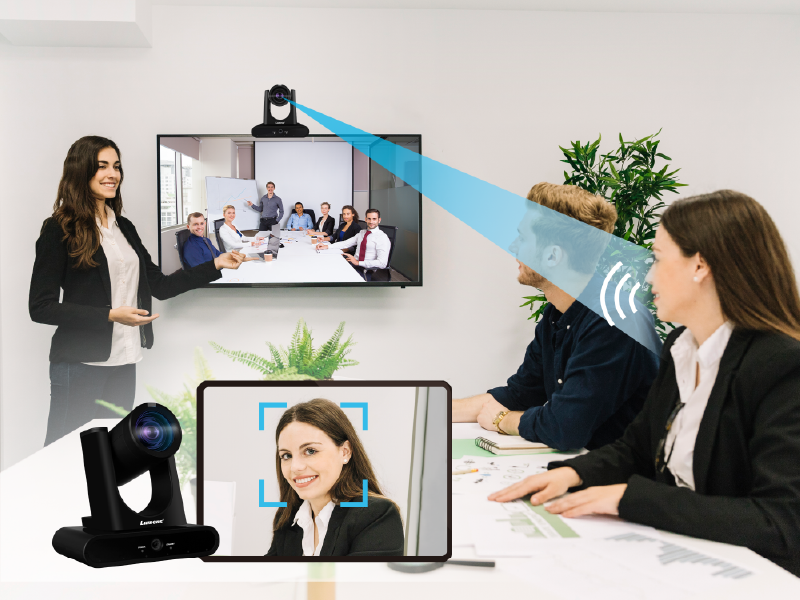
Intelligent Audio Tracking PTZHow Do They Work?

Audio tracking PTZ cameras blend audio sensors with visual tracking technology. When a sound is detected, the camera analyzes the audio input to determine the direction of the sound source. Using built-in algorithms, the camera adjusts its position to follow the sound while capturing video footage.

The Tracking Process:

  1. Sound Detection: The camera’s microphones or a paired microphone array pick up surrounding sounds.
  2. Audio Localization: The system analyzes the audio data to determine the direction and distance of the sound source.
  3. Camera Adjustment: The PTZ mechanism moves the camera to focus on the sound source while maintaining high-quality video capture.
  4. Continuous Monitoring: The camera continues to track the sound source in real-time, adapting, as necessary.

 Applications of Audio Tracking PTZ Cameras

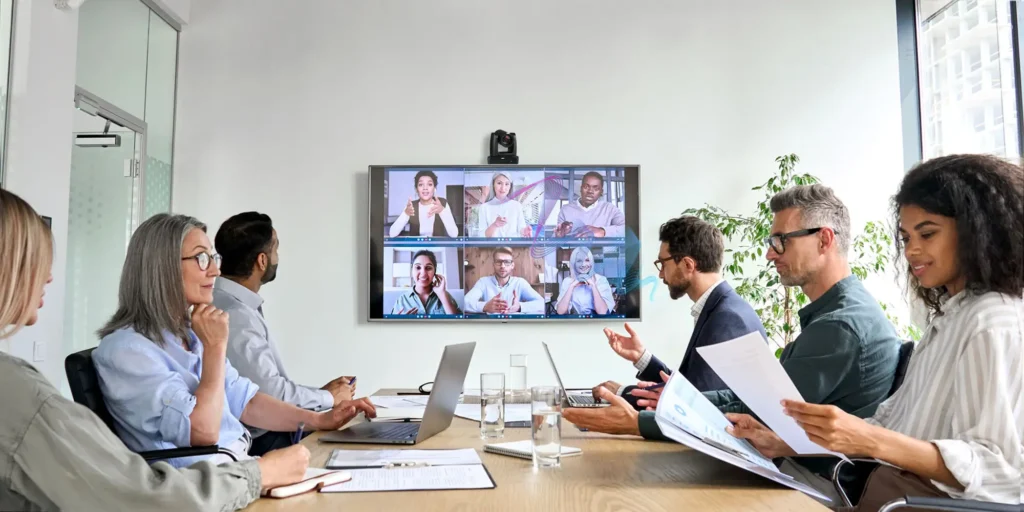
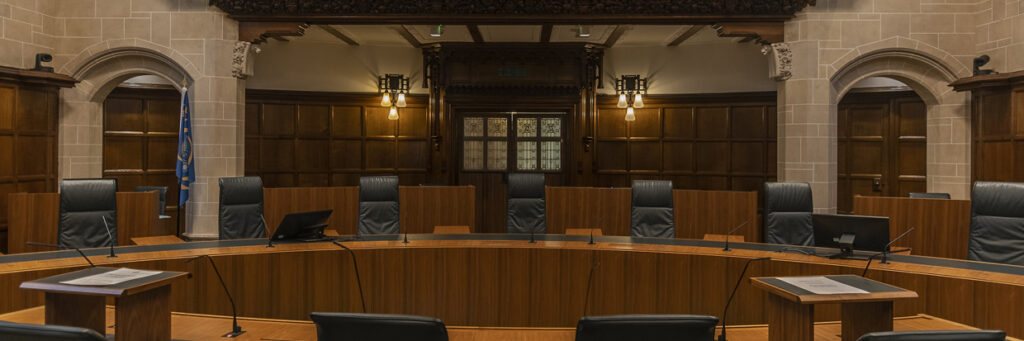
Conference Rooms & Meeting Spaces: These cameras enhance corporate collaboration by providing clear video and audio, improving the overall meeting experience. This has been a game changer for conducting remote Video Conferencing Platforms like Zoom, Microsoft Teams, and Google Meet, for example. Aside from corporate meeting spaces, these camera solutions are perfect for courtroom and government applications where clear video and audio are crucial for accurate communication and documentation.

Conference Room Audio Tracking PTZ

Events & Live Productions: For event organizers, these cameras can enhance live-streaming experiences. By following speakers and capturing their audio, they create a more engaging experience for online viewers. For example, House of Worship (HOW) projects have benefitted greatly from this technology as congregants are able to see and hear their religious leader and the information they share more clearly.

Education & Lecture Capture: In educational settings, audio tracking PTZ cameras can be utilized for remote learning applications, allowing teachers and professors to move around the classroom while ensuring that students at home can both see and hear everything clearly. Turning a PTZ camera into an auto-tracking camera also uses live data from microphones to track a presenter or teacher as they move across a stage or room. This makes for an ideal system for lecture capture scenarios.

Lecture Capture PTZ

Training & Presentation Environments: In any training environment, these audio tracking camera and microphone systems ensure that the focus is on the presenter teaching valuable information. Important conversations and clear video of the speaker are critical for a successful experience in a learning environment, especially for remote participants.

Courtroom PTZ Cameras

Benefits of Audio Tracking PTZ Cameras

  1. Enhanced Situational Awareness: By integrating audio with video, users gain a more complete understanding of the events as they unfold.
  2. Reduced Blind Spots: The dynamic tracking capabilities ensure that no significant activity goes unnoticed, effectively making sure that the focus is on the speaker.
  3. Increased Engagement: Enhanced audio and visual capture keep audiences engaged, whether in events or educational settings.

Conclusion

LUMENS VC-TR60A Audio Tracking PTZAudio tracking PTZ cameras mark a significant advancement in conferencing technology, merging high-quality audio with versatile video monitoring. They offer a comprehensive solution for a range of applications, from corporate meetings to educational environments. As technology advances, these cameras will continue to offer smarter, more effective AV solutions. Whether you’re enhancing a meeting space or improving remote learning, audio tracking PTZ cameras could be the key to unlocking greater engagement and equity in your collaborations and communications.

Discover the Best in Audio Tracking Camera Solutions with Exertis Almo!

Yamaha Adecia Unlock the full potential of your remote meetings and presentations with our range of cutting-edge audio tracking solutions. At Exertis Almo, we offer everything from state-of-the-art cameras, microphones, and audio interfaces to advanced soundbars and conferencing systems.

Elevate your engagement and ensure crystal-clear communication for your upcoming projects. Whether you need noise-canceling technology or seamless integration with your existing setup, we have the perfect solution for you.

For personal assistance and to find the ideal solution for your needs, please reach out to your Exertis Almo representative or contact me directly. We’re here to help you achieve the best experience possible!

Eric Olson
About the Author

Eric Olson​​ | CTS, DSCE

Senior BDM – Technical Lead

Supported Manufacturers: Netgear, LG, Lumens and Atlona

Pin It on Pinterest