Elevating Extended Stay Properties: Solutions That Feel Like Home

Extended-stay hotels are becoming increasingly popular, offering guests a home-away-from-home with all the conveniences they need for longer visits. As guest expectations continue to evolve, extended-stay properties have an opportunity to differentiate themselves by providing thoughtful Furniture, Fixtures & Equipment (FF&E) and innovative Pro AV solutions designed specifically for extended comfort. Let’s explore how you can elevate your extended-stay projects with smart design, technology, and amenities that make guests feel truly at home.

What are extended-stay properties?
Extended-stay hotels are designed for guests staying beyond the typical one or two-night reservation. These properties often feel more residential than traditional hotel rooms, providing additional space, storage, and appliances that support daily routines. From cooking to working to relaxing, guests should feel like they have everything they need for a seamless, comfortable stay.

Creating an Inviting Kitchen Space
cozy kitchen sceneOne of the biggest advantages of extended-stay hotels is the in-room kitchen. Unlike traditional rooms that offer limited appliances, extended-stay kitchens require:

  • Full-size or mid-size refrigerators
  • Ovens and stovetops
  • Microwaves
  • Essential cookware and utensils

These amenities allow guests to prepare meals, stick to their routines, and enjoy a more personalized stay. Make the kitchen feel warm and welcoming with stylish yet durable fixtures, modern finishes, and lighting that makes the space functional and inviting.

Upgrading the Space with Innovative Technology
Technology plays a major role in shaping the guest experience, especially during long stays.

Smart Entertainment
smart tvs hotelProvide guests with SMART TVs that include access to streaming services and personalized content.
Brands like Samsung and LG offer commercial-grade in-room displays that allow guests to:

  • Log in to their favorite streaming platforms
  • Receive custom welcome messages
  • View hotel information, weather, and amenities
  • Enjoy high-quality UHD displays

This creates a seamless, familiar entertainment experience they can enjoy every day of their stay.

Nonstop Tech Solutions
nonstop tech solutionFor guests who are working remotely or using multiple devices, Nonstop’s lineup of in-room technology is a must-have. Their sleek, durable charging hubs offer:

  • Wireless charging
  • Multiple USB ports
  • AC outlets
  • Integrated cable management
  • Security C-clamps for tamper resistance

These solutions ensure that no matter the length of the stay, guests always remain powered, connected, and productive. Explore the Nonstop lineup >

Designing Spaces That Feel Like Home
home-like hotel roomBeyond appliances and technology, extended-stay guests appreciate thoughtful design details that make the space feel warm and livable. Consider adding:

  • Stylish, residential-inspired decor
  • Additional closet space and drawers for unpacking
  • A designated workspace with ergonomic furniture
  • Cozy seating for relaxation
  • High-speed WiFi for streaming, working, and messaging across multiple devices

These touches help guests settle in, stay organized, and feel truly comfortable during extended visits.

How Extended-Stay Properties Differ from Traditional Hotels
The biggest differentiators are space, autonomy, and comfort. Traditional hotel rooms are built for short-term convenience. Extended-stay rooms are designed for everyday living. Guests want the flexibility to cook meals, work remotely, relax comfortably, and maintain a sense of normalcy — and the right FF&E and Pro AV solutions help make that possible.

Innovation that Keeps Guests Coming Back
Extended-stay properties that invest in high-quality equipment, connected technology, and thoughtful design elements will stand out in a competitive market. From fully functional kitchens to SMART entertainment and Nonstop technology, these enhancements give guests an elevated in-room experience that feels like home — only better.

Whether you’re updating an existing property or designing a new one, Almo Hospitality is here to support your vision with FF&E and Pro AV solutions tailored for extended-stay success.

AV System Components for Corporate Spaces: Why Standardization Starts With the Right Building Blocks

If you work in corporate AV, you’ve likely heard the same request from every client: “Make the rooms consistent, reliable, and easy to support.” In 2026, that ask is louder than ever. Industry outlooks point to a clear theme across enterprises; standardize what you deploy so every room behaves the same way, from Chicago to London. That work doesn’t start with the biggest screens or the flashiest DSPs. It starts with the essential system components: quality cables, reliable mounts, right sized switches, projection screens, adapters, and the other pieces that connect it all.

Why periphoral gear matters more this year

After years of rapid hybrid rollouts, many organizations are stepping back to level set their environments. They’re replacing “good enough for now” gear with standardized kits that deliver predictable performance. This trend shows up across multiple industry sources that highlight standardization, interoperability, and supportability as 2026 priorities.

Two forces are driving the shift:

  1. Support teams need fewer variables. When your mounts, cables, extenders, and screens are consistent, field issues drop and troubleshooting gets faster. Enterprise leaders are explicitly prioritizing room to room consistency to reduce day to day friction for users and IT alike.
  2. AV and IT are converging. As AV is becoming more integrated into IT network switches, basics like proper cabling, switching, and secure device selection directly affect performance and cybersecurity posture. Accessories chosen with IT in mind help ensure clean signal paths and fewer help desk tickets.

Trends shaping how you choose periphoral gear

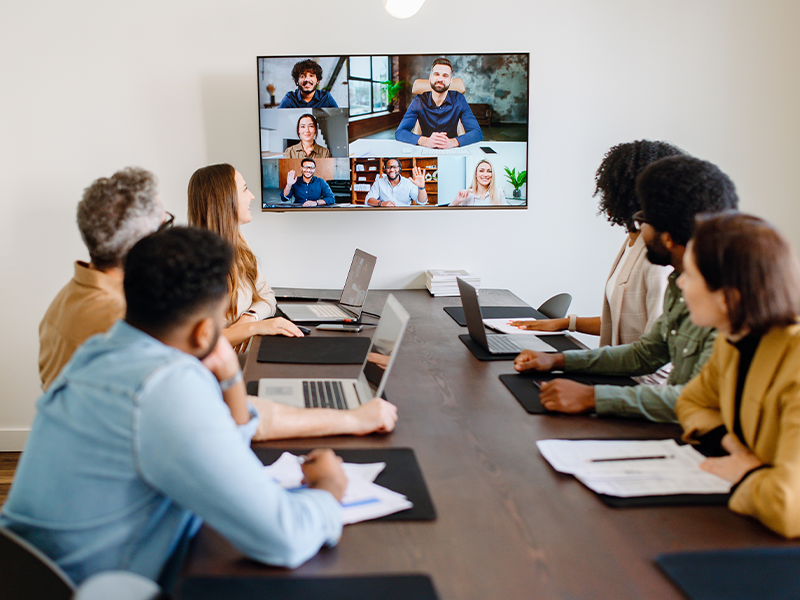
standard meeting roomStandardization is the new innovation. Integrators are being asked to build repeatable room types that scale across floors and regions. That depends on predictable, vetted building blocks – not one off parts.

Interoperability and ease of use. Customers want rooms that “just work” no matter the meeting platform. That requires attention to the small things: certified cables that carry the bandwidth you promise, mounts aligned to your standard displays, and switches sized for current and near term needs. Interoperability remains a defining theme in 2026 as users expect simple, cross platform collaboration.

Data, monitoring, and lifecycle planning. More enterprises are using room analytics and remote management to guide refresh cycles. That only pays off if the physical foundation is stable. Clean wiring, consistent accessories, and known good parts reduce false alarms and make remote diagnostics meaningful.

Growth in networked AV. AV over IP continues to expand as businesses upgrade to higher bandwidth and connected systems. That puts extra pressure on proper switches, cabling, and labeling – all squarely in the “components” category. Industry roundups note the mainstreaming of networked AV and the need for stronger reliability and security as systems scale.

For example: A company rolled out AV‑over‑IP using switches that worked fine at first, but as more rooms came online and resolutions increased, video latency and packet loss started appearing during peak hours. The issue wasn’t the endpoints. It was the need to upgrade the switches and standardize bandwidth planning across room types.

What “good” looks like in a corporate space

Here’s a practical checklist we see winning in boardrooms, huddle spaces, meeting rooms, lobbies, and workstations:

  • Cabling that matches the spec, not just the price. Correctly rated HDMI/USB C, category, and fiber runs sized for high resolution content and room distances. Poor cabling is a top cause of signal issues and intermittent failures, which is why standardizing on vetted SKUs pays off fast.
  • Mounts that fit your standard displays and use cases. Keep a short list that covers fixed, tilt, articulating, and ceiling needs. Consistency here speeds installation and simplifies service calls.
  • Switches and extenders chosen with IT. Size switches for both current traffic and near-term growth, and ensure devices are aligned with your AVoIP roadmap and security expectations. The 2026 focus on connected, secure systems makes these choices foundational.
  • Projection screens where they still make sense. Not every space needs LED or a tiled LCD wall. In training rooms and multi purpose spaces, a well matched projector and screen remain cost effective as long as the essentials around them are planned correctly.
  • Labeling, documentation, and spare kits. Treat labels, cable management, and spares as part of the essential bill of materials. Standardized documentation makes remote support and managed services far more effective.

Why source all AV system components through Almo

av system integrator teamYour teams want to streamline purchasing and reduce on site surprises. Consolidating the components with Almo helps you do both:

  • One BOM, fewer delays. We help you assemble complete kits for each room type, so procurement and staging are straightforward and predictable. That aligns with the enterprise push to standardize spaces in 2026.
  • Pre vetted compatibility. Our specialists live in the details: cable lengths, mounting patterns, bandwidth constraints, power needs. We validate the parts list against your design and room templates.
  • Breadth across trusted brands. You get the flexibility to match brand standards and budgets without reinventing your essentials list for every project. Industry outlooks consistently point to scalability and security as must haves this year; our line card and guidance support both.
  • Support that mirrors your standardization goals. From design assistance to post install troubleshooting, we help you keep rooms consistent and easy to manage as your portfolio grows. The more your kits repeat, the more value you get from remote monitoring and analytics.

The takeaway

In corporate AV, reliability starts with the pieces that rarely make headlines. Get the AV system components right and you’ll spend less time firefighting, more time delivering a consistent user experience that scales across locations. The 2026 trendlines are clear; standardize, simplify, and build for the long term with components you trust.

Ready to simplify your BOM and standardize your corporate spaces?
Connect with the Almo Pro AV team for a quick consultation. We’ll review your room types, recommend the right periphorals, and help you source everything in one place so your next rollout is smoother from day one.

Projection for Education

Clear Signals Interview with Brian Rhatigan

In conversation with John Wasko and Keith Mecutchen, Brian Rhatigan, Director of Business Development, discusses everything you need to know about projection for education. From choosing the right projector for a space to promoting engagement in the classroom, he provides key insight regarding the best ways to serve the education market.

Let’s dive into the Q&A.

“Brian, what brightness (or lumens) do you recommend for hybrid classrooms to keep content visible with lights on and remote learners engaged?”

education projectorThe number one question that I get, day in and day out, is: How bright of a projector do I need?

I can’t say there’s any one answer for every single space.

There are two primary factors that are going to determine what your image is going to look like: the size of the image, and the amount of ambient light in the room, specifically the amount of light at the screen area. When somebody reaches out to me looking for a projector recommendation, 99% of the time, if not more, I have the screen size, however I rarely get the amount of ambient light. Without that, it becomes more guesswork than actually being able to mathematically validate the amount of projected brightness you would need for a given space. If we have those two pieces of information, then we can easily [determine] the amount of lumens that you’ll need for the space to achieve a good looking image that meets the standards that have been put forth by AVIXA.

For a typical learning environment, the goal is to achieve a minimum contrast ratio of 15:1. In a many classrooms, we’re dealing with smaller images — with interactive projectors, you’re talking images of 100 inches diagonal or less. In that case, the 4,000-5,000 lumen range is perfectly sufficient for that type of application. If we’re talking about larger learning spaces like lecture halls that require larger displayed images, then it’s really going to come down to the size of the image and the amount of ambient light at the screen area.

“When schools plan for hybrid learning, what long-term factors matter most; laser vs. lamp, maintenance cycles, warranty?”

There’s been a huge shift from lamp-based projection to laser projection over the last several years. Your options for lamp-based projectors have naturally gotten smaller from most manufacturers during this shift

In order to serve the education market, specifically [regarding] K-12, where budgets are limited, there’s still a number of offerings of lamp-based projectors available to serve that market. There is a trade-off, however. The laser projector is going to have more of an upfront cost, but you don’t have to worry about replacing lamps. A typical lamp is going to last about 4,000 hours. If we figure we’re using the projector for eight hours a day, that’s about two years. So, every two years, you’re having to spend a couple of hundred dollars to replace the projector’s lamp.

Whereas most laser projectors are rated between 20,000-30,000 hours until they achieve half brightness. At that point, there’s nothing you can do to make it brighter — it just has to be replaced. If we use the same example of using the projector 8 hours a day, for 20,000-30,000 hours, you’re potentially able to use that projector for 10 years or more. In many cases, you’re doing hardware refreshes more frequently than that anyway.

Another consideration is that at least one of the big projector manufacturers offers additional warranty coverage at no additional charge when projectors are sold into educational environments. That warranty is traditionally two to three years longer on a laser-based projector than it is on a lamp-based projector.

“Ultra-short throw or traditional projectors; which works best for hybrid classrooms? And how do we avoid those pesky presenter shadows during live sessions?”

With projection technology, there will always be a light path between the projector and the screen. The further away the projector is from the screen, the higher the chance of casting shadows.

It comes down to the application. Ultra-short-throw projectors are absolutely going to minimize the potential for casting shadows on the screen due to the drastically shortened light path. In cases where the presenter is going to be in front of the screen, near the screen, or using pointing devices that may interrupt the light path, ultra-short throw is the way to go. In a lecture center, those screens are usually going to be placed above the height of the presenter, eliminating the potential for shadows.

“Can interactive or immersive projection really boost engagement for both in-room and remote students?”

Anytime you can get somebody up and involved in the presentation, that’s going to boost engagement and make it more interesting. Interactive projectors allow you to do that — similar to using an interactive flat panel, where your finger or an electronic pen take the place of the mouse on your computer. Anytime someone, involved in learning, solving equations, or annotating on the screen, or interacting with live content that’s going to make for a more effective presentation.

When considering in person versus remote, I think the benefit lies more for the in-room participants, however remote participants should realize some additional benefit as well as a result of the audience engagement.

hybrid classroom“How do we integrate classroom AV with LMS and video platforms like Teams, Zoom, Canvas, or Moodle for a seamless hybrid experience?”

For the most part, these types of conferencing and collaboration platforms are agnostic, meaning that no matter which manufacturer’s camera, microphone, or [display] you’re using, the system is going to function. Companies like Microsoft and Zoom have certification programs where they work closely with third-party hardware manufacturers to ensure that their devices are going to work as expected every time and be able to support all of the different features within each of these platforms. For the best possible experience, I do however recommend looking for that list of certified devices, whether it be Microsoft, Zoom or any of the other platforms and choosing them when designing your system.

Generally speaking, they’re agnostic so you will have a functioning system regardless of which products you choose, however using certified products will guarantee the best outcome.

_____________________

With many education spaces adopting hybrid learning practices, choosing the correct projector is more important than ever. From boosting engagement and interaction to integrating classroom solutions with conferencing platforms, John and Keith’s conversation with Brian serves as a go-to reference for all-things education projection.

Discover the complete Clear Signals conversation and more on YouTube »

Have more questions? Contact Almo Pro AV for a free consultation.
Check out one of Brian’s other blogs, “5 Keys to Selecting a New Projector“.
Brian Rhatigan headshot
About the Author

Brian Rhatigan | CTS, DSCE

Director of Business Development

Supported Manufacturers: Epson, Huddly, Kramer, Jabra

Optimizing AV Systems for Hybrid Classrooms: Best Practices for Integrators

The hybrid classroom, where in-person and remote learners connect seamlessly, is now a staple in education. With 67% of college instructors leading hybrid classes in 2023 (up from 52% before the pandemic), this approach is expected to continue growing across K–12 and higher education. As an AV integrator, you’re already aware that a well-designed AV system is key to engaging every student equally. Here’s how to tackle that challenge with confidence.

  1. Prioritize High-Quality Cameras & Flexible Coverage

Opt for PTZ (Pan-Tilt-Zoom) cameras instead of fixed-lens models. They allow remote students to follow the instructor and classroom activity seamlessly. Lumens even suggests avoiding fixed lenses for multipurpose rooms due to their limited coverage.

✓ Best practice suggestions:

    • Choose auto-tracking cameras for hands-free presentation.
    • Allow remote focus and zoom control via a secondary display or control console.
  1. Important: Don’t Allow Poor Audio to End the Class

Clear and intelligible audio is the foundation of effective hybrid learning. Ceiling mounted beamforming microphones, conferencing soundbars, and digital signal processors with (AEC) acoustic echo cancellation are just a few of the possible solutions used to ensure the class sounds as good as it looks.

✓ Best practice suggestions:

    • Consider lapel mics for presenters and ceiling or table mics for students to stay loud and clear. Microphones are just as important as the loudspeakers being used.
    • Route audio through a central DSP with dynamic equalization, feedback suppression, and AEC (acoustic echo cancellation) to help balance out the sound and ensure no unwanted feedback/echo.
    • Room acoustics matter.  Taking into consideration the possible obstacles of reflective surfaces, open ceilings, and unwanted noises in the room will go a long way to stellar performance.
  1. Upgrade Displays and Sharing Infrastructure

Dual displays, one for content, another for live video feed, help both in-room and remote participants stay engaged. Having the right size displays will ensure everyone in the room can clearly view what is being shown. Interactive whiteboards also boost collaboration, allowing annotations and media sharing in real time.

✓ Best practice suggestions:

    • Use interactive touch screens, or interactive projectors.
    • Consider industry standards when it comes to the recommended display size for a given space.

  1. Fortify Network Reliability

A strong network is non-negotiable. Hybrid systems demand reliable bandwidth and proper Quality of Service (QoS) prioritization to avoid audio dropout or video lag.

✓ Best practice suggestions:

    • Validate network health before installation.
    • Create separate AV VLANs to isolate traffic and maintain stability.
    • Ensure Wi-Fi strength supports classroom needs effectively.
  1. Integrate Seamlessly with LMS and Collaboration Platforms

Ease of use for educators is essential. Sick of manual setup? So are teachers. Make sure your AV design integrates smoothly with platforms like Canvas, Blackboard, Zoom, or Microsoft Teams.

✓ Best practice suggestions:

    • Test both live streaming and on-demand delivery.
    • Tie AV controls into existing classroom software wherever possible.

Why This Matters

Hybrid learning isn’t just a trend. It’s backed by data: over two-thirds of educators now embrace it. When AV systems falter due to poor audio, unreliable cameras, lagging video, remote learners disengage. Your expertise in deploying smart, integrated AV systems can ensure every voice is heard and every lesson matters.

Final Take

By implementing PTZ cameras, dependable audio, dual-display systems, robust networking, and smart integrations, you’ll deliver hybrid environments that feel inclusive, intuitive, and professionally engineered. For AV integrators who stay ahead of these practices, the payoff is improved learning outcomes, and stronger client trust.

Ready to upgrade your hybrid classroom AV? Connect with your Almo team for a free consultation on your next project.

Why Resellers Should Take Advantage of Project Registrations

Let me ask you if you’ve ever experienced this scenario: you’ve been working on a project, specifying every detail and researching and locating the products to meet the project requirements. You’ve quoted the client, and you’re waiting on funding or their next signature. The buyer receives the information, and you learn that they placed the order with another supplier due to lower cost.

Unfortunately, I’ve had that experience with over 25 years in this industry. I want to provide you with a recommendation designed to help minimize these scenarios for the future.

One of the most powerful, and often underutilized, tools available is project registration.

What is project registration?

Project registration is a process that allows a reseller to inform manufacturer (leveraging your Almo team) about a specific opportunity or project. This process provides numerous benefits to both the reseller and the manufacturer, including transparency, pricing protection, forecast of needed products and more.

Let’s dive into the benefits of registering your projects.

Why does project registration matter?

First and foremost, project registration is a simple and effective way to protect your profit. When a project is registered, you’re able to secure your pricing and provide yourself the opportunity to make more margin.

James Calandrillo, Vice President of Almo Pro AV Sales, detailed the importance of project registration, especially with prices on the rise.

“In today’s unprecedented times with price changes due to tariffs, it’s more important than ever to register as many projects as you can, as often as you can,” he explained. “And as pricing changes, active registrations are covered to the end of that, whereas there’s no pricing guarantee if you don’t register the project.”

When you register a project, you’re not just receiving reliable pricing, you’re creating awareness about the intricacies of your project with the manufacturer utilizing your Almo team. Consider it a win for both the reseller, distributor and the manufacturer. The reseller enjoys pricing recognition provided from the manufacturer while both the distributor and manufacturer gain knowledge their products for future forecast.

Taukia O’Donnell, Director of Bid Operations at Almo Pro AV, provided additional details on the importance of project registration in a recent conversation.

“Project registration is a critical tool that empowers resellers to maximize profitability and strengthen partnerships with manufacturers,” she explained. “This not only safeguards margins but also fosters transparency, enabling manufacturers to better understand project needs and market demands.”

Along with pricing recognition, project registration separates the reseller from a simple box sale. Instead, they’re viewed as an actual design-build integrator.

“Project registration elevates resellers from mere transactional vendors to strategic design-build integrators,” Taukia said. “This distinction enhances credibility and deepens manufacturer relationships, creating a competitive edge.”

“If you’re registering projects, it shows the manufacturer that you’re really doing the work,” James added.

Why should resellers leverage Almo for support?

Oftentimes, sales representatives choose not to register their projects simply because they don’t have the time to do it. When dealing with a variety of brands, they don’t have the bandwidth to reach out to vendors themselves and explain their plans.

“Partnering with Almo Pro AV simplifies the process, offering expertise and access to multiple vendors who support registration at low quantities,” explained Taukia. “This support is invaluable for sales teams managing diverse brands under tight schedules.”

Along with expertise, Almo Pro AV is here to ensure an efficient registration process.

“I encourage all resellers to prioritize project registration to protect profits, streamline operations, and position themselves as trusted partners in the supply chain,” said Taukia. “Leveraging Almo’s resources can make this process seamless and highly rewarding.”

I realize we are all very busy, our time and resources are limited. This is definitely one area to take the extra few minutes to register your projects when you’ve spent time to specify the project for your client.  It’s like offering yourself a little added protection from the “last minute low-ballers”. I’m not saying you will do away with the competition, however this process will definitely assist in minimizing the risk for you.

The project registration process is usually quite easy – simply provide the details to your Almo Sales Rep and they will work directly with the manufacturer utilizing Almo’s Bid Registrations. Your Almo sales representative will be happy to assist you in collecting the information to register your projects.

If you have any questions or would like to request to have a project registered on your behalf, please reach out to Almo Sales or myself for assistance.

Angie Greene
About the Author

Angie Greene | DSCE

Business Development Manager

Supported Manufacturers: Panasonic Connect

AKG Wireless Microphones – An Overview

AKG Wireless Microphones

Selecting a wireless microphone system can be an intimidating experience. The amount of choices, configurations, and specifications available can be dizzying, even for those of us with experience in the industry.

Thankfully, AKG makes a wide range of high-quality wireless microphone systems to fit any application and budget, and once you know the major differences between them, you’ll be able to select the right product for your project in no time.

AKG wireless microphone systemWhat’s the Use (Case)?

Perhaps the most important consideration in selecting a wireless microphone system is where and how it will be used. Is it for a professional stage or broadcast environment where sound quality and reliability are paramount? Or is it for the lead singer for a local cover band where the highest quality for a limited budget is the key factor? Is it for a corporate or government environment where the signals may need to be encrypted to remain confidential? Identifying the needs of your end-user is the first step to determining which system is right for you.

Changing Channels

Another primary consideration is the number of simultaneous channels you will need at a particular location, as well as the amount of other wireless signals in the area. Professional touring environments may require as many as 40-50 open wireless channels (think stadiums, Broadway shows, large houses of worship), whereas a simple fitness studio may only require one or two. The ability to have a large number of simultaneous wireless channels running at the same time is a key differentiator in cost when it comes to wireless systems.

If you are installing the system in an area where there might be a considerable amount of wireless interference, such as a campus or dense urban environment, having a wide frequency range and the ability to easily identify clear frequency bands should be a prime consideration.

Digital vs. Analog

Newer digital wireless systems offer better audio quality and the ability to encrypt the signal for better security, but operate in the 2.4 GHz band, which is also where omnipresent WiFi and Bluetooth signals reside, so in dense commercial environments they may not be the best choice. Although analog RF-based systems operate on older technology, they are still the preferred choice for professional broadcast and live event systems.

So which AKG wireless system is right for you? Let’s take a look at their entire range and their pros and cons:

AKG WMS 40 MINI

AKG’s WMS 40 MINI series offers incredible value for the money. These are simple-to-operate, single-channel fixed-frequency systems which offer plug-and-play setup and a small form factor.

AKG PERCEPTION WIRELESS

The Perception Wireless series is an excellent choice for simple small-scale systems with a tight budget. It is an analog UHF-based system with basic frequency selection ability.

AKG WMS420

The most cost-effective professional system in the AKG range, the WMS420 offers a wide frequency selection band, detachable antennas to allow remote mounting, and rechargeable transmitters.

AKG WMS470

The WMS470 series is the best choice for a cost-efficient, high-performance, multi-channel system. Rechargeable batteries can be used and charged while remaining in the transmitter using the optional CU400 stand charger. The rear-mounted antennas can be detached for remote mounting.

AKG DMS100 & DMS300

The DMS100 and DMS300 systems are professional digital wireless systems from AKG, which offer pristine 24-bit/48 kHz audio and AES 256-bit encryption operating on the digital 2.4 GHz platform and are an excellent entry point to the world of digital wireless. The primary difference between the DMS100 and DMS300 is the simultaneous channel count – DMS100 allows up to (4), and the DMS300 allows up to (8).


AKG DMS800

The DMS800 is a reference professional-level digital wireless system designed for theaters, live productions, and tour sound applications. It offers the most accurate and reliable signal transmission in their digital line, and can be remotely monitored by Harman software.

AKG WMS4500

AKG’s flagship analog wireless system, the WMS4500, offers the highest channel quantity – up to (70) simultaneous channels, maximum reliability, and ultimate audio quality. Designed for touring sound, live performances, and broadcast applications, it is the system by which other AKG wireless systems are measured.

Conclusion

AKG offers a fit for every price point and project need. All of the above systems are available in a number of different configurations, with different transmitter options such as handheld, instrument, lavalier, and head-worn versions.

And don’t worry, if you still need assistance in selecting the appropriate AKG wireless system for your project, the Audio Team at Almo ProAV is here to help any time, at [email protected].

Audio enthusiast? Check out “Visiting the JBL Experience Center“.
John Rossman - headshot-frame

About the Author

John Rossman | CTS

BDM II – Technical Specialist

Supported Manufacturers: Harman ProfessionalAKG, AMX, BSS, Crown, DBX, JBL, Lexicon, Martin, & Soundcraft

Pin It on Pinterest