Top Teams Room Devices for Maximizing Corporate Collaboration
With the rise of hybrid work environments and frequent guest collaborations, most businesses require straightforward and efficient conferencing solutions. Microsoft Teams Rooms (MTR) offer a seamless solution for enhancing meeting experiences, ensuring that teams can collaborate efficiently, regardless of their location. Knowing the technologies available, is essential to providing clients with the best equipment to set up these rooms. Let’s explore the top Teams Room devices available from Exertis Almo while covering the basics of setting up and optimizing Microsoft Teams Rooms.
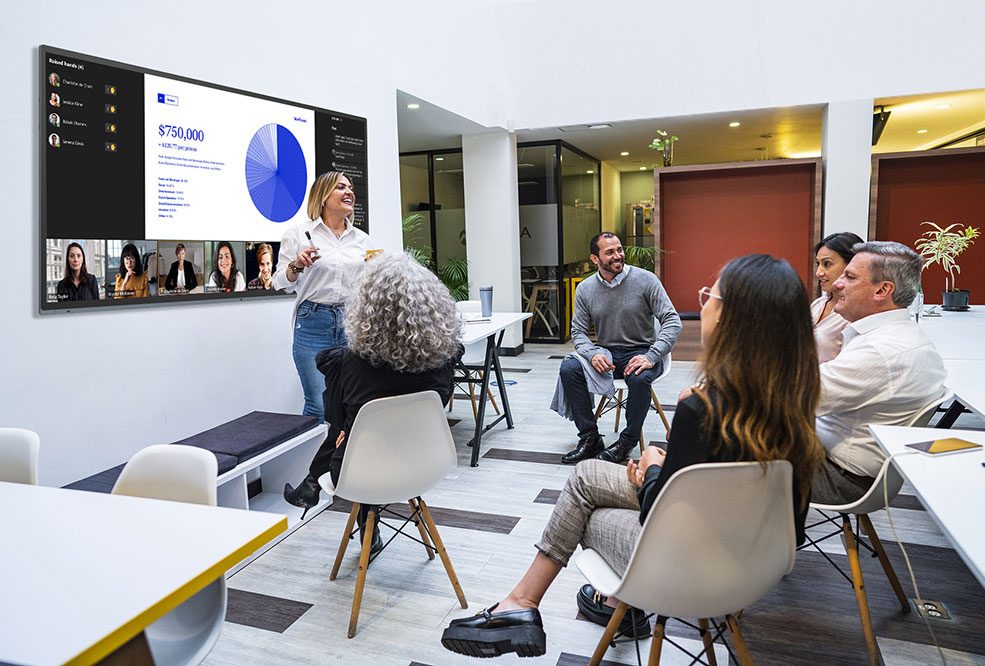 What equipment is needed for a Teams meeting?
To ensure a successful Teams meeting or to set up a Teams Room, having the right equipment is crucial. This includes reliable computing hardware, high-quality audio and video devices, and control systems that make managing meetings effortless. Here are the key components you’ll need:
- Reliable Computing Hardware: A desktop, laptop, or dedicated Teams device.
- High-Quality Audio and Video Equipment: Microphones, speakers, and video cameras.
- Stable Internet Connection: Ensures smooth communication without interruptions.
- Display Screens: For sharing presentations and viewing participants.
- Control Devices: Touch panels or consoles to manage meetings.
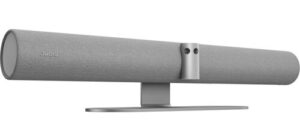 Exertis Almo offers a range of devices that meet these needs, such as the Jabra PanaCast 50 Intelligent Video Bar which transforms video conferencing. With features such as dynamic composition, intelligent speaker, and virtual director, it ensures optimal collaboration by adjusting views and focusing on active speakers. Its advanced AI, including intelligent zoom and dual-stream whiteboard, makes Teams meetings immersive and easy to use.
What are the major components of Microsoft Teams Rooms?
Creating a fully functional Microsoft Teams Room involves integrating several major components that work together to provide a seamless meeting experience. These components ensure that meetings are easy to manage, and that audio and video quality are top-notch. Here are the essential elements:
- Control Console: A touch panel for easy meeting management.
- Camera: A high-definition camera for clear video.
- Microphone and Speakers: For clear audio input and output.
- Computer Module: A mini-PC or similar device to run the Teams Room application.
- Digital Display: One or more screens for video conferencing and content sharing.
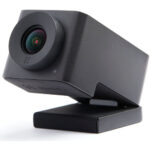 For example, the Huddly IQ ePTZ Cameras are excellent for boosting meeting engagement with their AI-directed multi-camera system.
The MAXHUB Commercial Display Ultra-Wide Series is perfect for MTR, featuring a 105″ collaboration display with a 21:9 aspect ratio and 5K resolution.
 The MAXHUB XT Series Kit for Microsoft Teams Rooms includes a computer, touch console, and integrated video bar, providing ultimate scalability for any meeting room setup.
What are the benefits of Microsoft Teams Rooms?
Microsoft Teams Rooms offer several benefits:
- Enhanced Collaboration: Facilitates better communication and teamwork.
- Ease of Use: One-touch join, and intuitive interfaces make it easy to start and manage meetings.
- High-Quality Audio and Video: Ensures clear communication.
- Scalability: Suitable for rooms of all sizes, from small huddle spaces to large conference rooms.
- Integration with Microsoft 365: Seamlessly integrates with other Microsoft tools and services.
By using top Teams Room devices, you can ensure that your conference room projects are equipped with the latest technology to maximize collaboration and productivity.
In Conclusion
Providing your clients with the right equipment for Microsoft Teams Rooms can significantly enhance their meeting experiences. By offering high-quality, reliable solutions from Exertis Almo, you position yourself as a trusted resource, ensuring your clients’ video conferencing needs are perfectly met.
The team at Exertis Almo is committed to providing our AV reseller and integrator partners with the latest and most innovative collaboration solutions for Teams Rooms and more. Contact us for a consultation, a quote, help with Microsoft licenses, and more.
Lisa Lingo, Category Manager – Collaboration
Still curious about collaboration solutions? Check out Lisa Lingo’s blog, “Stop, Collaborate and Listen“.



 Step One: Size It Up
 Step Three: Brightness Levels
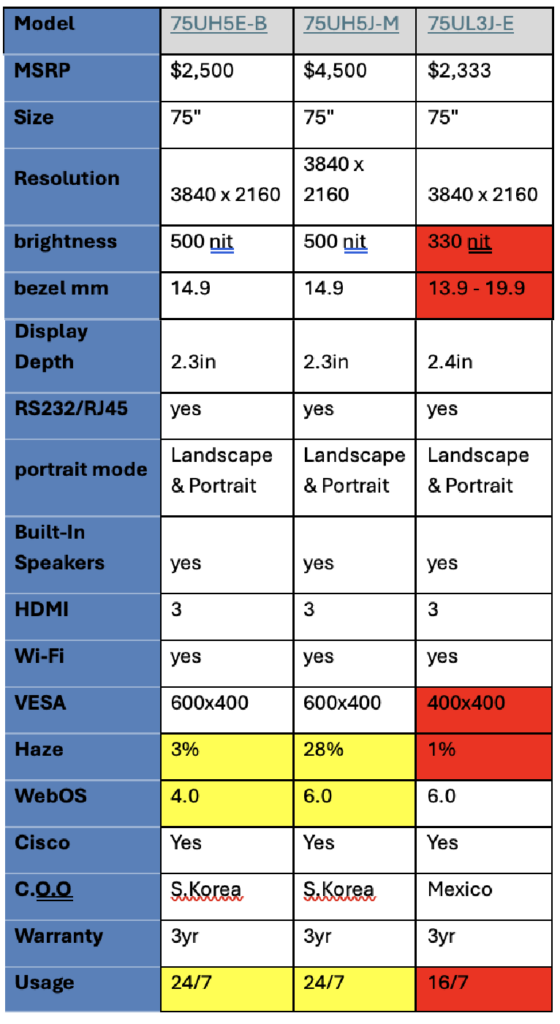 For example, you can quickly tell that the 75UL has fewer features than the 75UH just by the “UL” in the model number. Meanwhile, comparing the 75UH5J-M to the 75UH5E-B, you’ll notice the differences are minor. However, changes like the webOS version could make or break your project, so always double-check the specs before finalizing your choice!
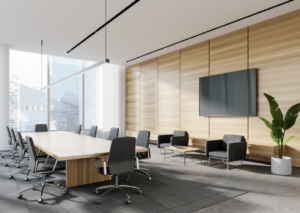 Before installing audio equipment, it’s important to evaluate the space itself, as there are many factors that affect audio quality. It’s essential to consider the acoustics of an environment, as a particular space might require a few changes to adjust the echo and create a more comfortable listening experience once the audio equipment is installed.
 See the products in action.


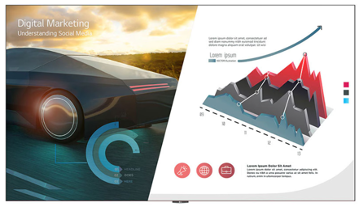
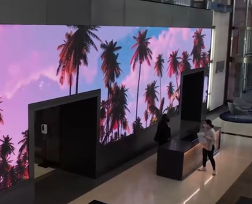 All-in-one DVLED displays are a great option as they do not require external LED controllers/sender units to operate since all the required components are built into the unit, so it functions like a standard monitor, and there are typically several predefined sizes to work in various environments. The other option for DVLED is a custom video wall solution. Custom DVLED walls are a good option when you have an application requiring a specific size display, atypical aspect ratio, or need specific resolutions or brightness levels. Custom DVLED allows the user the broadest choice in selecting products to meet the needs of their individual application, but generally requires a more complex installation using external LED controllers/sender units.
 In this example, after talking with the client, it was determined that the better way to achieve their goals was to use LCD technology due to one primary factor, resolution. The client stated that they wanted to have multiple unique images on the display simultaneously, up to 9 different sporting events or advertisements on the wall at any given time. While it is possible to show the required number of images on the DVLED display using external video processing, the resolution of each image would end up being very low using the DVLED display discussed.




 As I write this article, my truck is in the shop having new tires put on. Buying tires is one of my least favorite purchases of all time!!! Yet every few years I go through the same process. Gather my tire size information, check some tire websites, identify my needs in terms of performance (I live in Buffalo, NY, so a tire that performs well in the snow is a must!!!), establish my budget, read some reviews, select my top picks, shop prices, book the appointment.
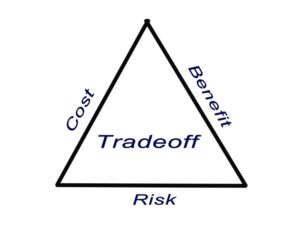
 Balancing these tradeoffs requires careful planning and consideration of the project’s specific needs and constraints. Conducting a feasibility study and involving all stakeholders in the planning process can help identify the best approach