JBL Portable Powered Loudspeakers

EON700 SeriesJBL changed the live sound market when they introduced the original EON powered loudspeaker in 1995. The EON was a radical concept – a compact, portable loudspeaker with a built-in amplifier and simplified mixer that allowed musicians, DJs, and public speakers to roll up to a gig and be ready to play or present within a matter of minutes without the need for any outboard mixers or amplifiers.

Since its introduction, the compact, portable powered loudspeaker market has continued to grow and be a first choice for performers and rental houses thanks to its convenience and ease of use. While the JBL EON is still alive and well (currently sold as the EON 700 series), JBL Professional has continued to innovate and evolve their offerings in this category. Whether you are a street busker or a house DJ, a motivational speaker or a fitness instructor, JBL has a portable powered loudspeaker to fit your needs. Let’s take a deeper dive!

“Traditional” Powered Loudspeakers

As mentioned above, the original JBL EON set the standard for portable powered loudspeaker systems. These products are typically deployed in a stereo or dual-mono arrangement of two speaker cabinets on stands flanking the performer, but can also be deployed in a single, mono configuration, on top of powered subwoofer cabinets, or even used as stage monitors. They can be used “out of the box” by connecting one or two microphones directly to one of the speakers, or by connecting a mixer to one of the inputs if more channels are needed.

IRX SeriesThe JBL IRX108BT and IRX112BT are affordable options for small engagements and solo performers. They offer big-system sound in a compact footprint and are lightweight and durable. Both models have two mic/line-level inputs, EQ presets, Bluetooth streaming, and automatic feedback suppression (AFS).

The EON700 series is a big step up in terms of capability, sound quality, and power. Packed with on-board features like Bluetooth (for audio streaming and control), DSP, and a backlit LCD, JBL offers the EON700 in a 10”, 12”, 15”, and 18” subwoofer option.

The JBL PRX900 series offers professional sound quality at an affordable price in a wide range of sizes, from 8” to 15”, plus an 18” subwoofer option. They are loaded with a comprehensive DSP suite and have massive amounts of power on tap – 2000W peak! They shine as main PA cabinets and as stage monitors thanks to their wide frequency response and built-in tuning presets.

Finally, the newest line from JBL Professional – the SRX900 series – offers best-in-class power, performance, and quality from a portable powered loudspeaker. JBL’s patented Progressive Transition waveguide makes sure sound goes where you need it (and not where you don’t). The entire SRX900 series is voiced to match each other in both frequency and phase response, so the new SRX912M, SRX915M, and SRX922 can be used seamlessly side-by-side with an SRX900 line array system.

The Newcomers: All-in-One Column Systems

All-in-One column PA systems have become extremely popular in the last decade, and it is no surprise why. They offer full-range sound in a compact, portable package which doesn’t require any mounting hardware. Portable column systems typically consist of a powered subwoofer at the base (with a built-in mixer system), and a thin column speaker above which provides an extremely wide coverage pattern, typically capable of covering a room with just one main loudspeaker. Performers can wheel in one piece of equipment and be up and running in a matter of minutes.

If you’re in the market for an All-in-One Column PA, JBL has you covered, no matter the size and input needs you might require!
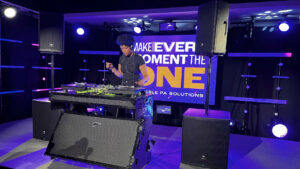
EON OneThe JBL IRX One was created to be so simple to operate that anyone, regardless of background, can feel comfortable operating the system. It has plenty of power on tap (1300W!), and features a three-input mixer with XLR and ¼” inputs, audio ducking, and Bluetooth audio streaming. It is easy to set up and tear down, and a perfect fit for public speaking, outdoor performances, and fitness instructors.

The EON One MK2 improves on the IRX One by adding more power, more inputs, fully-featured DSP processing, and Bluetooth streaming and control. Not only that, the EON One MK2 can be powered by AC or a built-in battery, providing up to 6 hours of performance time. Just like the IRX One, the EON One can be packed up easily and carried with one hand, making it perfect for solo performers.

The top of the line column PA system from JBL is the PRX One, featuring up to 2000W of power, a 7-channel digital mixer, a fully-featured onboard DSP, and Bluetooth functionality, all in a compact, portable footprint. Thanks to its XLR through output, coverage can be expanded with satellite speakers, allowing the PRX One to be the main component of a PA system for large rooms. The powerful subwoofer extends frequency response to 35 Hz, and the array of 12 2.5” drivers deliver even coverage throughout the room.

Conclusion

Whether you decide to go with a more traditional solution or prefer the convenience of an all-in-one column, JBL has you covered for on-the-go PA systems. If you need help specifying the right system for your needs, reach out to the Almo Audio Team at [email protected].

Audio enthusiast? Check out “Visiting the JBL Experience Center“.
John Rossman - headshot-frame

About the Author

John Rossman | CTS

BDM II – Technical Specialist

Supported Manufacturers: Harman ProfessionalAKG, AMX, BSS, Crown, DBX, JBL, Lexicon, Martin, & Soundcraft
All‑Weather Displays in 2026: What Pro AV Integrators Need to Know

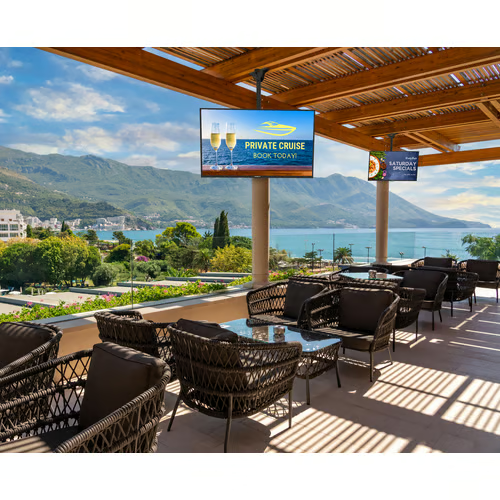
Outdoor AV used to be all about brightness. But as expectations rise and outdoor environments become more varied, the real differentiators are the technologies that help displays survive, and perform, in conditions indoor screens were never built for. Whether you’re designing a drive‑thru, a campus walkway, a rooftop bar, or an outdoor plaza, understanding how these features solve common outdoor challenges is key to choosing the right hardware.

Peerless-AV Neptune nt554_9Here’s how those real‑world challenges break down, and the features that matter most.

1. Sunlight, Glare & Changing Ambient Light

Why It’s a Problem

Outdoor environments introduce extreme contrast swings. Direct sun can wash out images entirely, shadows come and go, and reflections from glass, pavement, or water surfaces can make screens unreadable.

What to Look For

  • High‑Brightness Panels (2,500–3,500+ nits)
    This level of brightness helps content stay visible even during midday sun.
  • Anti‑Reflection or Anti‑Glare Glass
    Advanced glass coatings, or optically bonded glass, help reduce reflectivity, improving contrast and preserving detail.
  • Polarization Compatibility
    Circular polarization prevents “blacking out” when viewers are wearing polarized sunglasses – common in retail, transportation, and hospitality environments.
  • Adaptive Brightness Controls
    Displays that automatically adjust to ambient light reduce eye strain, lower power consumption, and maintain consistent readability.

Peerless-AV Extreme xhb5541_52. Weather, Moisture & Environmental Exposure

Why It’s a Problem

Outdoor displays aren’t just dealing with rain. Wind‑blown dust, salty air, humidity, snow, insects, and condensation can all damage internal components or cause premature failure.

What to Look For

  • IP56–IP66 Weather Ratings
    Higher ingress protection levels help shield against water jets, dust intrusion, and debris.
  • Sealed, Ventless Designs
    Completely sealed enclosures prevent moisture and airborne particles from working their way inside.
  • Impact‑Resistant Glass (IK10 Suggested)
    Tempered or laminated cover glass protects against vandalism, hail, and accidental impact.
  • Protected Cable Entry Points
    Ensures moisture and debris can’t get inside through the weakest link in the system.

3. Extreme Temperatures & Thermal Management

Why It’s a Problem

Outdoor displays must manage heat from direct sunlight and internal components, as well as cold snaps that can crack panels or interrupt operation. Without proper engineering, thermal stress can lead to black spots, shutdowns, or long‑term damage.

What to Look ForSamsung OH Series

  • Wide Operating Temperature Range (e.g., –22°F to 122°F)
    Crucial for four‑season climates.
  • Internal Thermal Management Systems
    Hidden fans, sealed heat‑exchange systems, or integrated cooling pathways help maintain stable internal temperatures.
  • High TNI Panels for Full‑Sun Performance
    These panels are designed to resist isotropic blackout when exposed to intense heat and sunlight.

4. Structural Durability in Public or Semi‑Public Spaces

Why It’s a Problem

Outdoor displays must handle more than weather. Public spaces introduce risk from accidental impact, vibration, airborne debris, and general wear.

What to Look For

  • IK10 Impact Resistance
    This is the gold standard for outdoor glass durability.
  • Corrosion‑Resistant Materials
    Aluminum housings and UV‑rated coatings help prevent rust and discoloration.
  • 24/7 Duty‑Cycle Ratings
    Necessary for signage and environments where uptime matters.

Planar Luminate Ultra W Series5. Large‑Format Viewing Without Losing Detail

Why It’s a Problem

Outdoor plazas, stadium entrances, and retail facades often require displays that are large enough to be seen from a distance, but crisp enough to read up close.

What to Look For

  • High Brightness + Fine Pixel Pitch
    MicroLED and fine‑pitch outdoor LED solutions offer the combination of outdoor durability and close‑view clarity.
  • True 16:9 Configurations
    Makes it easier to scale to Full HD or 4K formats without odd aspect ratios.
  • Front‑Serviceable Cabinets
    Allows maintenance without needing rear access – key for wall‑mounted outdoor video walls.

6. Reducing Maintenance & Ensuring Long‑Term Reliability

Why It’s a Problem

Outdoor service calls are time‑consuming, expensive, and often require special access. Displays that fail prematurely create downstream headaches for integrators and end‑users alike.

What to Look For

  • Fully Sealed Electronics
    Reduces the risk of internal contamination and extends overall lifespan.
  • 24/7 Operational Design
    Displays built for continuous use prevent performance drift and overheating.
  • Remote Monitoring Capabilities
    Environmental sensors (temp, humidity, airflow, power draw) help integrators diagnose issues before they become failures.

Bringing It All Together

Outdoor AV isn’t just “indoor AV but brighter.” It’s a completely different design environment with challenges that need purpose‑built solutions – whether you’re dealing with intense sunlight, weather exposure, large viewing distances, or the demands of 24/7 uptime.

By understanding the specific features that directly address these challenges, you’ll be better equipped to guide clients, prevent premature failures, and create outdoor experiences that look as good on day 1,000 as they did on day 1.

åNeed Help Specifying the Right Outdoor Display?

Our Almo Pro AV team is here to support project planning, product selection, and technical guidance. Connect with us to get expert recommendations tailored to your next outdoor installation.

Want to explore more Outdoor AV? You might enjoy “Top Outdoor AV Solutions for 2025: A Reseller’s Guide.”

AV System Components for Corporate Spaces: Why Standardization Starts With the Right Building Blocks

If you work in corporate AV, you’ve likely heard the same request from every client: “Make the rooms consistent, reliable, and easy to support.” In 2026, that ask is louder than ever. Industry outlooks point to a clear theme across enterprises; standardize what you deploy so every room behaves the same way, from Chicago to London. That work doesn’t start with the biggest screens or the flashiest DSPs. It starts with the essential system components: quality cables, reliable mounts, right sized switches, projection screens, adapters, and the other pieces that connect it all.

Why periphoral gear matters more this year

After years of rapid hybrid rollouts, many organizations are stepping back to level set their environments. They’re replacing “good enough for now” gear with standardized kits that deliver predictable performance. This trend shows up across multiple industry sources that highlight standardization, interoperability, and supportability as 2026 priorities.

Two forces are driving the shift:

  1. Support teams need fewer variables. When your mounts, cables, extenders, and screens are consistent, field issues drop and troubleshooting gets faster. Enterprise leaders are explicitly prioritizing room to room consistency to reduce day to day friction for users and IT alike.
  2. AV and IT are converging. As AV is becoming more integrated into IT network switches, basics like proper cabling, switching, and secure device selection directly affect performance and cybersecurity posture. Accessories chosen with IT in mind help ensure clean signal paths and fewer help desk tickets.

Trends shaping how you choose periphoral gear

standard meeting roomStandardization is the new innovation. Integrators are being asked to build repeatable room types that scale across floors and regions. That depends on predictable, vetted building blocks – not one off parts.

Interoperability and ease of use. Customers want rooms that “just work” no matter the meeting platform. That requires attention to the small things: certified cables that carry the bandwidth you promise, mounts aligned to your standard displays, and switches sized for current and near term needs. Interoperability remains a defining theme in 2026 as users expect simple, cross platform collaboration.

Data, monitoring, and lifecycle planning. More enterprises are using room analytics and remote management to guide refresh cycles. That only pays off if the physical foundation is stable. Clean wiring, consistent accessories, and known good parts reduce false alarms and make remote diagnostics meaningful.

Growth in networked AV. AV over IP continues to expand as businesses upgrade to higher bandwidth and connected systems. That puts extra pressure on proper switches, cabling, and labeling – all squarely in the “components” category. Industry roundups note the mainstreaming of networked AV and the need for stronger reliability and security as systems scale.

For example: A company rolled out AV‑over‑IP using switches that worked fine at first, but as more rooms came online and resolutions increased, video latency and packet loss started appearing during peak hours. The issue wasn’t the endpoints. It was the need to upgrade the switches and standardize bandwidth planning across room types.

What “good” looks like in a corporate space

Here’s a practical checklist we see winning in boardrooms, huddle spaces, meeting rooms, lobbies, and workstations:

  • Cabling that matches the spec, not just the price. Correctly rated HDMI/USB C, category, and fiber runs sized for high resolution content and room distances. Poor cabling is a top cause of signal issues and intermittent failures, which is why standardizing on vetted SKUs pays off fast.
  • Mounts that fit your standard displays and use cases. Keep a short list that covers fixed, tilt, articulating, and ceiling needs. Consistency here speeds installation and simplifies service calls.
  • Switches and extenders chosen with IT. Size switches for both current traffic and near-term growth, and ensure devices are aligned with your AVoIP roadmap and security expectations. The 2026 focus on connected, secure systems makes these choices foundational.
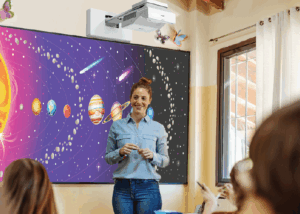
  • Projection screens where they still make sense. Not every space needs LED or a tiled LCD wall. In training rooms and multi purpose spaces, a well matched projector and screen remain cost effective as long as the essentials around them are planned correctly.
  • Labeling, documentation, and spare kits. Treat labels, cable management, and spares as part of the essential bill of materials. Standardized documentation makes remote support and managed services far more effective.

Why source all AV system components through Almo

av system integrator teamYour teams want to streamline purchasing and reduce on site surprises. Consolidating the components with Almo helps you do both:
  • One BOM, fewer delays. We help you assemble complete kits for each room type, so procurement and staging are straightforward and predictable. That aligns with the enterprise push to standardize spaces in 2026.
  • Pre vetted compatibility. Our specialists live in the details: cable lengths, mounting patterns, bandwidth constraints, power needs. We validate the parts list against your design and room templates.
  • Breadth across trusted brands. You get the flexibility to match brand standards and budgets without reinventing your essentials list for every project. Industry outlooks consistently point to scalability and security as must haves this year; our line card and guidance support both.
  • Support that mirrors your standardization goals. From design assistance to post install troubleshooting, we help you keep rooms consistent and easy to manage as your portfolio grows. The more your kits repeat, the more value you get from remote monitoring and analytics.

The takeaway

In corporate AV, reliability starts with the pieces that rarely make headlines. Get the AV system components right and you’ll spend less time firefighting, more time delivering a consistent user experience that scales across locations. The 2026 trendlines are clear; standardize, simplify, and build for the long term with components you trust.

Ready to simplify your BOM and standardize your corporate spaces?
Connect with the Almo Pro AV team for a quick consultation. We’ll review your room types, recommend the right periphorals, and help you source everything in one place so your next rollout is smoother from day one.

Projection for Education

Clear Signals Interview with Brian Rhatigan

In conversation with John Wasko and Keith Mecutchen, Brian Rhatigan, Director of Business Development, discusses everything you need to know about projection for education. From choosing the right projector for a space to promoting engagement in the classroom, he provides key insight regarding the best ways to serve the education market.

Let’s dive into the Q&A.

“Brian, what brightness (or lumens) do you recommend for hybrid classrooms to keep content visible with lights on and remote learners engaged?”

education projectorThe number one question that I get, day in and day out, is: How bright of a projector do I need?
I can’t say there’s any one answer for every single space.

There are two primary factors that are going to determine what your image is going to look like: the size of the image, and the amount of ambient light in the room, specifically the amount of light at the screen area. When somebody reaches out to me looking for a projector recommendation, 99% of the time, if not more, I have the screen size, however I rarely get the amount of ambient light. Without that, it becomes more guesswork than actually being able to mathematically validate the amount of projected brightness you would need for a given space. If we have those two pieces of information, then we can easily [determine] the amount of lumens that you’ll need for the space to achieve a good looking image that meets the standards that have been put forth by AVIXA.

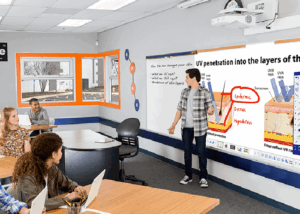
For a typical learning environment, the goal is to achieve a minimum contrast ratio of 15:1. In a many classrooms, we’re dealing with smaller images — with interactive projectors, you’re talking images of 100 inches diagonal or less. In that case, the 4,000-5,000 lumen range is perfectly sufficient for that type of application. If we’re talking about larger learning spaces like lecture halls that require larger displayed images, then it’s really going to come down to the size of the image and the amount of ambient light at the screen area.

“When schools plan for hybrid learning, what long-term factors matter most; laser vs. lamp, maintenance cycles, warranty?”

There’s been a huge shift from lamp-based projection to laser projection over the last several years. Your options for lamp-based projectors have naturally gotten smaller from most manufacturers during this shift

In order to serve the education market, specifically [regarding] K-12, where budgets are limited, there’s still a number of offerings of lamp-based projectors available to serve that market. There is a trade-off, however. The laser projector is going to have more of an upfront cost, but you don’t have to worry about replacing lamps. A typical lamp is going to last about 4,000 hours. If we figure we’re using the projector for eight hours a day, that’s about two years. So, every two years, you’re having to spend a couple of hundred dollars to replace the projector’s lamp.

Whereas most laser projectors are rated between 20,000-30,000 hours until they achieve half brightness. At that point, there’s nothing you can do to make it brighter — it just has to be replaced. If we use the same example of using the projector 8 hours a day, for 20,000-30,000 hours, you’re potentially able to use that projector for 10 years or more. In many cases, you’re doing hardware refreshes more frequently than that anyway.

Another consideration is that at least one of the big projector manufacturers offers additional warranty coverage at no additional charge when projectors are sold into educational environments. That warranty is traditionally two to three years longer on a laser-based projector than it is on a lamp-based projector.

“Ultra-short throw or traditional projectors; which works best for hybrid classrooms? And how do we avoid those pesky presenter shadows during live sessions?”

With projection technology, there will always be a light path between the projector and the screen. The further away the projector is from the screen, the higher the chance of casting shadows.

It comes down to the application. Ultra-short-throw projectors are absolutely going to minimize the potential for casting shadows on the screen due to the drastically shortened light path. In cases where the presenter is going to be in front of the screen, near the screen, or using pointing devices that may interrupt the light path, ultra-short throw is the way to go. In a lecture center, those screens are usually going to be placed above the height of the presenter, eliminating the potential for shadows.

“Can interactive or immersive projection really boost engagement for both in-room and remote students?”

Anytime you can get somebody up and involved in the presentation, that’s going to boost engagement and make it more interesting. Interactive projectors allow you to do that — similar to using an interactive flat panel, where your finger or an electronic pen take the place of the mouse on your computer. Anytime someone, involved in learning, solving equations, or annotating on the screen, or interacting with live content that’s going to make for a more effective presentation.

When considering in person versus remote, I think the benefit lies more for the in-room participants, however remote participants should realize some additional benefit as well as a result of the audience engagement.

hybrid classroom“How do we integrate classroom AV with LMS and video platforms like Teams, Zoom, Canvas, or Moodle for a seamless hybrid experience?”

For the most part, these types of conferencing and collaboration platforms are agnostic, meaning that no matter which manufacturer’s camera, microphone, or [display] you’re using, the system is going to function. Companies like Microsoft and Zoom have certification programs where they work closely with third-party hardware manufacturers to ensure that their devices are going to work as expected every time and be able to support all of the different features within each of these platforms. For the best possible experience, I do however recommend looking for that list of certified devices, whether it be Microsoft, Zoom or any of the other platforms and choosing them when designing your system.

Generally speaking, they’re agnostic so you will have a functioning system regardless of which products you choose, however using certified products will guarantee the best outcome.

_____________________

With many education spaces adopting hybrid learning practices, choosing the correct projector is more important than ever. From boosting engagement and interaction to integrating classroom solutions with conferencing platforms, John and Keith’s conversation with Brian serves as a go-to reference for all-things education projection.

Discover the complete Clear Signals conversation and more on YouTube »

Have more questions? Contact Almo Pro AV for a free consultation.
Check out one of Brian’s other blogs, “5 Keys to Selecting a New Projector“.
Brian Rhatigan headshot
About the Author

Brian Rhatigan | CTS, DSCE

Director of Business Development

Supported Manufacturers: Epson, Huddly, Kramer, Jabra

Optimizing AV Systems for Hybrid Classrooms: Best Practices for Integrators

The hybrid classroom, where in-person and remote learners connect seamlessly, is now a staple in education. With 67% of college instructors leading hybrid classes in 2023 (up from 52% before the pandemic), this approach is expected to continue growing across K–12 and higher education. As an AV integrator, you’re already aware that a well-designed AV system is key to engaging every student equally. Here’s how to tackle that challenge with confidence.

  1. Prioritize High-Quality Cameras & Flexible Coverage

Opt for PTZ (Pan-Tilt-Zoom) cameras instead of fixed-lens models. They allow remote students to follow the instructor and classroom activity seamlessly. Lumens even suggests avoiding fixed lenses for multipurpose rooms due to their limited coverage.

Best practice suggestions:

    • Choose auto-tracking cameras for hands-free presentation.
    • Allow remote focus and zoom control via a secondary display or control console.
  1. Important: Don’t Allow Poor Audio to End the Class

Clear and intelligible audio is the foundation of effective hybrid learning. Ceiling mounted beamforming microphones, conferencing soundbars, and digital signal processors with (AEC) acoustic echo cancellation are just a few of the possible solutions used to ensure the class sounds as good as it looks.

Best practice suggestions:

    • Consider lapel mics for presenters and ceiling or table mics for students to stay loud and clear. Microphones are just as important as the loudspeakers being used.
    • Route audio through a central DSP with dynamic equalization, feedback suppression, and AEC (acoustic echo cancellation) to help balance out the sound and ensure no unwanted feedback/echo.
    • Room acoustics matter.  Taking into consideration the possible obstacles of reflective surfaces, open ceilings, and unwanted noises in the room will go a long way to stellar performance.
  1. Upgrade Displays and Sharing Infrastructure

Dual displays, one for content, another for live video feed, help both in-room and remote participants stay engaged. Having the right size displays will ensure everyone in the room can clearly view what is being shown. Interactive whiteboards also boost collaboration, allowing annotations and media sharing in real time.

Best practice suggestions:

    • Use interactive touch screens, or interactive projectors.
    • Consider industry standards when it comes to the recommended display size for a given space.
  1. Fortify Network Reliability

A strong network is non-negotiable. Hybrid systems demand reliable bandwidth and proper Quality of Service (QoS) prioritization to avoid audio dropout or video lag.

Best practice suggestions:

    • Validate network health before installation.
    • Create separate AV VLANs to isolate traffic and maintain stability.
    • Ensure Wi-Fi strength supports classroom needs effectively.
  1. Integrate Seamlessly with LMS and Collaboration Platforms

Ease of use for educators is essential. Sick of manual setup? So are teachers. Make sure your AV design integrates smoothly with platforms like Canvas, Blackboard, Zoom, or Microsoft Teams.

Best practice suggestions:

    • Test both live streaming and on-demand delivery.
    • Tie AV controls into existing classroom software wherever possible.

Why This Matters

Hybrid learning isn’t just a trend. It’s backed by data: over two-thirds of educators now embrace it. When AV systems falter due to poor audio, unreliable cameras, lagging video, remote learners disengage. Your expertise in deploying smart, integrated AV systems can ensure every voice is heard and every lesson matters.

Final Take

By implementing PTZ cameras, dependable audio, dual-display systems, robust networking, and smart integrations, you’ll deliver hybrid environments that feel inclusive, intuitive, and professionally engineered. For AV integrators who stay ahead of these practices, the payoff is improved learning outcomes, and stronger client trust.

Ready to upgrade your hybrid classroom AV? Connect with your Almo team for a free consultation on your next project.

Why Resellers Should Take Advantage of Project Registrations

Let me ask you if you’ve ever experienced this scenario: you’ve been working on a project, specifying every detail and researching and locating the products to meet the project requirements. You’ve quoted the client, and you’re waiting on funding or their next signature. The buyer receives the information, and you learn that they placed the order with another supplier due to lower cost.

Unfortunately, I’ve had that experience with over 25 years in this industry. I want to provide you with a recommendation designed to help minimize these scenarios for the future.

One of the most powerful, and often underutilized, tools available is project registration.

What is project registration?

Project registration is a process that allows a reseller to inform manufacturer (leveraging your Almo team) about a specific opportunity or project. This process provides numerous benefits to both the reseller and the manufacturer, including transparency, pricing protection, forecast of needed products and more.

Let’s dive into the benefits of registering your projects.

Why does project registration matter?

First and foremost, project registration is a simple and effective way to protect your profit. When a project is registered, you’re able to secure your pricing and provide yourself the opportunity to make more margin.

James Calandrillo, Vice President of Almo Pro AV Sales, detailed the importance of project registration, especially with prices on the rise.

“In today’s unprecedented times with price changes due to tariffs, it’s more important than ever to register as many projects as you can, as often as you can,” he explained. “And as pricing changes, active registrations are covered to the end of that, whereas there’s no pricing guarantee if you don’t register the project.”

When you register a project, you’re not just receiving reliable pricing, you’re creating awareness about the intricacies of your project with the manufacturer utilizing your Almo team. Consider it a win for both the reseller, distributor and the manufacturer. The reseller enjoys pricing recognition provided from the manufacturer while both the distributor and manufacturer gain knowledge their products for future forecast.

Taukia O’Donnell, Director of Bid Operations at Almo Pro AV, provided additional details on the importance of project registration in a recent conversation.

“Project registration is a critical tool that empowers resellers to maximize profitability and strengthen partnerships with manufacturers,” she explained. “This not only safeguards margins but also fosters transparency, enabling manufacturers to better understand project needs and market demands.”

Along with pricing recognition, project registration separates the reseller from a simple box sale. Instead, they’re viewed as an actual design-build integrator.

“Project registration elevates resellers from mere transactional vendors to strategic design-build integrators,” Taukia said. “This distinction enhances credibility and deepens manufacturer relationships, creating a competitive edge.”

“If you’re registering projects, it shows the manufacturer that you’re really doing the work,” James added.

Why should resellers leverage Almo for support?

Oftentimes, sales representatives choose not to register their projects simply because they don’t have the time to do it. When dealing with a variety of brands, they don’t have the bandwidth to reach out to vendors themselves and explain their plans.

“Partnering with Almo Pro AV simplifies the process, offering expertise and access to multiple vendors who support registration at low quantities,” explained Taukia. “This support is invaluable for sales teams managing diverse brands under tight schedules.”

Along with expertise, Almo Pro AV is here to ensure an efficient registration process.

“I encourage all resellers to prioritize project registration to protect profits, streamline operations, and position themselves as trusted partners in the supply chain,” said Taukia. “Leveraging Almo’s resources can make this process seamless and highly rewarding.”

I realize we are all very busy, our time and resources are limited. This is definitely one area to take the extra few minutes to register your projects when you’ve spent time to specify the project for your client.  It’s like offering yourself a little added protection from the “last minute low-ballers”. I’m not saying you will do away with the competition, however this process will definitely assist in minimizing the risk for you.

The project registration process is usually quite easy – simply provide the details to your Almo Sales Rep and they will work directly with the manufacturer utilizing Almo’s Bid Registrations. Your Almo sales representative will be happy to assist you in collecting the information to register your projects.

If you have any questions or would like to request to have a project registered on your behalf, please reach out to Almo Sales or myself for assistance.

Angie Greene
About the Author

Angie Greene | DSCE

Business Development Manager

Supported Manufacturers: Panasonic Connect

Pin It on Pinterest