October: Where Sports and AV Play as a Team

October isn’t just pumpkin season, Halloween candy and pumpkin patches, it’s the heart of sports season. My husband grew up in Brooklyn but somehow became a Cowboys fan (still investigating). I grew up with the Giants in my backyard, and after 14 years in South Florida, I’ve learned to cheer for the Dolphins too, mostly so my neighbors don’t egg my driveway or I don’t get dirty looks at Publix. Add my half-Brazilian, half-Portuguese roots and suddenly the World Cup feels like a family reunion. The rivalries are real, but here’s one thing we all agree on: sports without the right AV is just overpriced beer or trick-or-treat without candy. With the right AV, it’s unforgettable, and that’s where Almo Pro AV comes in.

Stadiums in October aren’t just about football; they’re about atmosphere. Absen PL2.5 Pro, Samsung IAC, LG’s LAPA136-GF.AUSQ, Planar TVF, and MAXHUB LM138A07 LED walls make even the nosebleeds feel like front row. Epson EB-PU2220B projectors put replays on the big board brighter than the Florida sun. Christie Griffyn 4K32-RGB lights up end zones like Broadway, and Panasonic PT-MZ880 keeps multipurpose areas covered. Peerless-AV and Chief mounts hold it all steady, while Sennheiser EW-DX mics, JBL VTX arrays, and Crown I-Tech amps make every whistle and roar shake the concrete. And if you don’t have control? Forget it. AMX and Atlona keep the show running smooth so no one fumbles the AV on 4th down.

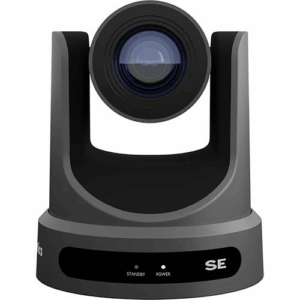
PTZOptics belongs here too. Their 30X-NDI cameras with Hive are being used for live sports broadcasts, streaming games, press conferences, and even fan cams that rack up more views than the actual highlight reel. It’s broadcast quality without the truck, which means even smaller venues can deliver big-league streaming.


Gyms are catching on as well. I visited one in Bogotá that looked more like a TV studio than a gym. Netgear M4250 switches kept the feeds flowing, SoundTube pendants powered by LEA Connect 354 amps handled the sound, and Kramer processors kept the whole system easy to manage. Members were half-working out, half-starring in their own highlight reel. One guy told me he felt more scouted than he ever did in high school ball, and honestly, he wasn’t wrong.


Sports bars in Miami? That’s where Sundays are basically religion. A neighborhood bar turned game day into an experience with Sharp PN-M752 displays, Sony FW-98BZ53L BRAVIA Pros, and an LG LAPA136-GF.AUSQ LED wall. BrightSign XT1145 players kept replays and promos rolling, AtlasIED Atmosphere processors with Bose DS 100SE speakers made the sound clean, and Panasonic PT-MZ880 projectors expanded the view. AMX control made it simple for the bartenders to swap games between orders. Add ListenWiFi so fans could stream commentary to their phones, and suddenly no one was fighting over the volume. The owner said Sunday sales doubled. And yes, the Sennheiser wireless mic came out for Sweet Caroline after the Dolphins actually pulled off a win.


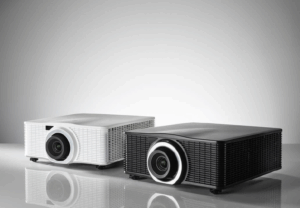
In Colombia, soccer stadiums are upgrading too. Imagine stepping into a venue with Absen LED walls lighting up the pitch, Barco G62 projectors handling pre-match visuals, and PTZOptics 30X-NDI cameras with Hive pushing live feeds straight to mobile apps and fan zones. Fans tune into ListenWiFi for play-by-play without missing a call, and the energy feels like Maracanã on a final. That’s the kind of AV that keeps fans in the moment instead of looking for the nearest exit.

Now let’s talk immersive experiences. Our Special Markets team has been transforming fan zones and gyms with headsets that bring the action straight into your ears. At one stadium install, fans tuned into play-by-play commentary in real time, no more missing the call because the guy behind you is arguing about fantasy football. This isn’t just AV, it’s personal, and it’s what makes a sports experience feel one-of-a-kind.

Sports bring passion. Nobody wants bad audio, laggy control, or a dead screen to ruin their game, whether they’re in a stadium, a gym, or a bar. With Almo Pro AV’s lineup, Absen, Samsung, LG, Planar, MAXHUB, Sharp, Sony, Epson, Panasonic, Barco, Christie, Peerless-AV, Chief, Sennheiser, JBL, Crown, AtlasIED, Bose, Netgear, LEA, SoundTube, PTZOptics, MicroTouch, Listen Technologies, AMX, Atlona, Kramer, and our Special Markets team, we’ve got every angle covered. The only thing we can’t do is fix your team’s record. If I could make the Giants, Cowboys, Dolphins, Brazil, and Portugal all win, I’d be running Vegas instead of writing blogs and selling AV. And since Almo Pro AV’s headquarters is in Philly, I’m obligated to say it… Go Eagles! (Don’t tell my Giants-loving heart I said that.)

Gisela Ramirez, Sales Director - LATAM

About the Author

Gisela Ramirez

Sales Director – LATAM

Exertis Almo

September in LATAM AV: Closing Strong, Setting Up Bigger Wins

September is the last stretch of Q2 for us, and if I’ve learned anything in this industry, it’s that this month decides who walks into Q3 relaxed and who walks in scrambling. If you wait until November, you’ll be the one calling your customer to explain why their install is stuck on a boat. I have made those calls before and they are not fun.

One story that always sticks with me is from Colombia. A partner decided to hold off until November, thinking Buen Fin and year-end would be their big moment. By then, they were buried in freight delays, chasing approvals, and stressing about credit. Their competitor, who moved in September, was already delivering and winning market share. That was a turning point for me. In LATAM, the ones who move first, win first.

And I see it happening across the region right now. In Costa Rica, companies are already building hybrid rooms with LG displays, Barco ClickShare, and Netgear switching so they are ready before year-end. Guatemala is finalizing education projects with NEC projectors and Aver cameras. Chilean boardrooms are running Epson projection with Yamaha audio, while in Peru, lobby spaces are coming alive with LG DVLED walls and Legrand infrastructure. Honduras has events buzzing again with SoundTube and Peerless-AV solutions, and in Jamaica, resorts are securing Samsung outdoor displays, Yamaha audio, and Legrand cabling so their guests never miss a beat.

Puerto Rico is another great example. A university there recently upgraded lecture halls with Samsung professional displays and Listen Technologies systems. Because they moved early, everything was installed and ready before students returned. No delays, no excuses, just results. Their integrator looked like a rock star.

That is why I tell every partner the same thing: September is not a filler month. It is the launchpad. Budgets are getting finalized, projects are being scoped, and the smart integrators are locking in orders before the supply chain circus kicks off. I have watched it play out again and again. The ones who act in September spend December delivering. The ones who don’t spend December apologizing.

The lesson is simple. Don’t be the integrator explaining delays. Be the one delivering. With Almo Pro AV behind you, you have the brands, the credit, and the logistics strategy to make it happen.

Gisela Ramirez, Sales Director - LATAM

About the Author

Gisela Ramirez

Sales Director – LATAM

Exertis Almo

AV Ecosystems: Because ‘Just Plug It In’ Never Works Out That Way

If I had a dollar for every time someone told me “We just need a screen and maybe a speaker,” I could retire early and start an LED ministry on the beach. Let’s be honest. AV is not a bunch of parts you slap on a quote to check a box. It’s an ecosystem. Everything has to work together or nothing works at all. When you get it right, the tech fades into the background and the experience takes the lead.

Here’s a real one from a client in Raleigh. High-end financial firm, fancy chairs, gorgeous space, zero tech harmony. Meetings were starting late, execs were sharing content through personal hotspots, and the poor IT guy was one coffee away from quitting.

We stepped in and flipped the script.

We gave them a Sony Pro BRAVIA 98 inch display that actually made spreadsheets look exciting. Dropped in an AVer CAM570 with smart AI framing so no one had to babysit the camera. Ran Legrand Wiremold cable management to keep the conference table looking sharp. Deployed a Netgear M4250 AV Line switch to handle bandwidth like a pro. Then added a Nureva HDL410 audio system that made the whole room sound like everyone had a mic, even the quiet ones in the back. Everything was integrated clean with Chief and Middle Atlantic gear.

Now their meetings start on time, nobody’s crawling under the table with a USB-C adapter, and the CEO stopped cursing during video calls. Progress.

Let’s hop down to Myrtle Beach. A boutique hotel wanted to upgrade their banquet space. They do weddings on Saturdays and corporate meetings Monday through Friday. One mic system wasn’t cutting it and the projector looked like it came from a garage sale.

We gave them an LG 136 inch All-in-One LED that stole the show. Installed a Shure MXA910 ceiling mic that catches every “I do” and every quarterly forecast. Added an Absenicon display in the lobby running BrightSign XT5 for customized welcome messages and event branding. Listen Technologies handled their ADA audio compliance. And they’re running everything off Atlona’s Velocity platform. It’s simple enough for the front desk to use, but powerful enough for back-to-back events.

Now they’re booking more events, charging more per room, and the tech just works. Imagine that.

Down in Guatemala City, a university needed hybrid learning across multiple classrooms. What they had was a mess. Different brands in every room, spotty audio, and teachers wasting half their class time setting up.

We standardized the setup. Epson PowerLite projectors. Sharp interactive displays. PTZOptics cameras with AI-powered tracking so teachers can walk and teach without losing the shot. BrightSign controls their content campus-wide. Netgear handles the network backbone. One ecosystem, one support path, one happy IT team.

And let’s talk about AI. If your system isn’t leveraging AI today, you’re already behind. From auto-framing cameras to predictive audio leveling, AI is the new teammate in the room. It doesn’t just make things smarter. It makes things smoother. Faster. Simpler. That’s the real win.

The truth is, when AV is done right, people don’t talk about the tech. They talk about how great the space feels. That’s the goal. And we get there by building real ecosystems, not tech Frankensteins.

So whether you’re designing a boardroom in Raleigh, a venue in Myrtle Beach, or a classroom in Bogotá, stop cobbling. Start connecting.

You bring the vision. We’ll bring the brands and the brains to make it all work.

Gisela Ramirez, Sales Director - LATAM

About the Author

Gisela Ramirez

Sales Director – LATAM

Exertis Almo

Golfing In All Climates: A Closer Look at Golf Simulation Technology

My interest was recently sparked at a family event back in January. My daughter-in-law threw my son a surprise “for-tee” (get it — 40!) birthday celebration at local venue here in Florida. The space was perfect for our group of about 20 guests, and the theme couldn’t have been more fitting for his big 4-0!

This is the ultimate “Cheesy Proud Mom embarrasses her kid” opportunity – and I’m taking full advantage! Happy 40th, Rick Greene! Mom loves you! Haha. Thank you all for letting me have that moment.

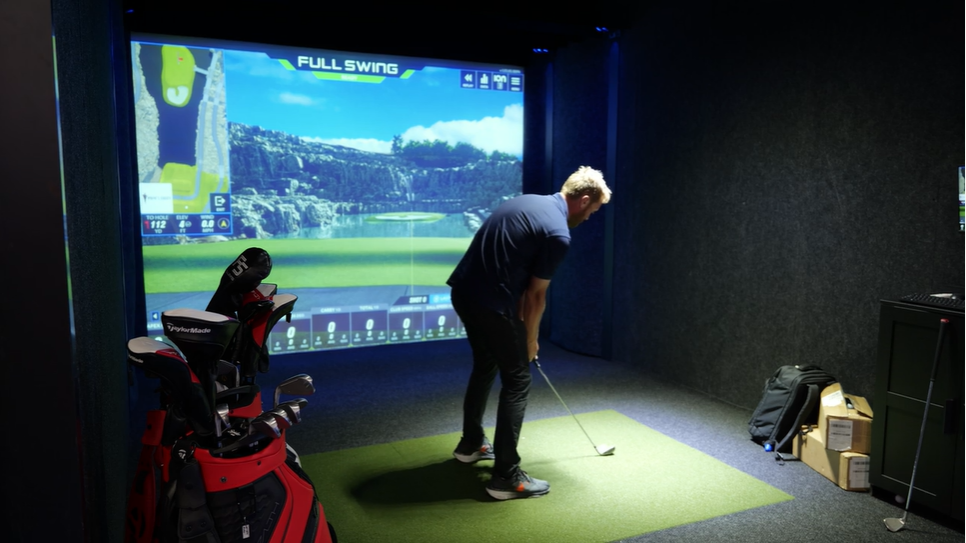
Now, back to the story. We arrived early to set up the decorations, which gave me the chance to see the existing patrons enjoying the venue’s golf simulators. I was amazed – many people brought their own clubs! Some were there for a casual night out, while others were clearly focused on improving specific aspects of their game. The vibe was laid-back and fun, complete with drinks from a bar area.

That special evening piqued my curiosity, so I decided to dig deeper and learn how this emerging market is leveraging our Pro AV tools. From event spaces to private homes, golf simulators are rapidly gaining popularity. Let’s explore the benefits of golf simulators and how this technology is transforming the way we learn and play the game.

The Rising Popularity of Golf Simulators

The market size of golf simulators was approximately 1.7 billion in 2024, and is expected to reach nearly 1.9 billion in 2025, as detailed in this report.

Additionally, the National Golf Foundation reported that 6.2 million Americans used golf simulators from 2022-2023, with pre-pandemic levels just under 4 million.

golf simulation PanasonicHow Do Golf Simulators Work?

A golf simulator is comprised of a screen or net, along with analytic software and usually short throw projector. The golfer can project the visuals on a screen designed to withstand the impact of a golf ball or view the data on a separate display.

The Benefits

Year-Round Golfing: Since most golf simulators are installed inside, this technology allows users to golf throughout the year – no matter the weather conditions. The outdoor golf seasons traditional occurs from the spring through the fall, so users can practice their hobby throughout the year with the help of these indoor simulators.

At-Home Practice: Along with year-round golfing, golf simulators provide golfers with the opportunity to practice their skills at home, rather than commuting to a golf course or driving range. Plus, golf simulators are an excellent choice for those who prefer a quieter environment in the comfort of their own home.

Additional Info: Golf simulators are an excellent choice for golfers looking to improve their swing. There are a variety of golf simulator programs to choose from, each with an assortment of statistics and various courses designed to help users enhance their skills. Including information about speed, club path, face angle, and more, using golf simulator software is an efficient way for users to analyze data and make adjustments.

Applications

Residential Spaces: For those looking to dedicate their time to practice, golf simulators are a common choice for a user to install within their home. It’s definitely a new expansion on the man cave or fun family experience.

Restaurants and Event Spaces: Although many golfers use the technology as a method of improving their swing, golf simulators are growing in popularity in bars, restaurants, and event spaces. Why? It’s like Axe Throwing or Escape Rooms it’s a new experience that everyone wants to get out to do.

Cruise Ships: Golf simulators are an up-and-coming source of entertainment for cruise guests, as the technology provides a relaxed, fun-filled environment for practicing golf while on vacation. It’s used to be shooting golf balls off the back of the boat which, ummm not’s so good for the environment they can now offer a new fun activity to appeal to the first timer golfer or the seasoned enthusiast.

Transforming How Golfers Learn

In fact, simulation technology is used in a variety of training applications, allowing for a safer environment with greater accessibility and repeatability.

This subject is detailed in a recent article from Panasonic Connect, which explains the benefits of simulation technology for pilots in training. As the demand for pilots has grown since the pandemic, the airlines used flight simulation technology as a method of training the new generation.
Along with creating a safer environment for those in flight training, simulation technology eliminates the worry of poor weather and facilitates a more consistent, reliable schedule for practice. This same appeal applies to golf simulators as well, ensuring that golfers can practice their skills at any time.

Learn more about the benefits of simulation technology and its impact on our learning process: 3 Ways Simulation Technology Revolutionizes the Way People Learn Panasonic North America – United States.

PT-VMZ6STU7An Ideal Staple of a Golf Simulator Setup

Designed to reduce shadows and enhance flexibility, the PTVMZ6ST LCD Projector series from Panasonic is an innovative staple of a golf simulator setup. With stress-free installation, clear projection, and eco-friendly construction, the series prioritizes bright and efficient performance. Explore the series here.

Golf simulation locations are popping up all over the country. Take a look around your area – you might be surprised at how many have opened up nearby.

These venues need projectors, screens, audio systems, and displays – and that’s where you come in. From immersive visuals inside the simulation bays to engaging AV setups throughout the space, there’s a growing demand for the tools you provide.

Whether you’re looking to grow your business or just want to practice your swing or plan a fun date night, check out a local golf simulator near you.

For more information on golf simulation technology, feel free to reach out. I’m happy to help.

Angie Greene
About the Author

Angie Greene | DSCE

Business Development Manager

Supported Manufacturers: Panasonic Connect

SDM Chip: The Key to Streamlined Digital Signage and Connectivity

I’m always in the pursuit of better understanding our current technologies, so I’ve decided to delve into Smart Display Module specifications. You’ve probably heard a lot about them, and you’re probably already using them.

How much do you really know about them and their capabilities? Improving upon the previous version called OPS (which is still currently available), SDM was developed to meet the needs of higher resolutions and higher data transfer speeds while minimizing space allowing displays to remain thin.

What are some of the other enhancements? In essence, the SDM is designed to future-proof your setup, whether you need capability for sharing content to a display or projector, or flexibility in connectivity options for today and the future.

As the demand for digital signage grows across a variety of applications, so does the need for more efficient and streamlined solutions. SDM, which stands for Smart Display Module, is a groundbreaking innovation that brings impressive power and efficiency to your digital signage setup.

In a recent conversation with Rudolf Vitti, Panasonic Product Manager Displays, we discussed the benefits of SDM and how its transforming digital signage and other AV over IP Solutions. Let’s explore how this innovative technology enables smarter, more streamlined installations.

The Basics: What Is SDM?

Developed by Intel®, SDM is a small, but powerful module specification designed for connecting displays and other peripherals to computing systems. SDM is designed to streamline the integration of displays into various types of systems, such as digital signage, interactive kiosks, and other embedded applications.

By helping with the need for a separate computing device, the modules can run signage software and support different connectivity capabilities.

Streamlined Integration Across Many Applications

Panasonic displays with SDM chipThe versatility of SDM makes it an ideal solution for a wide range of applications across various industries with flexible connectivity options without overhauling your entire system.

Retail & Advertising: For retail environments, SDM enables digital signage that’s simple to manage and maintain. Displaying ads, promotions, and product information on digital screens can enhance customer engagement by delivering targeted content based on location, time of day, or customer preferences.

Transportation: Airports, train stations, and bus terminals can use SDM-powered displays to show real-time flight or schedule information. With its compact and integrated design, it allows for easy installation and management of multiple screens across large spaces.

Higher Education: In colleges and universities, digital signage can be used for announcements, event schedules, and campus news. With SDM, educational institutions can set up digital displays in classrooms, halls, or lobbies without worrying about complicated setups or additional hardware.

Why Is SDM a Game-Changer?

One less point of failure: By creating a more streamlined, efficient setup, SDM reduces the potential for breakdowns or technical issues. Fewer components mean fewer opportunities for malfunction, making the system more reliable.

Futureproofing and adapting to new trends without replacing the entire display: The SDM’s modular design ensures that digital signage installations can evolve without having to replace entire displays. It’s easier to upgrade the module itself rather than overhaul the entire system, allowing businesses to stay up to date with new technologies and trends.

Easier to update and manage content: With SDM, content management becomes more efficient. Updates can be made remotely or directly through the system, reducing the time and effort needed for manual updates. This streamlined process ensures content is always fresh and relevant.

Designed for the Future SDM is flexible, adaptable, and built for the future. It provides versatile, standardized solutions that reduce the need for custom designs and ensure compatibility. The modular nature of the chip allows for easy upgrades in signage. Additionally, it offers backward compatibility, making it possible to connect new displays with older infrastructure. SDM also enables the integration of multiple displays within a network for complex setups and large-scale deployments, all while reducing cables. Panasonic projector with SDM chip

Panasonic Connect supports SDM across the EQ, SQE2, and SQ2H series displays and PT-RQ25, REQ15, and RQ7 series projectors.

The SDM is a game-changer for digital signage, offering a more reliable, adaptable, and scalable solution for various industries. By reducing complexity and hardware requirements, SDM enables businesses to implement cost-effective and future-ready connectivity options for various applications inclusive of digital signage systems.

Interested in learning more about Panasonic SDM modules or other Panasonic products? Please feel free to reach out to me, Angie Greene, Exertis Almo BDM Brand Specialist, Panasonic.

Angie Greene
About the Author

Angie Greene | DSCE

Business Development Manager

Supported Manufacturers: Panasonic Connect

Is That True 4K?

While native 4K resolution is commonplace in flat panel displays, there are still many resolution options when choosing a projector, including WXGA (1366×768), WUXGA (1920×1200), 1080p (1920×1080), and various options to achieve 4K (3840×2160). As an alternative to the high cost of using native 4K chipsets, many projector manufacturers offer a form of “pixel shifting” to achieve 4K resolution on the screen. To add to the confusion, manufacturers have their own terms to describe this feature, including 4K Enhancement, 4K-Ready, E-Shift, XPR, etc., depending on the brand you are working with.

Simply put, pixel shifting uses a WUXGA or 1080p chip and, with advanced processing, shifts each pixel either diagonally or horizontally and vertically at rapid speeds, creating multiple sub-frames that are combined to produce a higher resolution image on screen. The process happens so fast that our eyes are not able to detect the individual frames, resulting in an image that rivals native 4K at a significantly reduced cost. Additionally, it is important to note that there is more than one method of pixel shifting. For this article, I will refer to the terms used by Epson to describe them.

pixel shift illustration

4K Enhancement was introduced first and has now been on the market for several years. Projectors that feature 4K Enhancement can receive 4K (3840×2160) signals and project ultra high definition (UHD) images by shifting each pixel diagonally by 0.5 pixels, effectively doubling the on-screen resolution to approximately 4.15 million pixels. This allows support for a wider range of available input resolutions in a given system and displays image quality higher than HD when showing 4K content.

EB-PQ2008B Epson 4K projectorMore recently, a new type of pixel shifting has been introduced, which Epson is calling 4K Crystal Motion. In this case, the pixel shifting happens both horizontally and vertically, effectively quadrupling the resolution of the 1080p chips to show 4K (3840×2160) with 8.3 million pixels on the screen. Here, a very critical eye would be required to discern the difference between this image and one coming from native 4K chipsets, while projectors using this technology are also significantly less expensive than those offering native 4K.

Lastly, there is native 4K, where the projector uses advanced imaging chips with no pixels being shared, providing the utmost accurate presentation of the source signal and resulting in the highest possible quality, but at an additional expense compared to pixel shifting. So which one should you consider? This will depend on a variety of factors, including but not limited to image size, viewing distance, source content, the resolution of the source material, and budget.

With larger image sizes, the potential for a user to see the individual pixels on screen increases; however, this is reduced when viewing distance increases. Additionally, the type of content being displayed matters. Naturally, a PowerPoint presentation would not require the same level of detail as spreadsheets or engineering drawings, and it’s possible the client may not even have 4K resolution content in the first place.

Like any other project, the key to success is understanding the needs and vision of the client and then providing the best solution given their budget. Look closely at specifications to be sure you are getting the right projector for the intended purpose. The bottom line is projectors that use pixel shifting will allow you to display 4K content with an image quality rivaling native 4K projectors at a significantly reduced cost and will meet the needs of many commercial video projects.

Have more questions? Contact Exertis Almo for a consultation.
Check out one of Brian’s other blogs, “5 Keys to Selecting a New Projector“.

Brian Rhatigan headshot
About the Author

Brian Rhatigan | CTS, DSCE

Director of Business Development

Supported Manufacturers: Epson, Huddly, Kramer, Jabra

Pin It on Pinterest